

Qwen Function Calling in Python: Examples
Qwen function calling in Python with the OpenAI SDK: a complete tool loop, tool_choice values Qwen rejects, parallel calls, streaming arguments and fixes.
By OceanToken Team
Editor's note: When Qwen tool calling misbehaves, the model is rarely the first thing to blame. In our view most failures we hear about are integration mistakes: a vague tool description, a
tool_choicevalue Qwen doesn't accept, a loop with no exit. Those are cheap to fix, so fix them before you conclude a model "can't do tools" and pay for a bigger one.
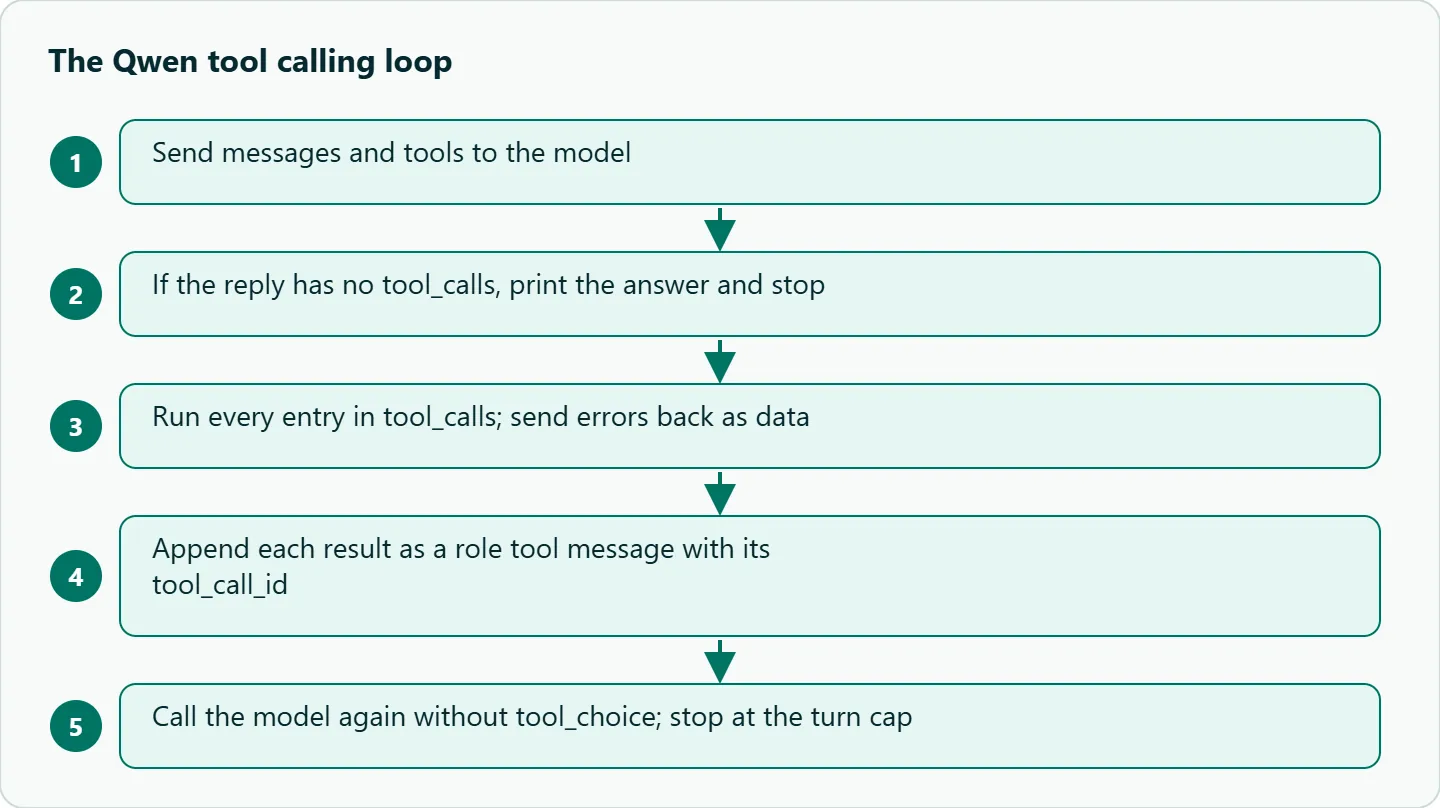
Short answer: Qwen function calling in Python uses the standard OpenAI tools parameter. Define each tool as a JSON Schema function, run every entry in tool_calls, append each result as a role: "tool" message with its tool_call_id, then call the model again. Cap the loop, and never send tool_choice="required": Alibaba says Qwen models don't support it.
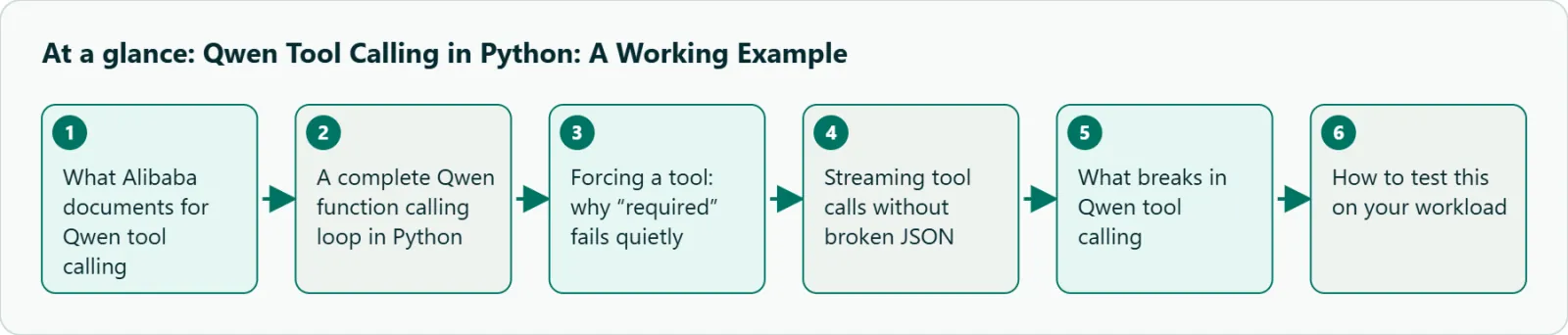
What Alibaba documents for Qwen tool calling
Each tool is {"type": "function", "function": {"name", "description", "parameters"}}, with parameters written as JSON Schema. Alibaba's Model Studio function calling guide lists the controls, and one of them behaves differently from what OpenAI users expect.
| Setting | Behavior on Qwen |
|---|---|
tool_choice="auto" |
Default; the model decides whether to call a tool |
tool_choice={"type": "function", "function": {"name": "x"}} |
Forces one named tool |
tool_choice="none" |
No tool calls |
tool_choice="required" |
Not supported on Qwen models |
parallel_tool_calls |
Defaults to true; false returns one call at a time |
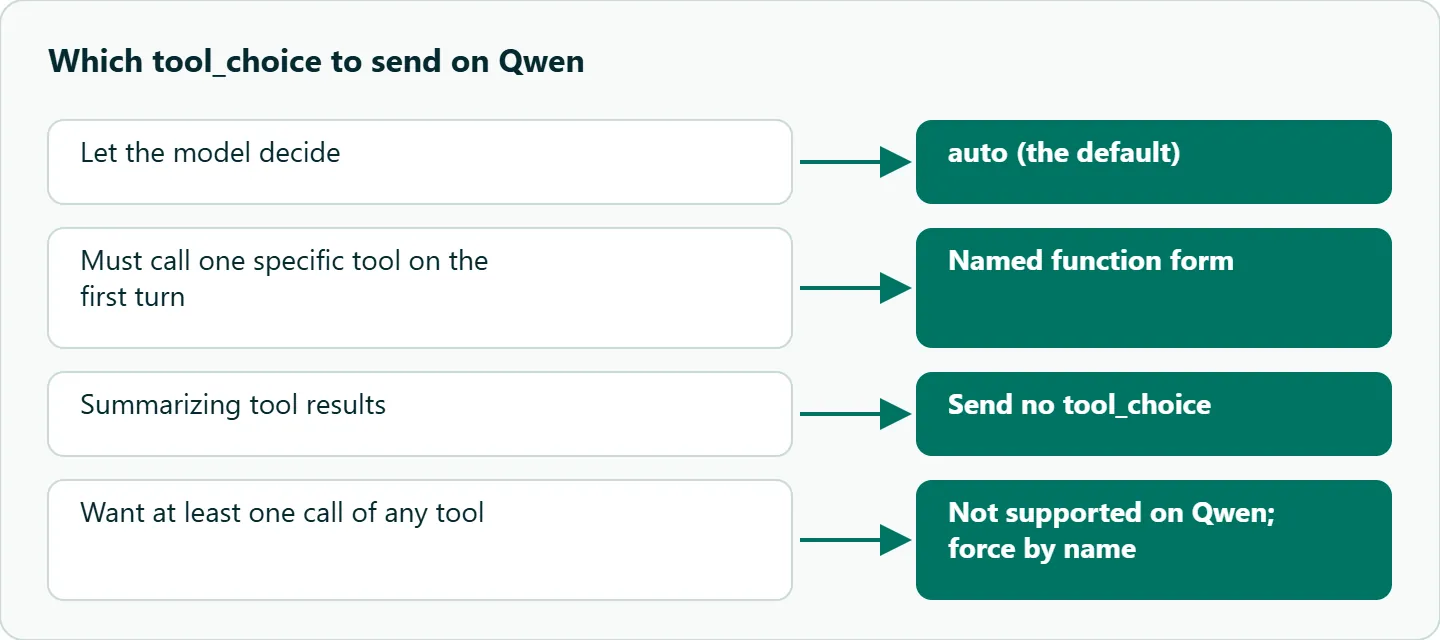
Two practices from the same page show up directly in code. First, say in the system message when each tool should be used; Alibaba notes this usually improves tool-calling accuracy. Second, remove tool_choice on the request where the model summarizes tool output. If you leave a forcing value in place, the API may keep returning tool calls instead of an answer, and your loop never ends.
A complete Qwen function calling loop in Python
This script answers "where are my orders?" with a fake lookup. Swap in your own function and the structure stays the same.
import json, os
from openai import OpenAI

client = OpenAI(base_url="https://api.oceantoken.ai/v1",
                api_key=os.environ["OCEANTOKEN_API_KEY"])
MODEL = "qwen/qwen3.8-max-0902"

def get_order_status(order_id: str) -> dict:
    db = {"A100": "shipped", "A101": "processing"}
    return {"order_id": order_id, "status": db.get(order_id, "not found")}

TOOLS = [{"type": "function", "function": {
    "name": "get_order_status",
    "description": "Use when the user gives an order ID such as A100. Returns its status.",
    "parameters": {"type": "object",
        "properties": {"order_id": {"type": "string", "description": "Order ID, e.g. A100"}},
        "required": ["order_id"]}}}]
REGISTRY = {"get_order_status": get_order_status}

messages = [
    {"role": "system", "content": "If the user mentions an order ID, call get_order_status."},
    {"role": "user", "content": "Where are orders A100 and A101?"},
]
for turn in range(4):                       # hard cap on model calls
    r = client.chat.completions.create(model=MODEL, messages=messages, tools=TOOLS)
    msg = r.choices[0].message
    messages.append(msg)
    if not msg.tool_calls:
        print(msg.content)
        break
    for call in msg.tool_calls:
        try:
            args = json.loads(call.function.arguments)
            result = REGISTRY[call.function.name](**args)
        except Exception as e:              # errors go back to the model as data
            result = {"error": str(e)}
        messages.append({"role": "tool", "tool_call_id": call.id,
                         "content": json.dumps(result)})
A good run asks for both lookups in one response, because parallel_tool_calls is on by default, and the inner loop handles that by iterating every entry. Dependent steps, such as finding a customer and then their orders, take extra turns, which is why the cap exists. Notice that the summary call here sends no tool_choice at all, which is exactly what Alibaba recommends.
Forcing a tool: why "required" fails quietly
If you come from OpenAI, tool_choice="required" is the obvious way to make sure a lookup happens. On Qwen, Alibaba says it isn't supported. The safer pattern is the named form, {"type": "function", "function": {"name": "get_order_status"}}, on the first turn only, then nothing on later turns.
There is a gateway wrinkle too. OceanToken's tool calling guide documents "required" as a general option, and our text guide says a parameter the model does not support is dropped and the request runs without it. Put those together and a forced choice may neither work nor raise an error. The model is then free to answer without calling the tool, which looks like a prompt problem and can cost a day of prompt tweaking. Log whether tool_calls was present on every forced turn, and alert when it isn't.
The same guide warns that a model without tool calling ignores tools and answers in text, again without an error. Both Qwen ids on /qwen-api list tool calling, so this bites mainly when someone swaps the model string to an id that doesn't.
Streaming tool calls without broken JSON
With stream=True, calls arrive in pieces under choices[0].delta.tool_calls. Both Alibaba and OceanToken describe the same shape: the first piece of each call carries its index, id and function name, and later pieces append fragments to arguments. Join the fragments by index and parse the JSON only after the stream ends with finish_reason set to tool_calls.
calls = {}
for chunk in client.chat.completions.create(model=MODEL, messages=messages,
                                             tools=TOOLS, stream=True):
    for tc in chunk.choices[0].delta.tool_calls or []:
        c = calls.setdefault(tc.index, {"id": None, "name": "", "args": ""})
        c["id"] = tc.id or c["id"]
        if tc.function and tc.function.name:
            c["name"] = tc.function.name
        if tc.function and tc.function.arguments:
            c["args"] += tc.function.arguments
parsed = {i: json.loads(c["args"]) for i, c in calls.items()}
Parsing each fragment as it arrives is the usual bug, and it shows up as random JSONDecodeErrors that disappear when you turn streaming off. If thinking is on, Alibaba's guide says to read reasoning_content, content and tool_calls as separate fields and to keep the previous assistant message, with its reasoning and tool calls, in the history on later turns.
What breaks in Qwen tool calling
| Symptom | Likely cause | Fix |
|---|---|---|
| Answers without calling a tool | Vague description, or forcing value dropped | Say when to use the tool; force by name; log missing tool_calls |
Error or no effect with "required" |
Not supported on Qwen | Use the named-function form |
| Extra tool calls after results | tool_choice still set on summary call |
Remove it on that call |
| Endless loop | No exit condition | Turn cap and clear "not found" results |
| Invalid JSON arguments | Parsing stream fragments early, or output cut off | Parse after the stream ends; raise max_tokens |
| Only one call when you expected two | parallel_tool_calls set to false |
Leave the default unless calls depend on each other |
A common design failure is two tools that sound alike. Expose search_orders(query) and get_order_status(order_id), both described as "look up order information", and a request like "check on A100" can go to search first and cost an extra turn. Make the descriptions mutually exclusive, for example "use only when the user has no order ID" versus "use when the user gives an order ID". For tools that change state, such as refunds or emails, return a pending-confirmation result first and make the tool idempotent, so a retried turn can't refund twice.
How to test this on your workload
We haven't run a published eval for this article, so build a small one before you choose a model. Write about 30 cases from your own traffic: a missing parameter, an ambiguous request, a tool that returns an error, two tools that could both apply, and a request that needs parallel lookups. Run them on qwen/qwen3.8-max-0902 and qwen/qwen3.8-flash, and record whether the right tool was called and how many turns it took. Remember that tool schemas count as input on every turn, so a large tool catalog raises the cost of each call; keeping the set small helps both accuracy and spend.
Our take: Start with Flash for single-tool lookups and move to Max when your eval shows Flash picking the wrong tool or failing multi-step chains. Force tools by name, never with required, and treat a missing tool_calls on a forced turn as an error you log. The boring cases in your own eval will tell you more than any leaderboard.
Running it on OceanToken
Use base URL https://api.oceantoken.ai/v1 and either qwen/qwen3.8-max-0902 (model page, which lists tool_choice and response_format) or qwen/qwen3.8-flash. The API is OpenAI-compatible, so the loop above is the same code you would write for OpenAI with the base URL, key and model id changed. One key and one prepaid balance also cover DeepSeek, GLM, Kimi, Claude, GPT and Gemini, which matters for tool agents: you can run the same eval across families by changing one string. The /qwen-api page also says failed requests are free. See the current rate on /qwen-api.
The model id, context window and max output for Max are on its Qwen3.8 Max model page, and the current Qwen versions and rates are on the Qwen API page.
FAQ
Does Qwen support parallel tool calls? Yes. Alibaba documents parallel_tool_calls defaulting to true; set it to false when calls depend on each other, and still handle every call returned.
Can I force Qwen to call a tool? Force one named tool with the function form of tool_choice. Alibaba says "required" is not supported on Qwen models.
Why does Qwen keep calling tools after I send the results? A tool_choice value is probably still set on the summary request. Remove it on that call.
Do I need Qwen-Agent? No. The OpenAI SDK loop works with any OpenAI-compatible endpoint; Qwen-Agent is an optional framework.
Which Qwen model should I use for tools? Both ids listed on /qwen-api support tool calling. Test Flash first and move to Max if your eval shows wrong tool choices.
Sources
- Alibaba Cloud Model Studio: function calling (checked 2026-11-06)
- OceanToken docs: tool calling (checked 2026-11-06)
- OceanToken docs: text generation (checked 2026-11-06)
- OceanToken Qwen API page (checked 2026-11-06)
- OceanToken Qwen3.8 Max model page (checked 2026-11-06)
Get your OceanToken API key
- Create an OceanToken account and an API key.
- Copy the snippet below, paste your key, and run it.
- Check the current rate on /qwen-api.
curl https://api.oceantoken.ai/v1/chat/completions \
  -H "Authorization: Bearer $OCEANTOKEN_API_KEY" \
  -H "Content-Type: application/json" \
  -d '{"model": "qwen/qwen3.8-max-0902", "messages": [{"role": "user", "content": "Where is order A100?"}], "tools": [{"type": "function", "function": {"name": "get_order_status", "description": "Use when the user gives an order ID.", "parameters": {"type": "object", "properties": {"order_id": {"type": "string"}}, "required": ["order_id"]}}}]}'
More from the blog
A Unified API for Chat, Image and Video
Building on a unified API for chat, image and video: sync vs async calls, billing units, retries, timeouts and storage, with three calls and a launch checklist.
Kimi K3 API International Access Guide
Use the Kimi K3 API internationally: sign up with email, pay by card, create one key and call moonshotai/kimi-k3 with an OpenAI SDK. Steps, code and checks.
Call Tencent Hy3 With the OpenAI SDK
Call Tencent Hy3 with the OpenAI SDK outside China: base URL, model id, streaming, tool calls, reasoning_effort values, Hy3 vs Hy3 preview, and token billing.