

Veo Camera Movement Prompts: 3.1 Glossary
Veo camera movement prompts that steer Veo 3.1: dolly, pan, tracking, crane, angle and lens terms from Google's own guides, plus one-move-per-shot prompt order.
By OceanToken Team
Editor's note: In our view, the camera clause is the most under-specified part of most Veo prompts. A gorgeous subject with no camera direction gets whatever default drift the model picks. Naming one camera move per shot, early in the prompt, with a speed word, is the cheapest improvement you can make, and it costs nothing but a few words.
Short answer: Good Veo camera movement prompts name one move, one framing or lens term and one camera height per clip, and put them before the subject and action. Google's own guides list terms such as dolly shot, tracking shot, crane shot, aerial view, slow pan, POV shot, low angle and shallow depth of field. Don't stack several moves in one clip.
Where the Veo 3.1 camera vocabulary comes from
You don't have to guess which words Veo understands. Google has published the vocabulary in three places, and they agree on the core terms.
The Google Cloud prompting guide for Veo 3.1 gives a formula, [Cinematography] + [Subject] + [Action] + [Context] + [Style & Ambiance], and lists camera movement terms (dolly shot, tracking shot, crane shot, aerial view, slow pan, POV shot), composition terms (wide shot, close-up, extreme close-up, low angle, two-shot) and lens and focus terms (shallow depth of field, wide-angle lens, soft focus, macro lens, deep focus).
The Gemini API Veo docs tell you to "control the camera's location and movement" with terms like aerial view, eye-level, top-down shot, dolly shot and worm's eye, and list wide shot, close-up, single-shot and two-shot for composition. Google DeepMind's Veo page also shows camera controls such as move back, zoom in, move up and move right.
Notice that cinematography comes first in Google's formula. That ordering is the backbone of everything below.
Veo camera movement prompts: the glossary
Each term below appears in Google's guides or is standard film language built from them. The last column is what to look for when you review the clip, so you can tell whether Veo followed you.
| Term | What the camera does | Use it for | What to check in the clip |
|---|---|---|---|
| Locked-off / static | Doesn't move | Dialogue, product hero shots | Does anything still feel alive in the frame? |
| Slow pan | Turns left or right from one spot | Revealing a room or landscape | Does the frame rotate, or slide sideways? |
| Tilt | Turns up or down from one spot | Revealing height | Does it start and end on the subjects you named? |
| Dolly shot (in / out) | Physically moves toward or away | Emotional emphasis | Does the background shift? If not, you got a zoom |
| Tracking shot | Moves alongside a moving subject | Walking, running, vehicles | Does the subject stay in frame? |
| Crane shot | Rises or descends | Establishing shots, reveals | Is the reveal complete within the clip? |
| Aerial view | Seen from high above | Landscapes, cities | Is the scale believable? |
| POV shot | Through a character's eyes | Immersion, first-person ads | Are there stray hands or bodies in frame? |
| Low angle / worm's eye | Below the subject, looking up | Power, scale | Is the subject distorted? |
| Top-down shot | Straight down | Food, desks, flat-lays | Is the framing truly overhead? |
| Two-shot | Two people in one frame | Conversations | Are both faces readable? |
| Shallow depth of field | Subject sharp, background soft | Portraits, products | Is focus on the right object? |
A dolly and a zoom are easy to confuse in a prompt and in the result. A dolly moves the camera, so the background shifts against the subject; a zoom changes focal length, so everything magnifies together. If you asked for a dolly and the background didn't shift, reword it.
How to order a Veo camera prompt
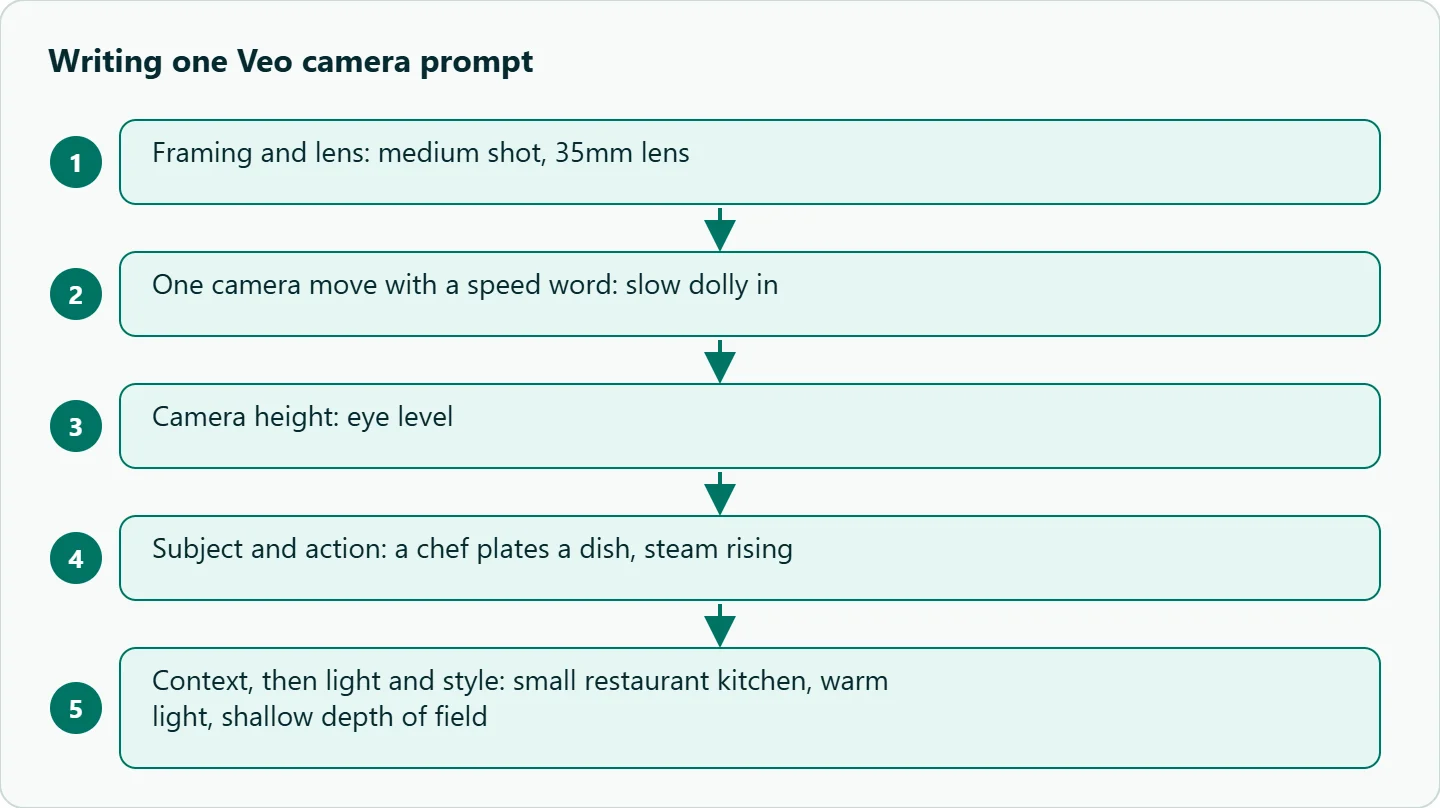
Google's formula puts cinematography first. We break that slot into three parts and keep each one singular:
"[Framing + lens], [one camera move + speed], [camera height]. [Subject + action]. [Context]. [Light and style]."
Example: "Medium shot, 35mm lens, slow dolly in at eye level. A chef plates a dish, steam rising. Small restaurant kitchen. Warm light, shallow depth of field."
Why one move? A clip on Veo 3.1 runs 4, 6 or 8 seconds, per both Google's docs and our model docs . "Dolly in while panning left and tilting up" asks for three decisions in that window, and you lose the ability to tell which word did what. If you need a sequence, the Google Cloud guide's timestamp prompting format lets you assign a separate shot to each two-second segment, such as [00:00-00:02] Medium shot from behind... followed by [00:02-00:04] Reverse shot....
Common camera prompt mistakes
Two moves at once. Pick one. Sequence the second in another clip or a timestamped segment.
Camera words buried at the end. The guide's formula leads with cinematography. Move the camera clause to the front.
No speed word. "Slow," "steady" or "quick" gives the model a scale for the move. Without one, a large crane move has to fit an unstated pace into a 4- to 8-second clip; the speed word test below checks whether adding one helps on your subject.
Contradictions. "Static camera" plus "the camera follows her run" gives the model two instructions it can't both obey.
Negative phrasing. Google's guide recommends describing what you want rather than what to exclude, for example "a desolate landscape with no buildings or roads" instead of "no man-made structures." The same goes for the camera: "locked-off tripod shot" works better as an instruction than "don't move the camera."
How to test this on your workload
The glossary becomes useful once it holds wording your team has seen work. Fix one subject and vary only the camera clause, then keep the winning phrasing for each move.
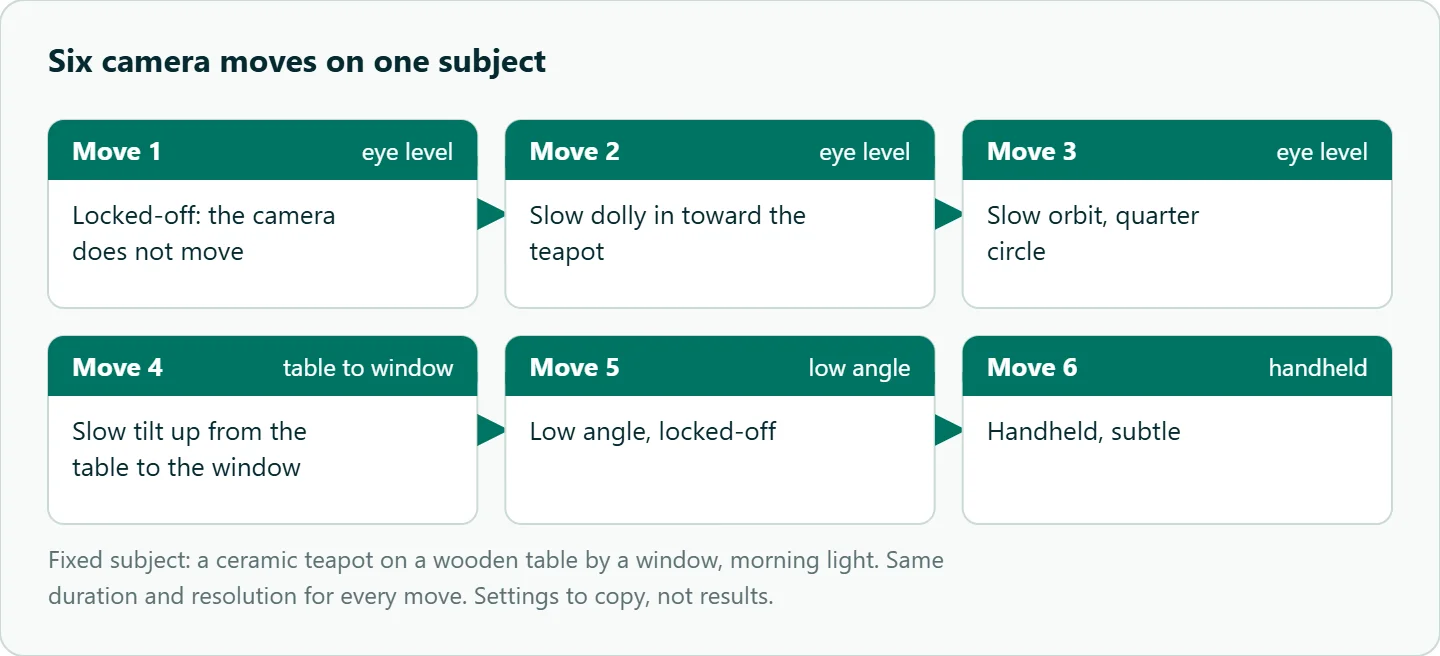
A starting grid: subject line "A ceramic teapot on a wooden table by a window, morning light." Camera clauses: (1) "locked-off, eye level", (2) "slow dolly in, eye level", (3) "slow orbit, quarter circle, eye level", (4) "slow tilt up from the table to the window", (5) "low angle, locked-off", (6) "handheld, subtle." Run each at the same duration and resolution, a few takes per move, and ask three questions: did the move happen, was it smooth, and did the teapot keep its shape?
| Move | Wording to try | Failure to check | Fallback wording |
|---|---|---|---|
| Dolly in | "slow dolly in" | Zoom instead of a move | "camera moves forward" |
| Orbit | "slow orbit, quarter circle" | Subject geometry bends | A shorter arc |
| Tilt | "tilt up from X to Y" | Jumps to the end frame | Name the start and end subject |
| Handheld | "handheld, subtle" | Too much shake | "steady handheld" |
| Tracking | "tracking shot from the side" | Subject drifts out | Add "subject stays centered" |
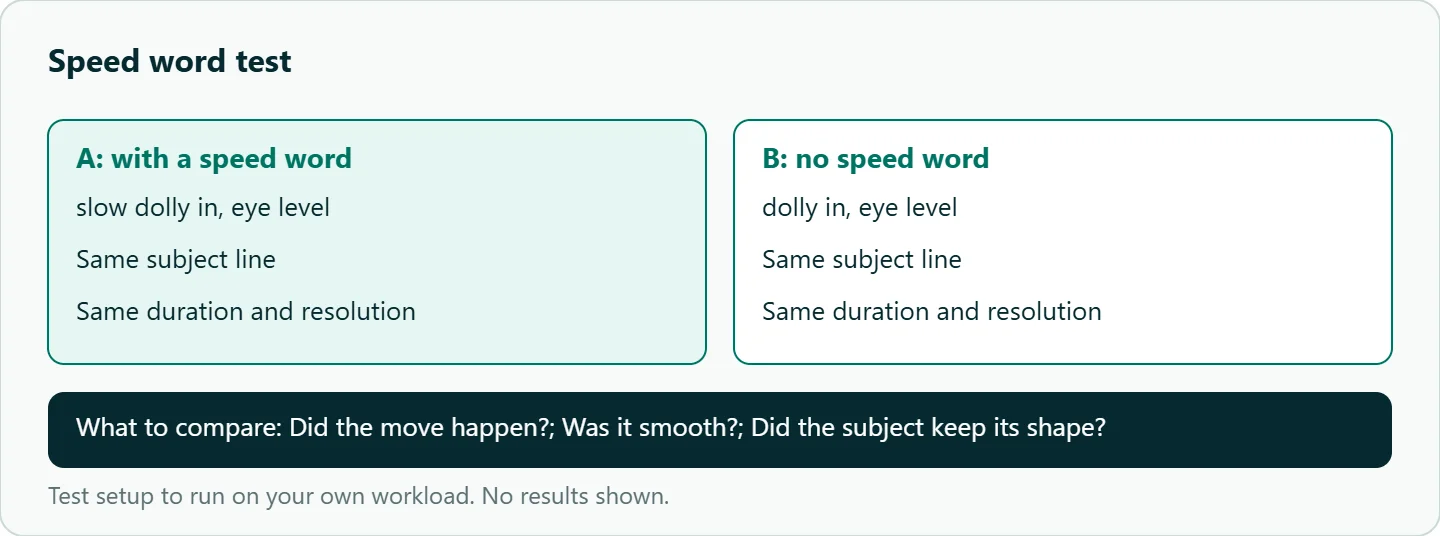
To check the speed word itself, run the same clause twice, "slow dolly in, eye level" and "dolly in, eye level", with subject, duration and resolution fixed, and ask the same three questions.
One setting matters for this grid. Google's Gemini API docs say 1080p and 4K output require 8-second clips. OceanToken's Veo 3.1 docs accept 4, 6 or 8 seconds with a default of 6 and don't state that rule, so set duration to 8 when you test at 1080p and check the size field in the response.
Our take: Treat camera language as a shared asset. Build a one-page vocabulary for your team with the exact wording that worked for each move, run the grid on google/veo-3.1-fast while you iterate, and only render finals on google/veo-3.1. New prompts then copy proven phrasing instead of inventing it.
Running it on OceanToken
The /veo-api page lists three ids: google/veo-3.1, google/veo-3.1-fast and google/veo-3.1-lite. The base URL is https://api.oceantoken.ai/v1, and generation runs as an async job on POST /v1/videos: submit, poll until status is completed, then download. See the current rate on /veo-api.
The API is OpenAI-compatible, so an existing OpenAI SDK project only needs the base URL and key changed. One key and one prepaid balance, with no subscription, cover all three Veo tiers and the other video models on the video page, so moving the test grid from Fast to standard is a model id change. If a parameter such as seed can't be honored, the API drops it and names it in the x-oceantoken-dropped-params response header instead of failing silently.
Camera language transfers across models, but each one has its own habits. Compare with our Kling camera control prompts and the Seedance camera language cheat sheet.
FAQ
Can Veo follow a specific camera path? Google lists camera and motion controls, and prompt wording is the portable way to use them. Name one move and its start and end points.
Is "dolly" different from "zoom"? Yes. A dolly moves the camera; a zoom changes focal length. Watch the background to tell them apart.
How many camera moves per Veo clip? One. For a sequence, use separate clips or timestamped segments.
Do lens terms like "wide-angle lens" matter? Google lists them in its prompting guide. They change perspective and depth, so include them in your test grid.
Where should camera words go in the prompt? First. Google's formula starts with cinematography, before subject and action.
Sources
- Google Cloud: Ultimate prompting guide for Veo 3.1 (checked 2026-11-11)
- Google: Veo in the Gemini API docs (checked 2026-11-11)
- Google DeepMind: How to create effective prompts with Veo 3 (checked 2026-11-11)
- Google DeepMind: Veo (checked 2026-11-11)
- OceanToken docs: google/veo-3.1 (checked 2026-11-11)
- OceanToken docs: google/veo-3.1-fast (checked 2026-11-11)
- OceanToken Veo API page (checked 2026-11-11)
Get your OceanToken API key
- Create an OceanToken account and an API key.
- Copy the snippet below, paste your key, and run it.
- Check the current rate on /veo-api.
curl https://api.oceantoken.ai/v1/videos \
  -H "Authorization: Bearer $OCEANTOKEN_API_KEY" \
  -H "Content-Type: application/json" \
  -d '{"model": "google/veo-3.1-fast", "prompt": "Medium shot, 35mm lens, slow dolly in at eye level. A chef plates a dish, steam rising. Small restaurant kitchen. Warm light, shallow depth of field.", "duration": 8, "resolution": "720p"}'
More from the blog
A Unified API for Chat, Image and Video
Building on a unified API for chat, image and video: sync vs async calls, billing units, retries, timeouts and storage, with three calls and a launch checklist.
Kimi K3 API International Access Guide
Use the Kimi K3 API internationally: sign up with email, pay by card, create one key and call moonshotai/kimi-k3 with an OpenAI SDK. Steps, code and checks.
Call Tencent Hy3 With the OpenAI SDK
Call Tencent Hy3 with the OpenAI SDK outside China: base URL, model id, streaming, tool calls, reasoning_effort values, Hy3 vs Hy3 preview, and token billing.