

Seedance Camera Movement Prompts: Glossary
Seedance camera movement prompts that read: push-in, dolly, orbit, tracking, tilt, locked-off. One move per shot, speed words, and when to use a reference.
By OceanToken Team
Editor's note: "Cinematic camera" is a mood, and the model has to guess what you meant by it. We would rather give you ten precise verbs than fifty adjectives. Our rule is simple: if you cannot name the move, its speed and where it stops, the model cannot either. Pick one move per shot and spend the rest of your words on the subject.
Short answer: Write Seedance camera movement prompts with standard film terms (locked-off, slow push-in, pull-back, lateral tracking, handheld, tilt up, orbit), add a speed and a direction, and give each shot exactly one move. Stacking moves tends to make the image unstable. For a move words cannot describe, attach a reference video.
The core Seedance camera movement prompts
Seedance has no camera parameter on OceanToken. The request schema for bytedance/seedance-2.5 lists duration, resolution, aspect ratio, audio, seed, frames and references, and nothing for the camera, so every move you want has to be written into the prompt (or carried by a reference video, covered below). That makes vocabulary the whole game.
Runway's Seedance 2.0 guide says "standard terminology works well" and gives examples such as slow push-in, smooth lateral tracking and fixed shot. The table below sticks to those plain film terms. The descriptions and use cases are ours, written from ordinary film practice, not from a test grid.
| Term to write | What the camera does | Good for |
|---|---|---|
| Locked-off / fixed shot | Does not move | Dialogue, a product on a plinth, composed wides |
| Slow push-in | Moves toward the subject | Emotion, a reveal, emphasis on one detail |
| Slow pull-back | Moves away from the subject | Endings, showing where we are |
| Smooth lateral tracking | Glides sideways, parallel to the subject | A person walking, a runner, a shelf of products |
| Handheld tracking | Follows with slight shake | Documentary or UGC feel, tension |
| Slow tilt up | Pivots upward from a fixed point | Buildings, a character head to toe |
| Slow orbit | Circles the subject | A product hero shot, a character reveal |
| Crane up | Rises vertically | Establishing a location |
| Crash zoom | Fast zoom in | Comedy beats, shock |
Add speed, direction and an end point
"Slow dolly in" gives the model more to work with than "dolly in." "Camera drifts left" is clearer than "camera moves." Runway's guide puts it in terms of stability: "slow, gentle, continuous movement holds together better than high-energy action," and sprinting, large jumps and violent motion are "where warping and instability tend to appear." So the default speed word should be slow, and fast moves should be a deliberate choice.
An end point helps too. "Slow push-in, ending on a close-up of her eyes" tells the model where the move finishes, which gives it less room to wander. Within a shot, the same guide suggests writing the camera movement first and then the subject's action, so the move is not buried at the end of a long sentence.
One move per shot
This is the rule we would hold to above all others. Runway's guide is direct: "Asking for push, pull, pan, and tilt at once increases image instability," and it recommends one movement type per shot. In practice, "push-in while orbiting and tilting up" asks the model to solve three paths at once, and the usual result is a vague drift that matches none of them.
If you need three moves, write three shots. The Seedance multi-shot prompting guide covers how to label and order them. When does this rule bend? A handheld follow is technically a track plus shake, and it works because the shake is texture, not a second path. Treat handheld as a style layered on one move.
Shot size plus move
Shot size and camera move are separate slots, and naming both removes a lot of guessing. Wide, medium, close-up, extreme close-up and low-angle set the framing; the move says what happens to it. "Close-up, slow push-in" and "Wide, locked-off" are complete camera instructions in four words.
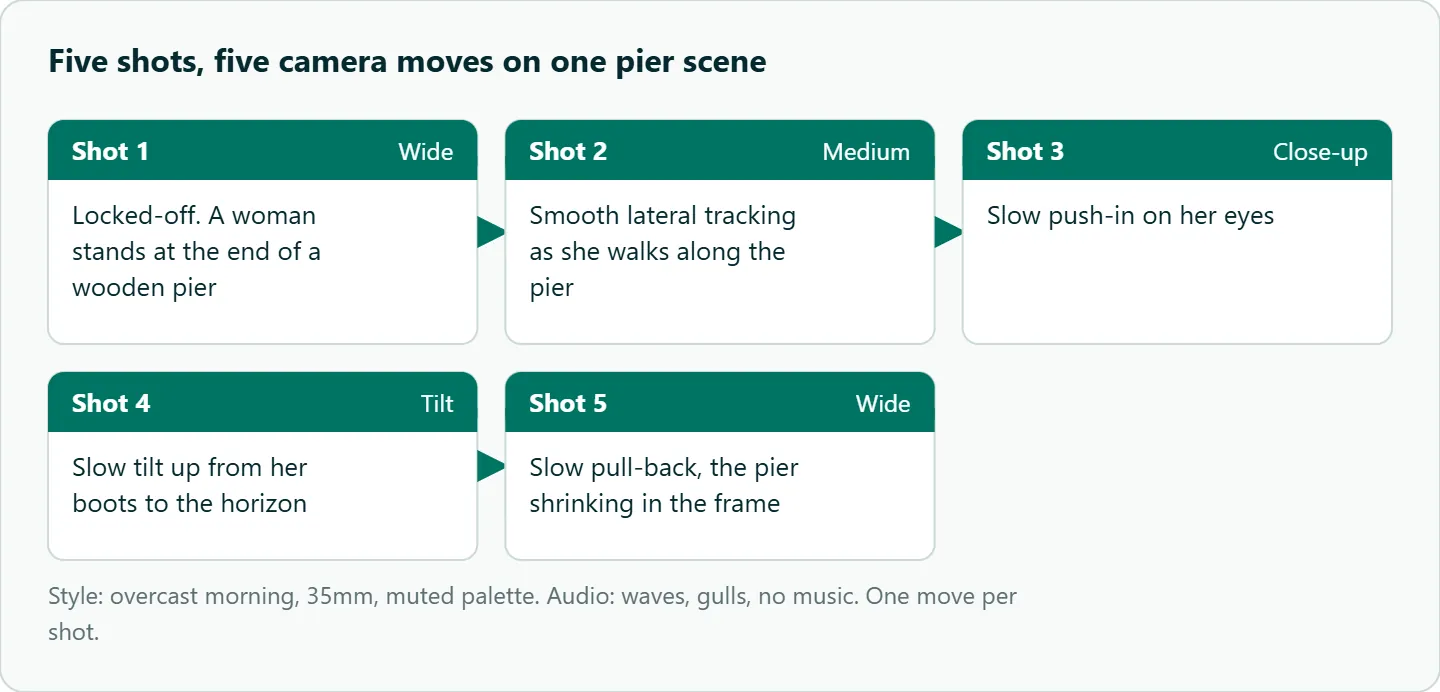
Here is a five-shot example on one subject that uses a different size and move in every shot. It is a prompt to copy, not a result we are showing:
Style: overcast morning, 35mm, muted palette.
Shot 1: Locked-off wide, a woman stands at the end of a wooden pier.
Shot 2: Medium shot, smooth lateral tracking as she walks along the pier.
Shot 3: Close-up, slow push-in on her eyes.
Shot 4: Slow tilt up from her boots to the horizon.
Shot 5: Slow pull-back, the pier shrinking in the frame.
Audio: waves, gulls, no music.
Seedance dolly and orbit: two moves that need care
Dolly and orbit are the moves people ask for most in product and character work, and both have a catch.
A dolly in (push-in) and a zoom look alike in a short clip. If the difference matters to you, say "the camera physically moves closer" and mention the background changing; otherwise accept that the model may read it either way. A dolly out (pull-back) is the riskier of the pair, because the model has to invent everything that comes into frame.
An orbit shows the back and sides of the subject. If you start from a first frame, the model has only seen the front, so the rest is invented, and a logo or label can change shape as it turns away. Keep orbits slow, keep them partial ("a slow quarter orbit to the right"), and check the far side of the object before you use the clip.
Style that travels with the camera
The camera move carries a style with it. Handheld reads as documentary; locked-off reads as composed. Pair them on purpose: handheld tracking with a camcorder look for UGC, locked-off with film grain for a polished ad. Runway's guide notes that "a named style keeps the look from drifting toward realism when you want something stylized," so put a one-line style label next to the camera choice and keep both consistent across shots.
When words fail, use a reference video
ByteDance's Seedance 2.0 page says that with images, audio and video as references, creators get "full control over performance, lighting, shadow, and camera movement." Runway's example working set includes "one camera movement video." On OceanToken, a video goes in input_references (Seedance 2.5 takes up to 10 videos per request).
Two cautions. First, tell the model what the reference is for, such as "use video 1 for the camera movement only," otherwise its lighting and pacing can bleed into your shot. Second, the video guide says a Seedance request carries frames or references, not both, and sending both returns a 400. So you cannot pin a first frame and borrow a camera path from a reference video in the same call. If the opening image matters more, use a first frame and describe the move in words; if the move matters more, use references and describe the opening.
Seedance camera prompt examples
Each line below is one shot with one move. Swap the subject; keep the camera half.
Locked-off medium shot, a brass lantern on a wooden table, warm evening light.
Slow push-in over the full clip, ending on a close-up of the lantern flame.
Smooth lateral tracking left to right as a cyclist rides past a row of shops.
Handheld tracking from behind, a cook carries a pot across a busy kitchen.
Slow tilt up from the base of a glass tower to its roof, clear blue sky.
Slow quarter orbit to the right around a white sneaker on a gray plinth.
Crane up from street level to reveal the whole market square at dusk.
How to test this on your workload
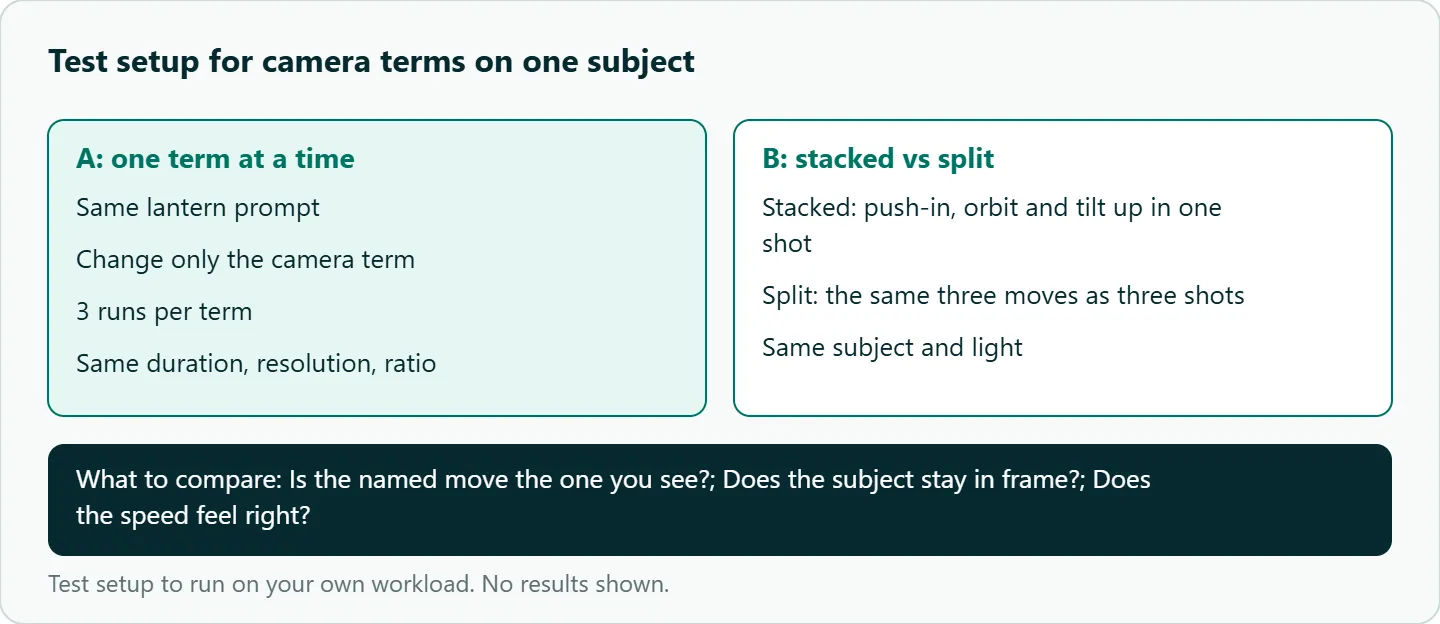
We have not run a hit-rate test on these terms, so treat the table as a starting vocabulary and check it against your own subjects. A small, fair test looks like this:
- Pick one subject and one prompt, such as the lantern line above, and change only the camera term.
- Run each term three times at the same duration, resolution and aspect ratio on
bytedance/seedance-2.5. - For each take, note whether the named move is the one you see, whether the subject stays in frame, and whether the speed feels right.
- Run one stacked prompt ("push-in, orbit and tilt up") against the same three moves written as three shots.
- Keep the phrases that read correctly and drop the rest.
Our take: Build a personal library of eight to ten move phrases that you have checked on your own subjects, and stop experimenting with camera wording inside paid client work. Slow, single, named moves with an end point are the safest default; save crash zooms and orbits for when the shot needs them.
Running it on OceanToken
On OceanToken, Seedance 2.5 is bytedance/seedance-2.5, called at https://api.oceantoken.ai/v1 with POST /v1/videos. The Seedance 2.5 model page also lists bytedance/seedance-2.5-upscaled for 720p and 1080p output. For a camera-wording test, draft on the native id at a low resolution and re-render only the takes you keep.
Two things make that kind of iteration easier. Refused or failed video jobs are not charged, and the held amount goes back to your balance, so a take that errors out costs nothing. And one key and one prepaid balance (no subscription) cover Seedance and the other video models, so you can try the same camera line on another model by changing only model. If you have not made a first call yet, the Seedance API quickstart in Python walks through create, poll and download. See the current rate on /seedance-api.
FAQ
Does "cinematic" do anything for the camera? Very little on its own. Name the move, its speed and where it ends.
Can I combine a pan and a zoom in one shot? You can, but Runway's guide says combined moves increase instability, so split them into two shots.
Is there a camera parameter in the Seedance API? Not on OceanToken. The Seedance 2.5 request schema has no camera field, so the prompt (or a reference video) is the control.
How do I write a drone shot? Try "slow aerial pull-back" or "crane up," keep it slow, and check the first takes before batching.
Should camera terms be in English? English film terms are the safe default, since that is how the guides we cite phrase them. We have not tested other languages.
Sources
- Runway: Seedance 2.0 prompt guide (checked 2026-11-08)
- ByteDance Seed: Seedance 2.0 (checked 2026-11-08)
- OceanToken docs: Video guide (checked 2026-11-08)
- OceanToken docs: Seedance 2.5 request schema (checked 2026-11-08)
- OceanToken: Seedance 2.5 model page (checked 2026-11-08)
- OceanToken Seedance API page (checked 2026-11-08)
Get your OceanToken API key
- Create an OceanToken account and an API key.
- Copy the snippet below, paste your key, and run it.
- Check the current rate on /seedance-api.
curl https://api.oceantoken.ai/v1/videos \
  -H "Authorization: Bearer $OCEANTOKEN_API_KEY" \
  -H "Content-Type: application/json" \
  -d '{"model": "bytedance/seedance-2.5", "prompt": "Locked-off medium shot, a brass lantern on a wooden table, warm evening light. Slow push-in, ending on a close-up of the flame.", "duration": 5, "resolution": "480p"}'
More from the blog
A Unified API for Chat, Image and Video
Building on a unified API for chat, image and video: sync vs async calls, billing units, retries, timeouts and storage, with three calls and a launch checklist.
Kimi K3 API International Access Guide
Use the Kimi K3 API internationally: sign up with email, pay by card, create one key and call moonshotai/kimi-k3 with an OpenAI SDK. Steps, code and checks.
Call Tencent Hy3 With the OpenAI SDK
Call Tencent Hy3 with the OpenAI SDK outside China: base URL, model id, streaming, tool calls, reasoning_effort values, Hy3 vs Hy3 preview, and token billing.