

Qwen Image in ComfyUI: Files, Nodes, VRAM
Run Qwen Image in ComfyUI: exact model files and folders, the nodes in the official workflow, VRAM and speed from the ComfyUI tutorial, Edit versions, fixes.
By OceanToken Team
Editor's note: ComfyUI is where most people run Qwen-Image locally, and its official docs are good but spread over several pages. This collects the files, folders and nodes in one place. We haven't run these graphs on our own hardware, so every speed and memory figure below is ComfyUI's, quoted from their tutorial with the GPU it was measured on.
Short answer: Qwen Image runs natively in ComfyUI. Put three files under ComfyUI/models/: qwen_image_fp8_e4m3fn.safetensors in diffusion_models/, qwen_2.5_vl_7b_fp8_scaled.safetensors in text_encoders/ and qwen_image_vae.safetensors in vae/. Open the official template, set size and prompt, and run. ComfyUI measured 86% VRAM use on a 24 GB card.
Files and folders for Qwen Image in ComfyUI
The ComfyUI Qwen-Image tutorial uses these files. The fp8 diffusion model is 20.4 GB and the bf16 version is 40.9 GB, so check disk space before you start the download.
| File | Folder under ComfyUI/models/ |
Notes |
|---|---|---|
qwen_image_fp8_e4m3fn.safetensors |
diffusion_models/ |
Official model, fp8 |
qwen_image_distill_full_fp8_e4m3fn.safetensors |
diffusion_models/ |
Distilled, labeled non-official |
qwen_2.5_vl_7b_fp8_scaled.safetensors |
text_encoders/ |
Shared with the Edit models |
qwen_image_vae.safetensors |
vae/ |
Shared with the Edit models |
Qwen-Image-Lightning-8steps-V1.0.safetensors |
loras/ |
Optional 8-step speed-up |
The base model is Apache 2.0 per the Qwen-Image model card . The ComfyUI page gives no license details for the distilled checkpoint, the LoRAs or the ControlNets, so check each source repo before you use them in client work.
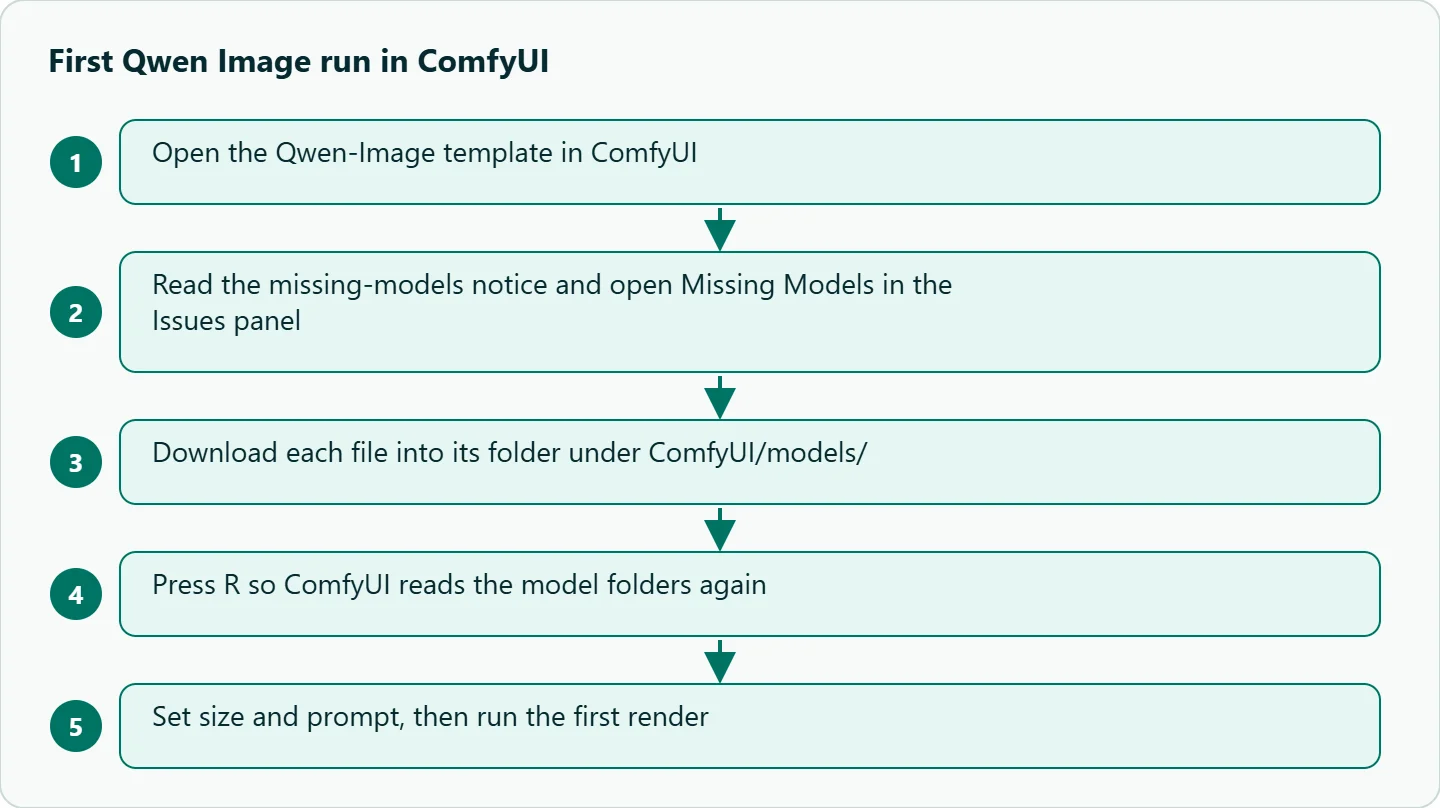
When you open a workflow with files missing, ComfyUI names the missing model and lists it under Missing Models in the Issues panel, per the first generation guide . If a Download button is there, Comfy Desktop saves the file for you; on Portable and manual installs the browser downloads it and you move it into the folder shown. Press R afterwards so ComfyUI reads the model folders again.
The text-to-image workflow
The graph uses six nodes: Load Diffusion Model, Load CLIP, Load VAE, EmptySD3LatentImage, CLIP Text Encoder and KSampler. The tutorial's steps:
- Check that the three loaders point at the files above.
- Set width and height in EmptySD3LatentImage.
- Write the prompt in the CLIP Text Encoder. The page says English, Chinese, Korean and Japanese all work.
- To use the 8-step LoRA, select its node and press Ctrl+B to enable it.
- Adjust the KSampler for the model variant, then run.
Sampler values are only given for the distilled model: 15 steps at CFG 1.0, as the original author recommends, with 10 steps also giving good results in ComfyUI's tests, and euler or res_multistep depending on style. For the base model and the LoRA the page gives no numbers, so start from the note under the node and adjust. The tutorial also warns that the distilled model and the 8-step LoRA don't appear to work together. Pick one speed-up, not both.
Qwen Image ComfyUI VRAM and speed
These are ComfyUI's figures from an RTX 4090D with 24 GB, not ours:
| Variant | VRAM | First run | Second run |
|---|---|---|---|
| fp8_e4m3fn | 86% | about 94 s | about 71 s |
| fp8 + 8-step Lightning LoRA | 86% | about 55 s | about 34 s |
| Distilled fp8 | 86% | about 69 s | about 36 s |
The first run includes loading the model, which is why it is slower. Neither the tutorial nor the model card publishes a minimum VRAM figure, so on a smaller card treat 24 GB as the tested point, not a floor or a ceiling. If you run out of memory, the fp8 files, a lower resolution and closing other GPU apps are the first three things to try.
Qwen-Image-Edit and its versions
Edit reuses the same text encoder and VAE. You add a new diffusion model, qwen_image_edit_fp8_e4m3fn.safetensors, and optionally Qwen-Image-Lightning-4steps-V1.0.safetensors in loras/. The Edit tutorial graph adds Load Image and Scale Image to Total Pixels, which resizes the input to about one megapixel so very large inputs don't degrade the result. Bypass it with Ctrl+B if your input is already the right size. The instruction goes in the CLIP Text Encoder, for example "replace the sign text with 'OPEN'".
The versions differ in ways that matter for real jobs:
| Version | Diffusion model file | What ComfyUI says it adds |
|---|---|---|
| Edit | qwen_image_edit_fp8_e4m3fn.safetensors |
Instruction editing |
| Edit 2509 | qwen_image_edit_2509_fp8_e4m3fn.safetensors |
Multi-image input, more consistent series edits, ControlNet support |
| Edit 2511 | qwen_image_edit_2511_bf16.safetensors |
Less drift, better identity consistency, group shots from several people, popular community LoRAs built in |
The 2511 page ships a bf16 file and publishes no VRAM figure, so plan for more memory than the fp8 versions. Its template's turbo mode uses 4 steps, CFG 1 and the 2511 Lightning LoRA by default.
ControlNet and model patches
The tutorial lists three control routes. InstantX Union ControlNet goes in models/controlnet/ and handles canny, soft edge, depth and pose. DiffSynth model patches go in models/model_patches/ and load with ModelPatchLoader and QwenImageDiffsynthControlnet; the inpaint patch needs a mask drawn in the Mask Editor. A union control LoRA loads with LoraLoaderModelOnly. Each adds downloads and failure points, so add them only after the plain text-to-image graph works.
What goes wrong
| Symptom | Likely cause | Fix |
|---|---|---|
| Loader shows a red node or an empty list | File in the wrong folder, or list not refreshed | Move it into the folder above and press R |
| Garbled or noisy output | Text encoder or VAE from another model | Use the shared Qwen files above |
| Out of memory | bf16 file or a large canvas | Switch to fp8, lower resolution |
| Odd results with a speed-up | Distilled model combined with the 8-step LoRA | Use one speed-up only |
| Missing nodes | ComfyUI out of date | Update; the tutorial says some nodes may need the Nightly build |
How to test this on your workload
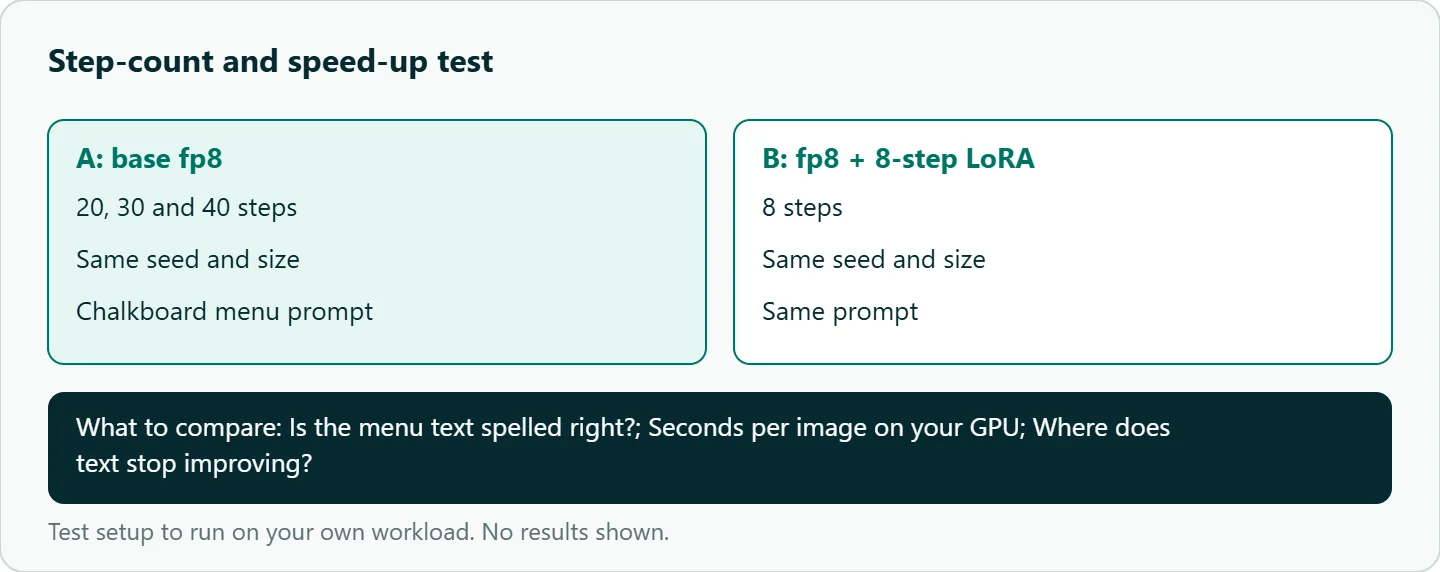
- Run the base fp8 graph and the 8-step LoRA at the same size and seed with a text-heavy prompt, such as a chalkboard menu reading "Soup of the Day" and "Mushroom Barley". Record seconds per image and whether the text is spelled right.
- Repeat at 20, 30 and 40 steps on the base model to see where text stops improving.
- For Edit, run four instructions on one photo (sign text, jacket color, remove an object, make it night) and check what changed outside the target.
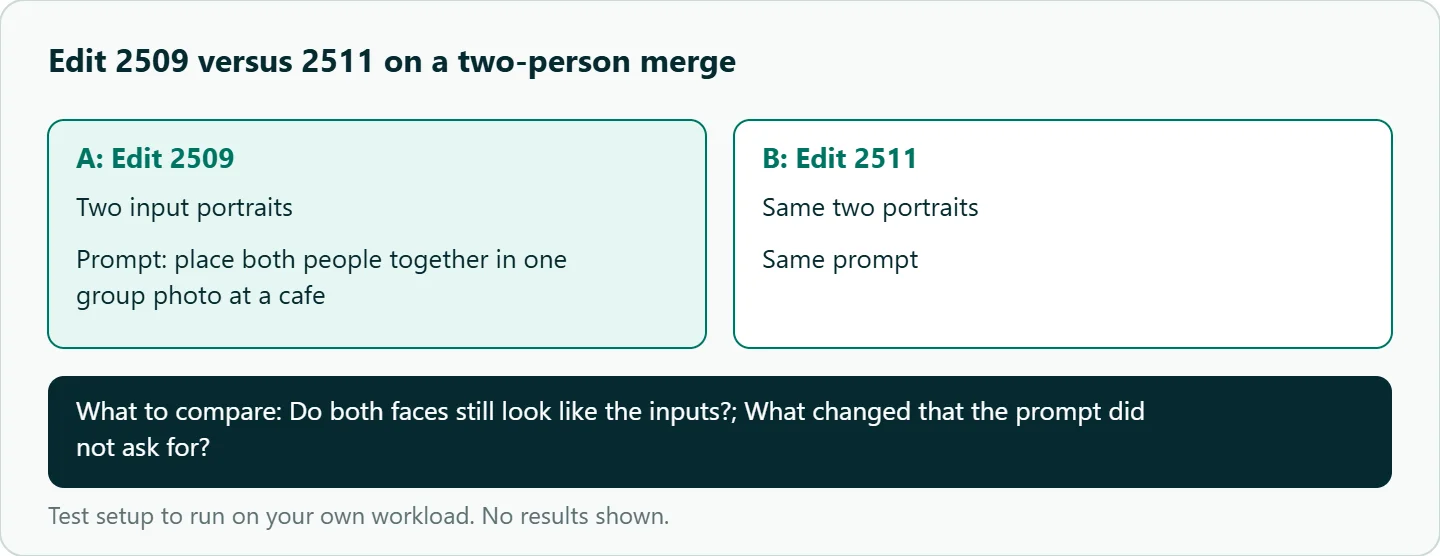
- Merge two portraits into one group photo with 2509 and with 2511, using the same prompt.
Our take: Local ComfyUI is the right home for experiments, ControlNets, LoRAs and repeated batches on a GPU you already own. Once images feed a product, VRAM planning, driver updates and queueing become your job, and a hosted endpoint is usually less work. Many teams keep both: ComfyUI for look development, an API for production volume.
Running it on OceanToken
When you move from a local graph to an endpoint, OceanToken serves qwen/qwen-image-3 at https://api.oceantoken.ai/v1/images/generations. Its model docs list n from 1 to 6, a seed that repeats an image for the same prompt, and up to 3 reference images that turn the request into an edit. There is no mask parameter, and returned URLs must be downloaded within 24 hours. This is the hosted Qwen Image 3, not the open-weight files above, so don't expect identical outputs for the same seed. Our Qwen Image API guide covers the parameters, and the Qwen vision guide covers checking generated images with a vision model.
The /qwen-api page says one key and one prepaid balance reach Qwen and the other families, the API is OpenAI-compatible, and failed requests are free. See the current rate on /qwen-api.
FAQ
Which files do I need first? The fp8 diffusion model, the fp8 text encoder and the VAE. The diffusion model alone is 20.4 GB.
Do the Lightning LoRAs hurt quality? They trade steps for speed, and the tutorial doesn't benchmark quality. Compare 8 steps against your usual count on your own prompts.
Can Edit use the Qwen-Image text encoder? Yes. All Edit versions use the same text encoder and VAE as Qwen-Image.
How much VRAM do I need? ComfyUI only publishes a run on a 24 GB card at 86% use. Smaller cards may work with fp8 and lower resolutions, but there is no official minimum.
Is the ComfyUI model the same as the hosted Qwen Image 3? No. The ComfyUI pages cover the open-weight Qwen-Image line; the hosted id is a different release, so prompts and seeds tuned locally need re-checking on the hosted model.
Sources
- ComfyUI docs: Qwen-Image (checked 2026-11-10)
- ComfyUI docs: Qwen-Image-Edit (checked 2026-11-10)
- ComfyUI docs: Qwen-Image-Edit 2511 (checked 2026-11-10)
- ComfyUI docs: First generation (checked 2026-11-10)
- Hugging Face: Qwen-Image model card (checked 2026-11-10)
- OceanToken docs: qwen/qwen-image-3 (checked 2026-11-10)
- OceanToken Qwen API page (checked 2026-11-10)
Get your OceanToken API key
- Create an OceanToken account and an API key.
- Copy the snippet below, paste your key, and run it.
- Check the current rate on /qwen-api.
curl https://api.oceantoken.ai/v1/images/generations \
  -H "Authorization: Bearer $OCEANTOKEN_API_KEY" \
  -H "Content-Type: application/json" \
  -d '{"model": "qwen/qwen-image-3", "prompt": "Chalkboard cafe menu that reads \"Soup of the Day\" and \"Mushroom Barley\", warm light", "size": "1:1", "seed": 42}'
More from the blog
A Unified API for Chat, Image and Video
Building on a unified API for chat, image and video: sync vs async calls, billing units, retries, timeouts and storage, with three calls and a launch checklist.
Kimi K3 API International Access Guide
Use the Kimi K3 API internationally: sign up with email, pay by card, create one key and call moonshotai/kimi-k3 with an OpenAI SDK. Steps, code and checks.
Call Tencent Hy3 With the OpenAI SDK
Call Tencent Hy3 with the OpenAI SDK outside China: base URL, model id, streaming, tool calls, reasoning_effort values, Hy3 vs Hy3 preview, and token billing.