

Kling in ComfyUI: Nodes and Workflow
How to run Kling in ComfyUI: the Kling 3.0 Video partner node and its inputs, a start-frame workflow, multi-shot storyboards, and when to use a script.
By OceanToken Team
Editor's note: ComfyUI is where many creators already make their start frames, so animating them there is natural. The catch is that Kling runs in the cloud, not on your GPU, so your graph is really an API client with a nice interface. That is fine for look development. Once you need your own key, retries or a batch of fifty shots, we think a short script is the better tool.
Short answer: Kling in ComfyUI runs through the Kling 3.0 Video partner node: text-to-video by default, image-to-video when you connect a start frame, 3 to 15 seconds, with optional multi-shot storyboards. It bills through your Comfy account, not your own API key. For batches or your own key, call the API from a script.
What the Kling ComfyUI nodes do
ComfyUI's docs describe Partner Nodes as "a set of special nodes that connect to external API services." Kling is one of them: there are no local weights, and your inputs go to a third-party provider for processing. The Kling 3.0 tutorial ships ready-made templates for text-to-image (api_kling_v3_t2i), video generation (api_kling_v3_video), first-and-last-frame video (api_kling_v3_flf2v) and motion control (api_kling_motion_control3). The same page lists older templates such as api_kling_i2v in a table of retired workflow templates, with api_kling_o3_i2v or api_kling2_6_i2v as replacements.
The main node is Kling 3.0 Video. Its documented inputs:
| Input | Values |
|---|---|
model |
kling-v3 (720p, 1080p, 4k) or kling-3.0-turbo (720p, 1080p) |
prompt |
1 to 2,500 characters |
duration |
3 to 15 seconds, default 5 |
multi_shot |
disabled, or 1 to 6 storyboards |
generate_audio |
default true; ignored on turbo, which always makes sound |
start_frame |
optional image; connecting it switches to image-to-video |
| aspect ratio | 16:9, 9:16 or 1:1; ignored in image-to-video |
Two constraints catch people. A start image must be at least 300x300 pixels with a ratio between 1:2.5 and 2.5:1. And because the aspect ratio setting is ignored once a start frame is connected, the shape of your still decides the shape of the clip.
Account, credits and keys
The Partner Nodes overview is explicit about billing. You must be signed in with a Comfy account and have "a credit balance of credits greater than 0." It is prepaid, and Partner Nodes "do not support free usage." On bringing your own key, the answer today is no: Partner Nodes "do not support this feature yet."
Two more points from the same page. Partner Nodes "send your inputs (prompts, images, and other content) to third-party providers for processing," so treat references as leaving your machine. And signed-in access works from 127.0.0.1 or localhost; on a LAN address you need to sign in with a Comfy API key instead.
First-run checklist
Update ComfyUI first. The docs say missing nodes usually mean you are not on a recent build or some nodes failed to import at startup. Then sign in under Settings, User, and confirm you have credits.
Open the api_kling_v3_video template rather than wiring from scratch, and compare its inputs with the table above, since node docs describe a point in time. Run a 3-second text-only test first. It is the cheapest way to confirm that account, credits and node all work before you add images. Only then connect a Load Image node to start_frame.
A Kling ComfyUI workflow: still to shot
The pattern for a short sequence is one start frame per shot, each feeding its own Kling node. Here is a three-shot harbor sequence as a template.
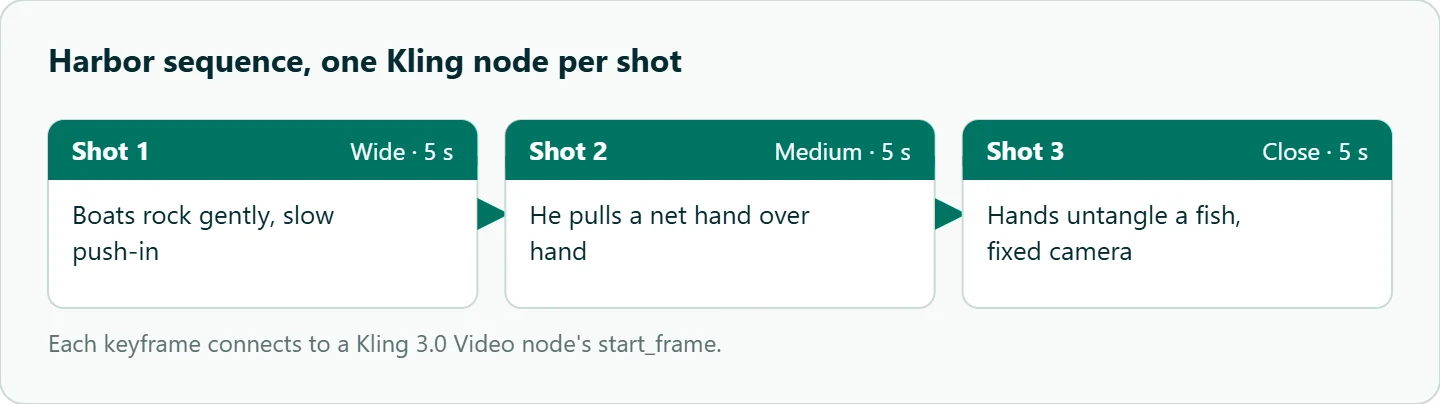
- Make or load three keyframes (wide, medium, close) at the target aspect ratio.
- Connect each to a Kling 3.0 Video node's
start_frame. - Write motion-only prompts: "boats rock gently, slow push-in," "he pulls a net hand over hand," "hands untangle a fish, fixed camera."
- Set 5 seconds each and save each output with the shot name, seed and prompt in the filename.
Write prompts for motion, not description; the start frame already says what is in the shot. Our Kling image-to-video best practices go deeper on that. If your stills are not already the right shape, fix them in the graph before the Kling node, because a square still cannot become a 16:9 clip here.
For cuts inside one clip, set multi_shot to the number of storyboards. Each storyboard prompt can be 1 to 512 characters, and the durations must add up to between 3 and 15 seconds.
Kling in ComfyUI or a script?
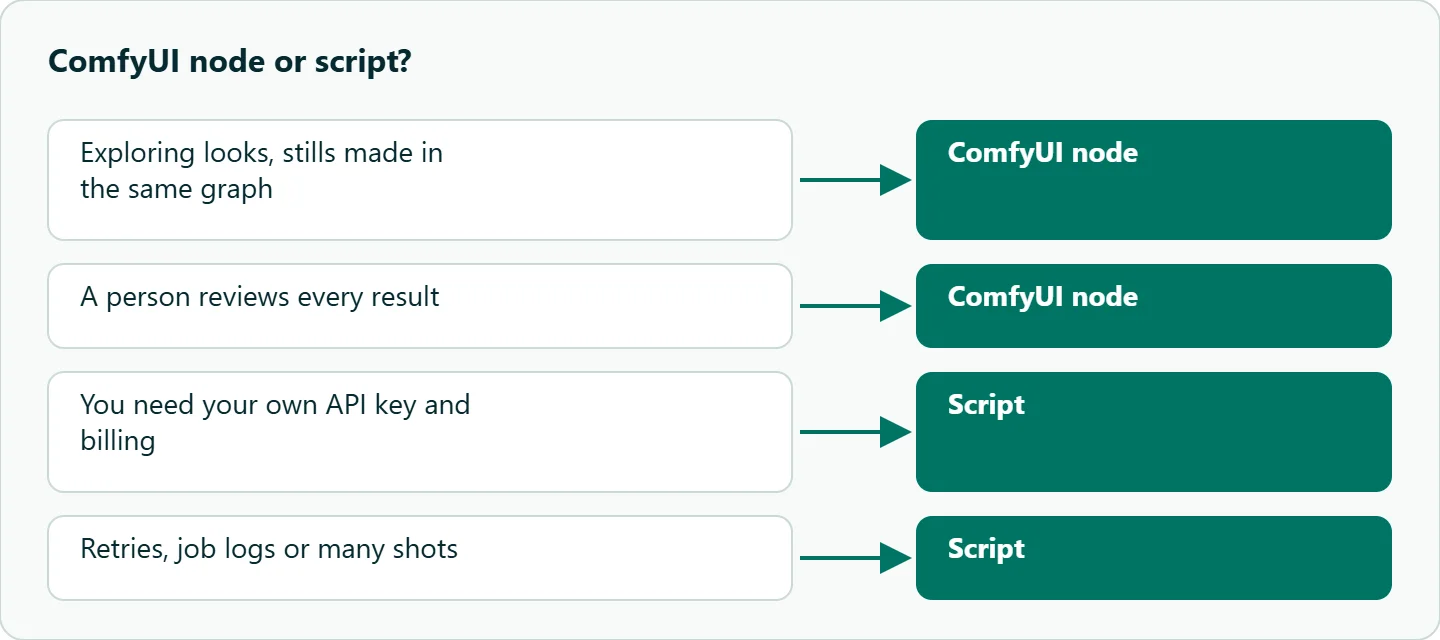
Use the ComfyUI node when you are exploring looks, when the start frames come out of the same graph, and when a person reviews every result. Move to a script when you need your own API key and billing, retries on failure, logs per job, or more shots than you want to click through. Our Kling API tutorial on async tasks and callbacks covers the code side.
A middle path is to keep ComfyUI for stills and hand the animation to a small Python step that writes an mp4 back into a folder the graph loads from. The OceanToken Kling schema mirrors the node closely: duration 3 to 15, aspect_ratio 16:9, 9:16 or 1:1, a first frame through frame_images, and multi_prompt with up to six shots of up to 512 characters each.
import os, sys, time, requests

BASE = "https://api.oceantoken.ai/v1"
H = {"Authorization": f"Bearer {os.environ['OCEANTOKEN_API_KEY']}"}

r = requests.post(f"{BASE}/videos", headers=H, json={
    "model": "kwaivgi/kling-v3.0-pro",
    "prompt": "He pulls the net hand over hand, slow push-in",
    "seconds": "5",
    "first_frame": "https://example.com/harbor-medium.png",
})
if not r.ok:
    sys.exit(f"{r.status_code} {r.text}")
video_id = r.json()["id"]

while True:
    job = requests.get(f"{BASE}/videos/{video_id}", headers=H).json()
    if job["status"] not in ("queued", "in_progress"):
        break
    time.sleep(10)
if job["status"] != "completed":
    sys.exit(f"failed: {job.get('error')}")

mp4 = requests.get(f"{BASE}/videos/{video_id}/content", headers=H)
open("output/harbor_shot2.mp4", "wb").write(mp4.content)
This follows the create, poll and download pattern in the OceanToken video guide. Use the short first_frame field only with an https URL; to send a data URL, use the full frame_images form.
Keep the key in an environment variable. Workflow JSON files get shared, and a key pasted into one travels with it.
When a run fails
| Symptom | First check |
|---|---|
| Node errors immediately | Signed in? Credits above zero? ComfyUI up to date? |
| Prompt rejected | Over 2,500 characters, or a storyboard over 512 |
| Clip has the wrong shape | The start frame's shape overrides the aspect ratio |
| Start image refused | Under 300x300, or more extreme than 2.5:1 |
| Works on localhost, fails on LAN | Sign in with a Comfy API key for non-local access |
How to test this on your workload
We have not compared routes, so if you are deciding between the node and a script, run this:
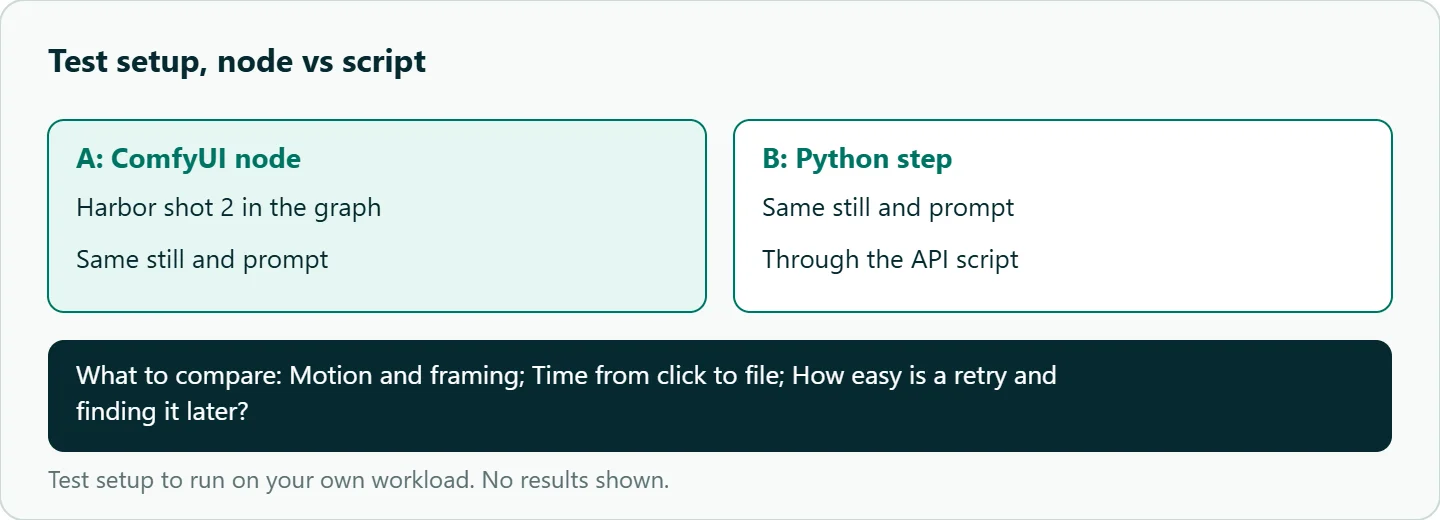
- Build the three-node harbor graph and run shot 2 once in ComfyUI.
- Run the same still and prompt through the Python step above.
- Compare motion, framing and how long each took from click to file.
- Note which route made it easier to retry a failed shot and find it later.
Our take: Use the ComfyUI node for experiments and the script for anything you will repeat. You get your own key, retries and a log of every job.
Running it on OceanToken
On OceanToken, Kling is available as kwaivgi/kling-v3.0-pro, kwaivgi/kling-v3.0-std, kwaivgi/kling-v3.0-omni and kwaivgi/kling-video-o1 at https://api.oceantoken.ai/v1. Pro renders at 1080p only and Standard at 720p only, so pick the id by delivery size. The Partner Node does not use this key; the script route does.
The script above is plain HTTP with a Bearer key, so any language works, and the API is OpenAI-compatible if you already use that client elsewhere. A failed video job is not charged and its hold is released, and billing is prepaid with no subscription, on one key that also runs other video models. See the current rate on /kling-api. If you also animate with Seedance, our Seedance in ComfyUI guide covers that node.
FAQ
Does ComfyUI run Kling locally? No. Kling Partner Nodes call a cloud API; there are no local weights.
How long can a Kling clip be in ComfyUI? 3 to 15 seconds on the Kling 3.0 Video node, default 5.
Can I use my own API key in the Kling node? Not today. Partner Nodes bill through your Comfy account; use a script for your own key.
How do I animate a start image? Connect it to start_frame. The node switches to image-to-video and follows the image's shape.
Where should my OceanToken key go? In an environment variable read by your Python step, never inside a shared workflow file.
Sources
- ComfyUI docs: Kling 3.0 partner nodes (checked 2026-11-10)
- ComfyUI docs: Kling 3.0 Video node (checked 2026-11-10)
- ComfyUI docs: Partner Nodes overview (checked 2026-11-10)
- OceanToken docs: Kling v3.0 Pro request schema (checked 2026-11-10)
- OceanToken docs: Video guide (checked 2026-11-10)
- OceanToken Kling API page (checked 2026-11-10)
Get your OceanToken API key
- Create an OceanToken account and an API key.
- Copy the snippet below, paste your key, and run it.
- Check the current rate on /kling-api.
curl https://api.oceantoken.ai/v1/videos \
  -H "Authorization: Bearer $OCEANTOKEN_API_KEY" \
  -H "Content-Type: application/json" \
  -d '{"model": "kwaivgi/kling-v3.0-pro", "prompt": "A fisherman pulls a net hand over hand at a harbor at dawn, slow push-in", "duration": 5, "aspect_ratio": "16:9"}'
More from the blog
A Unified API for Chat, Image and Video
Building on a unified API for chat, image and video: sync vs async calls, billing units, retries, timeouts and storage, with three calls and a launch checklist.
Kimi K3 API International Access Guide
Use the Kimi K3 API internationally: sign up with email, pay by card, create one key and call moonshotai/kimi-k3 with an OpenAI SDK. Steps, code and checks.
Call Tencent Hy3 With the OpenAI SDK
Call Tencent Hy3 with the OpenAI SDK outside China: base URL, model id, streaming, tool calls, reasoning_effort values, Hy3 vs Hy3 preview, and token billing.