

Kling Action Scene Prompt Guide
Write Kling action scene prompts as short beats: the 3-15 s and six-shot limits, physics words, camera by action type, contact and multi-person fixes.
By OceanToken Team
Editor's note: Action is where AI video shows its seams. Two bodies in contact, a prop that has to keep its shape, a camera chasing a fast subject: each one is a place for the model to improvise badly. Our advice is to stop asking Kling for a fight and start asking for five small, legible beats you cut together. That's how stunt teams and editors already think, and it plays to what a few-second clip can do.
Short answer: A good Kling action scene prompt describes one beat per shot: camera, one subject, one verb, one physical detail. Kling's own docs allow 3 to 15 second clips with up to six shots. Keep one actor per shot and cut to the reaction, not the contact. On OceanToken, send single beats; test multi-shot first.
The limits that shape an action scene
Kling's 3.0 text-to-video docs set the frame you work inside.
These limits and the shot n, m, words; syntax describe Kling's own API. OceanToken's public pages don't document multi-shot fields yet, so whether the same prompt syntax produces cuts there is untested; our Kling multi-shot storyboard guide covers how to check it.
A clip is 3 to 15 seconds. Multi-shot is written inside the prompt as shot n, m, words;, with up to 6 shots, each at least 1 second, and the shot durations must add up to the clip length. Each shot's text is capped at 512 characters, and the whole prompt at 3,072, with 2,500 recommended. There's no separate negative-prompt field; the docs say negative descriptions go inside the prompt. Audio is native or off.
Kling's capability map also lists first and last frame for Kling 3.0 image-to-video, which matters for stunts: you can fix the take-off pose and the landing pose and let the model fill the jump.
Those numbers point to a structure. Six shots in 15 seconds is two and a half seconds a beat, which is about the length of a readable action cut in a trailer. A single 15-second take of a fight asks the model to keep two bodies, their limbs and a prop coherent for the whole clip.
Write the Kling action scene prompt as a beat, not a scene
A beat is one action that could be filmed in one camera setup. This skeleton keeps a prompt to one beat:
[Shot size and angle], [camera move]. [Subject] [verb] [object], [speed].
[Physical detail: dust, water, sparks]. [Light].
For example: "Low angle, tracking. A rider drifts a red motorbike around a wet corner, fast. Spray from the tires, sparks from the footpeg. Dusk, streetlights."
Put the camera first, give the subject one verb, and name the surface. Wet asphalt, gravel and a tiled roof each imply what should fly off when something hits them, and that's where the sense of force comes from. A prompt like "an epic intense high-octane chase" names a feeling and leaves the model to invent everything physical.
Physics words worth testing
These are ordinary filmmaking words, not documented Kling keywords, so treat the table as a list to test rather than a promise.
| Effect | Words to try |
|---|---|
| Weight | heavy, lands hard, thud |
| Water | spray, splash, ripples spreading |
| Cloth | flaps, snaps, whips in the wind |
| Debris | dust cloud, shards, sparks |
| Speed | motion blur, streaking lights |
Pick one or two per beat. Stacking five effects in one shot gives the model five things to animate in a couple of seconds.
Pick the camera by the kind of action
The camera choice decides whether the action reads at all. This is our reasoning, not a tested ranking: keep the subject large and the background moving for speed, keep the camera calm when limbs need to be legible.
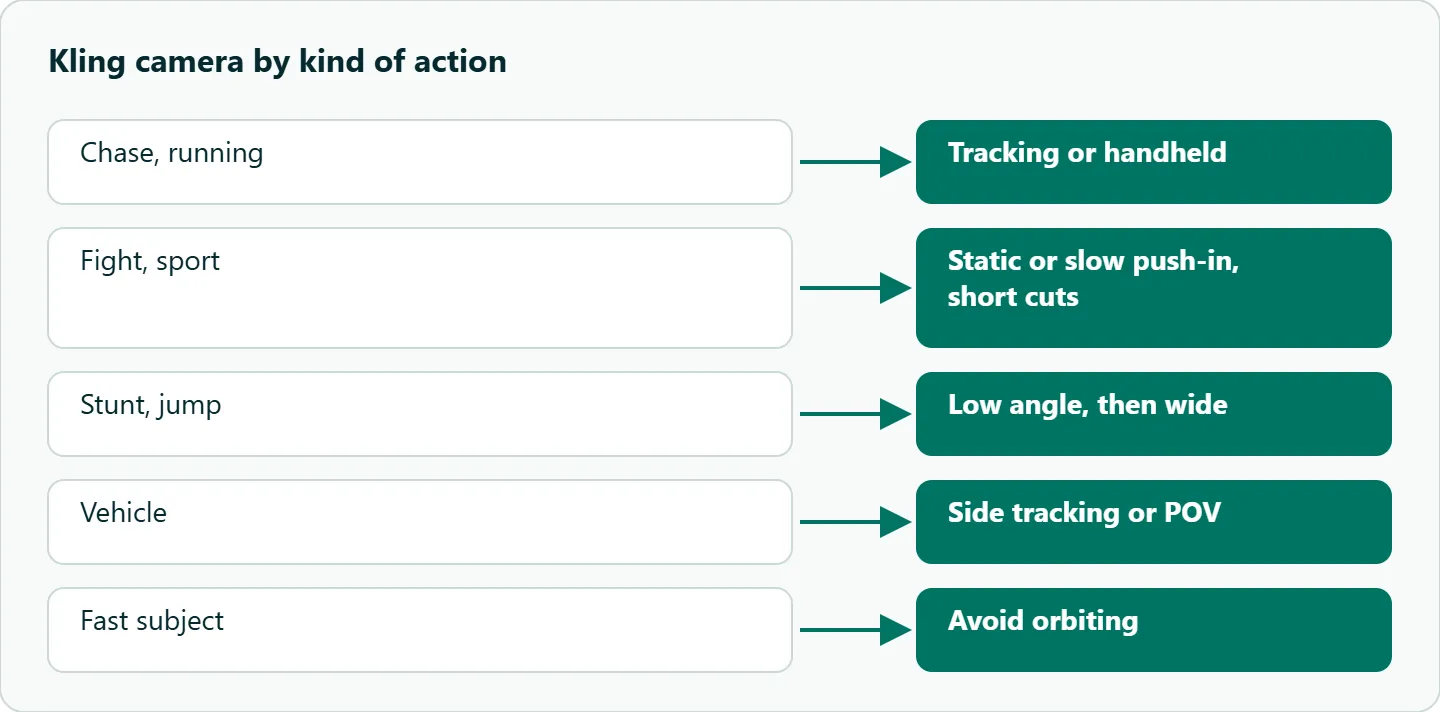
| Action | Camera | Why |
|---|---|---|
| Chase, running | Tracking, handheld | Subject stays large; background carries the speed |
| Fight, sport | Static or slow push-in, short cuts | Limbs are easier to read |
| Stunt, jump | Low angle, then wide | Shows height, then the landing |
| Vehicle | Side tracking, POV | Motion is clear without close contact |
We'd also avoid orbiting a fast subject; that's our reasoning, not a tested rule. The model then has to move the camera and the subject at once, and the subject can drift out of frame.
Shot structure for a chase
Short shots hide artifacts and add pace. Here is a six-shot chase as one 15-second multi-shot clip in Kling's native format, untested on OceanToken. Repeat the identity details (helmet, jacket, bike color) in each shot, since each shot's text is read on its own.
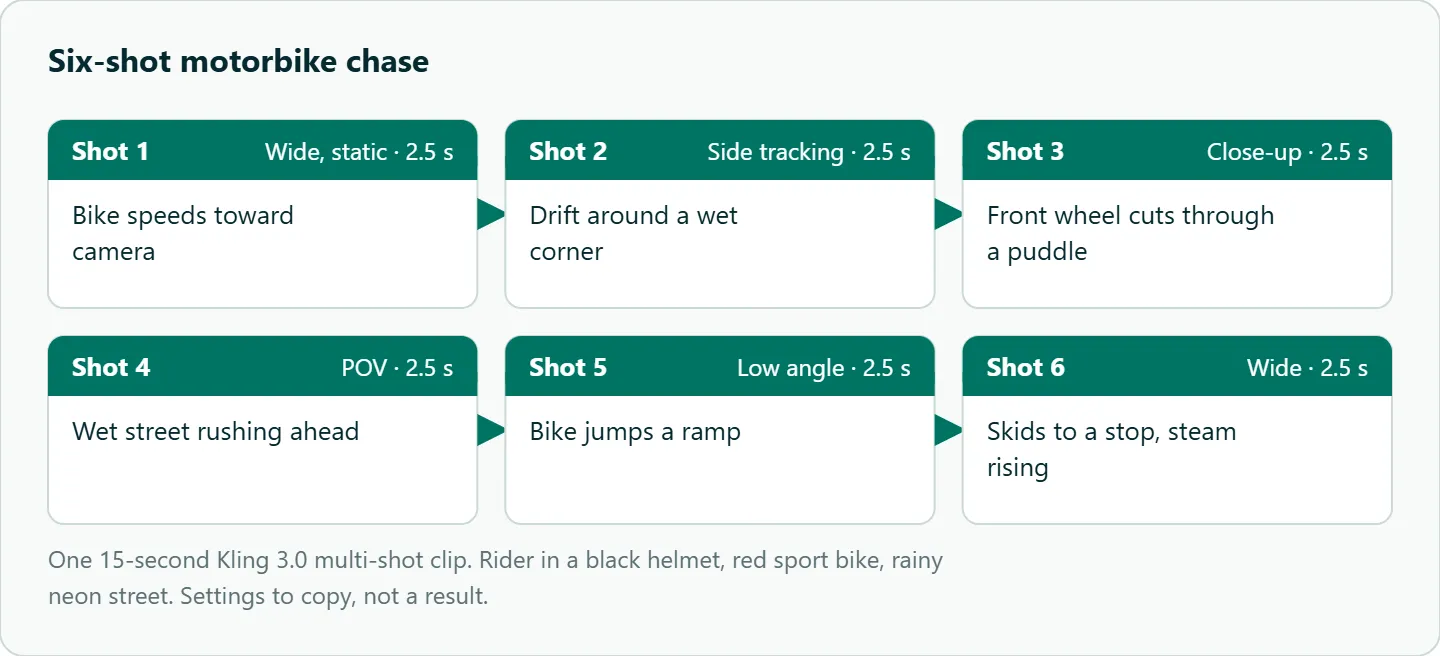
shot 1, 2.5, wide static: rider in a black helmet and leather jacket on a red sport bike speeds toward camera, rainy neon street at night;
shot 2, 2.5, side tracking: the red bike drifts around a wet corner, spray from the tires;
shot 3, 2.5, close-up: the front wheel cuts through a puddle;
shot 4, 2.5, POV: wet street rushing ahead, streaking lights;
shot 5, 2.5, low angle: the red bike jumps a ramp;
shot 6, 2.5, wide: the bike skids to a stop, steam rising;
Kling's docs describe the shot length m as at least 1 second; they don't say whether fractions are accepted, so if 2.5 is rejected, use whole seconds (for example 3, 2, 3, 2, 3, 2).
The fallback that works with the API call at the end of this article is six single-beat requests: send each shot line above as its own prompt, with the identity details repeated, at the shortest duration the model accepts, then cut the six clips together in your editor. You lose the model's own transitions but gain the ability to re-run one beat.
Common failures and fixes
These are patterns to check for, based on how a few-second clip has to render motion; we haven't published a test that counts them.
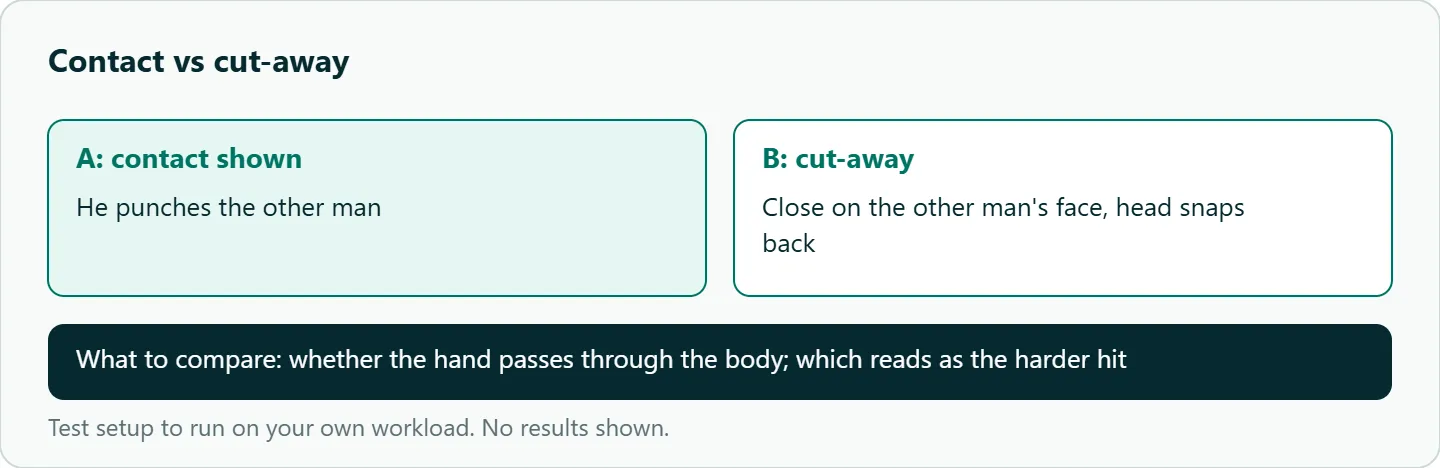
Contact. A hand meeting a body often passes through it. Cut away before impact and show the reaction: a head snapping back, a hand catching a rail.
Two bodies in one frame. Limbs merge when bodies overlap. Film one actor per shot and cut between them, the way a fight is covered with singles.
Speed. Very fast motion smears. "Fast" plus "motion blur" is clearer than a stack of intensifiers.
Props. A sword or a phone can change shape between frames. Keep props simple and describe them the same way in every shot.
Refusals. Violent wording can be refused. Describe the motion and the reaction, not injuries: "he stumbles back against the wall" rather than anything graphic. On OceanToken a refused job comes back with an error code such as content_filtered.
How to test this on your workload
We haven't published results for this article. Run these with your own subject, a few times each, since one run is noise.
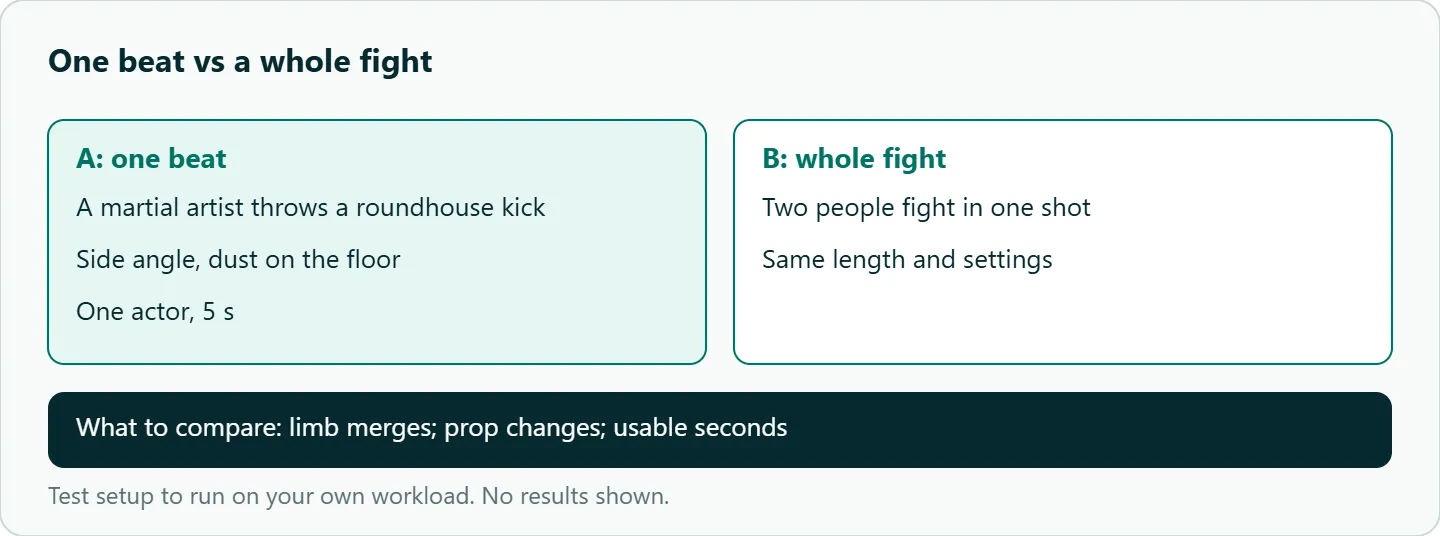
- One beat versus a whole fight: the kick as a single beat in one shot, against a two-person fight in one 5-second shot.
- Contact versus cut-away: a punch shown landing, against a close-up of the other actor's head snapping back.
- The six-shot chase above, scored per shot for limb merges, prop changes and usable seconds.
- Single-actor versus two-actor shots: count how many takes you'd keep from each.
- If a beat is refused, rewrite it around motion and reaction and note which words triggered it.
Our take: Edit like a film. Short shots, cut-aways and reactions give the model less to get wrong and give you more to cut with. Six clean beats will usually look better than one ambitious 15-second take, and when one beat fails you re-run a couple of seconds, not the whole scene.
Running Kling action prompts on OceanToken
On OceanToken the base URL is https://api.oceantoken.ai/v1, and /kling-api lists kwaivgi/kling-v3.0-pro, kwaivgi/kling-v3.0-std, kwaivgi/kling-video-o1 and kwaivgi/kling-v3.0-omni. The video guide notes that kwaivgi/kling-v3.0-pro takes only 1080p and kwaivgi/kling-v3.0-std only 720p, so draft beats on std and render keepers on Pro. The API call at the end of this article is a single-beat request. Before you rely on multi-shot fields or syntax, call https://api.oceantoken.ai/oceantoken/video/model-spec?model=kwaivgi/kling-v3.0-pro and check its durations and modes.
Action work means many retries, and two things help with that. A failed video job is not charged; its hold is released. And one key with one prepaid balance also covers Seedance, Hailuo and Veo, so you can try a stubborn beat on another model by changing the model id, with a per-key spending limit to keep a test loop in check. For running batches of beats from n8n or Make, see our Kling async workflow guide. See the current rate on /kling-api.
FAQ
How long can a Kling action clip be? Kling 3.0 clips run 3 to 15 seconds, with up to six shots inside one clip.
Can I make a fight scene with Kling? Yes, if you build it from single-actor shots and reaction cut-aways. Contact between two bodies in one frame is the weak spot.
Does Kling have a negative prompt for action artifacts? Kling 3.0's docs list no separate negative-prompt field; negative descriptions go inside the prompt.
Why was my action prompt refused? Violent or graphic wording can be filtered. Describe motion and reaction instead of injuries.
Which camera works best for chases? Tracking or handheld. We'd avoid orbiting a fast subject.
Sources
- Kling API docs: Kling 3.0 text to video (checked 2026-11-09)
- Kling API docs: video capability map (checked 2026-11-09)
- OceanToken docs: video guide (checked 2026-11-09)
- Kling API and Kling v3.0 Pro pages (checked 2026-11-09)
Get your OceanToken API key
- Create an OceanToken account and an API key.
- Copy the snippet below, paste your key, and run it.
- Check the current rate on /kling-api.
curl https://api.oceantoken.ai/v1/videos \
  -H "Authorization: Bearer $OCEANTOKEN_API_KEY" \
  -H "Content-Type: application/json" \
  -d '{"model": "kwaivgi/kling-v3.0-pro", "prompt": "Low angle, tracking. A rider drifts a red motorbike around a wet corner, fast. Spray from the tires. Dusk, streetlights.", "duration": 5}'
More from the blog
A Unified API for Chat, Image and Video
Building on a unified API for chat, image and video: sync vs async calls, billing units, retries, timeouts and storage, with three calls and a launch checklist.
Kimi K3 API International Access Guide
Use the Kimi K3 API internationally: sign up with email, pay by card, create one key and call moonshotai/kimi-k3 with an OpenAI SDK. Steps, code and checks.
Call Tencent Hy3 With the OpenAI SDK
Call Tencent Hy3 with the OpenAI SDK outside China: base URL, model id, streaming, tool calls, reasoning_effort values, Hy3 vs Hy3 preview, and token billing.