

Hailuo Subject Reference for One Character
Keep one character consistent with Hailuo subject reference: S2V-01's one-image rules, H3's up to nine reference images, picking the image, and where it slips.
By OceanToken Team
Editor's note: Character consistency is the difference between a clip and a series. Our mental model is simple: identity comes from the reference, everything else comes from the prompt. Teams that try to hold a face across ten shots with a text description alone end up re-rolling for luck. Spend the effort on choosing the reference image instead; it's a casting decision, not a technical detail.
Short answer: Hailuo subject reference keeps a face stable from a reference image while the prompt controls pose, expression and setting. MiniMax's original S2V-01 model takes exactly one face image per subject. H3 takes up to nine reference images, so you can add angles and a location. Expect looser prompt following and some background drift.
What Hailuo subject reference does
MiniMax introduced subject reference with S2V-01 in January 2025. The announcement says it generates "character-consistent videos from just one reference image," keeping identity "regardless of camera angles or movements," while text prompts change "posture, expressions, lighting, and more." It is candid about limits: the model "may occasionally follow prompts less precisely than T2V or I2V, with some environmental morphing," and multi-subject and object references were listed as future work.
The S2V API reference is narrower than many guides suggest. The only model value is S2V-01. subject_reference is an array whose type is "currently only character (face of a person)," and each subject's image array supports one image. It isn't a mode of Hailuo 2.3.
H3 takes a different approach. Its create API accepts up to nine images with the role reference_image, alongside reference video and audio, and the video guide says the model "keeps the features of the reference subject or asset consistent throughout the generated video." Its example prompt refers to them by number: "the character's appearance follows reference images 1 and 2."
| S2V-01 subject reference | H3 reference images | |
|---|---|---|
| Images per subject | Exactly 1 | Up to 9 in total |
| Subject types | A person's face only | Characters and other assets |
| Image limits | JPG/PNG/WebP, under 20MB, short side over 300px | 256-5,760 px per side, up to 30MB |
| Aspect ratio | 2:5 to 5:2 | 2:5 to 5:2 |
| Prompt limit | 2,000 characters | 7,000 characters |
Picking a good reference image
Because one image carries the whole identity on S2V-01, and the main identity on H3, the choice matters more than any prompt wording. Our working rules, not tested results:
Use a front-facing or slightly angled view in even light, with nothing covering the face: no sunglasses, no hand at the chin. A neutral expression leaves room for the prompt to add emotion; a big laugh baked into the reference fights a prompt asking for worry. Keep one person in the frame, since a group photo leaves the model guessing whose face you mean. A plain background helps too, because busy patterns can bleed into the generated scene.
If you don't have a photo, generate a character sheet with an image model first and pick the best frame. On H3, add a three-quarter view and a profile as extra references; that's where single-image identity tends to slip.
Prompt structure with a reference
Name the subject briefly, then give one action, one camera move and the setting, and add one consistency phrase. Don't describe the face in detail: the reference carries it, and a written description that disagrees with the image gives the model two answers.
The woman from reference image 1 sits at a cafe table, stirs her coffee, then looks up and smiles. Slow push-in, warm light. Same face, same hairstyle, same jacket.
Where it slips
Side and rear views. One frontal image says little about a profile or the back of the head. On H3, add those angles as references; on S2V-01, keep the camera in front.
Outfit changes. Asking for a new outfit competes with what the reference shows. Make the outfit variant a new reference image instead of a prompt instruction.
Backgrounds. MiniMax names environmental morphing as a known S2V-01 limit. Keep settings simple, or add a location image on H3.
Two characters. S2V-01 takes a face per subject. On H3, give each character their own reference image and refer to them by number in the prompt.
First frame plus references. On H3, MiniMax says image-to-video and reference-to-video are mutually exclusive, so a shot that starts from a fixed first frame can't also carry the portrait. Use the first frame when composition matters and references when identity does.
A repeatable consistency workflow
Lock the reference image and write a one-line character card: name, age range, outfit, hairstyle. Paste the card, word for word, at the start of every shot prompt, and attach the same reference files in the same order. Generate a few takes per shot and reject any with face drift before you edit. Keep lighting words identical across shots, because a lighting change can make the right face read as a different person. Finally, cut on action, so small differences fall on the edit point.
How to test this on your workload
We haven't published results for this article. On your own character:
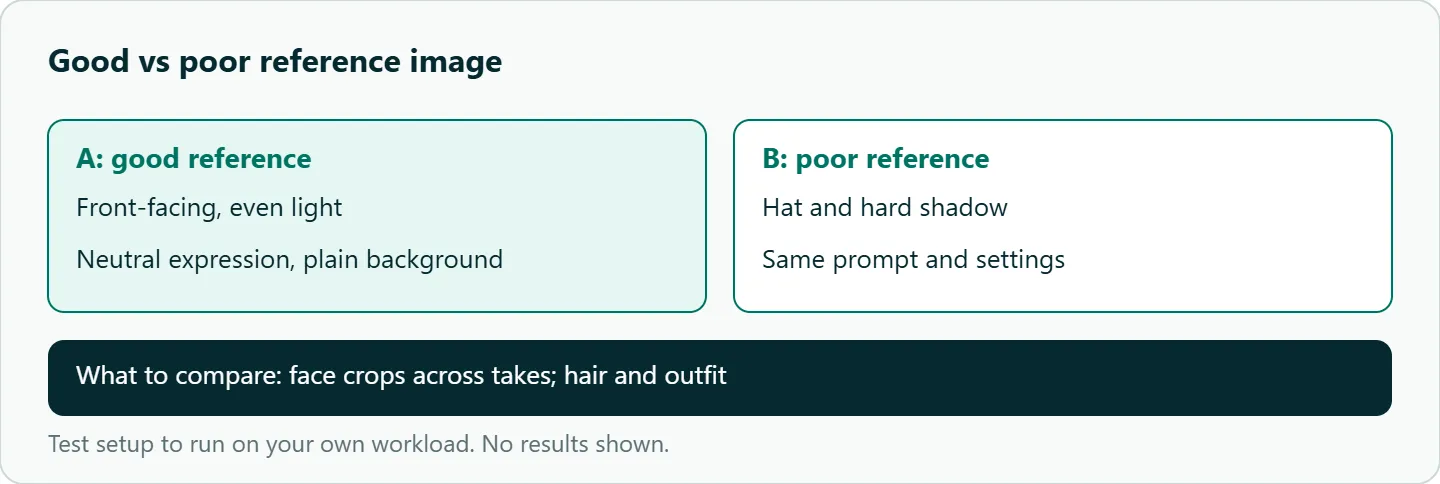
- Good versus poor reference: an evenly lit frontal photo against one with a hat and hard shadow, same prompt, compared on face crops.
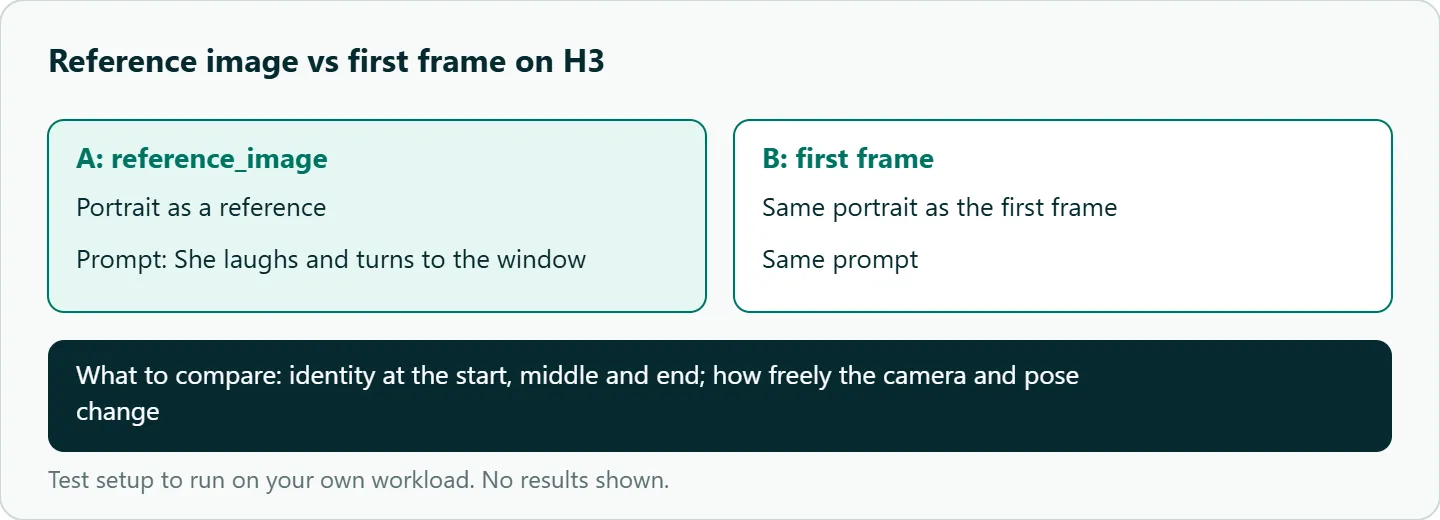
- Reference images versus first frame on H3: the same portrait used as
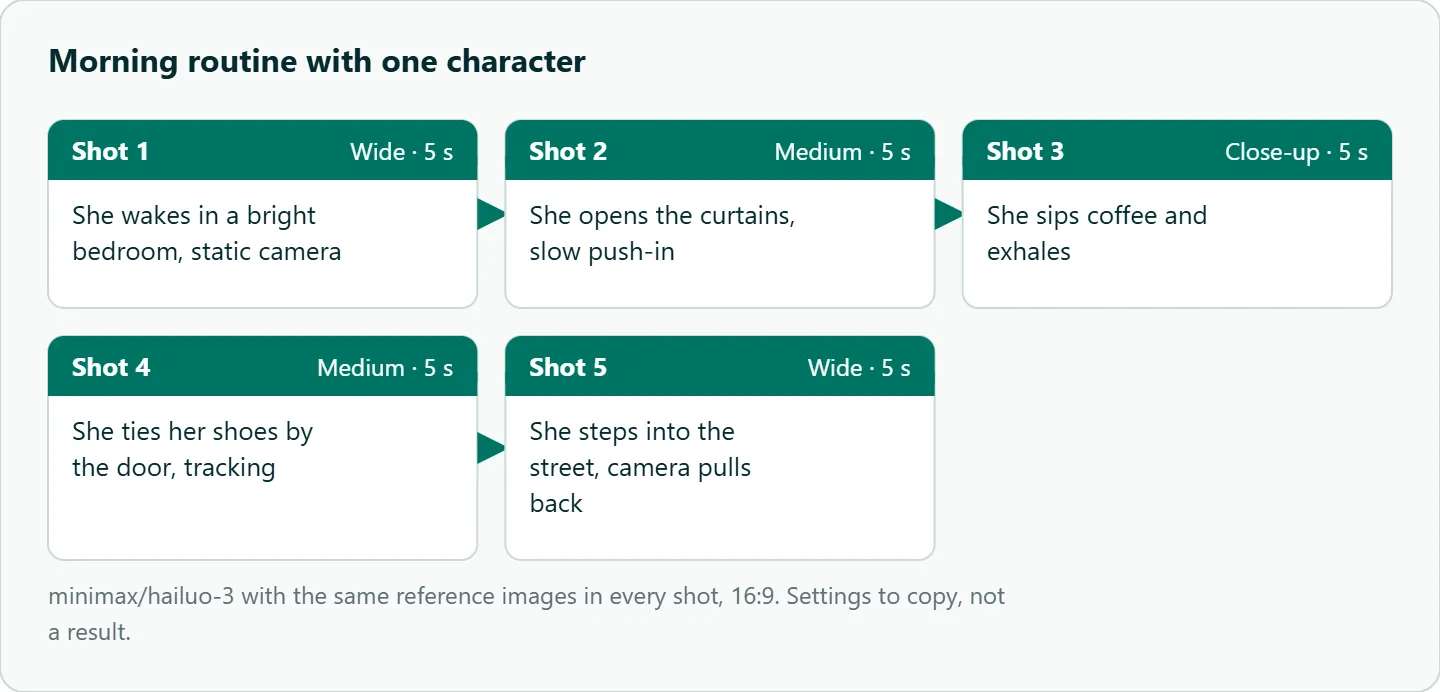
reference_image, then as the first frame, with the prompt "She laughs and turns to the window." - The five-shot morning routine in this article with one reference set, a few takes per shot, scored for face, hair and outfit at each cut.
- One versus three references (front, three-quarter, profile) on the profile shot only.
Our take: Treat the reference image as a casting decision and spend your effort there, not on longer prompts. On OceanToken that means H3 with a small, clean reference set; keep the prompt for what the character does.
Running Hailuo subject reference on OceanToken
On OceanToken the base URL is https://api.oceantoken.ai/v1, and /hailuo-api lists minimax/hailuo-3, minimax/hailuo-3-max and minimax/hailuo-2.3. S2V-01 isn't listed, so the reference route here is H3: the Hailuo 3 model page lists text, image, video and audio input, and the video guide takes reference images as input_references entries of type image_url, as public https URLs or data URLs up to 25MB. Call GET https://api.oceantoken.ai/oceantoken/video/model-spec?model=minimax/hailuo-3 for its exact referenceLimits; a reference the model can't use is refused with 400 rather than silently dropped.
The API is OpenAI-compatible, so the SDK's video helpers run the whole job. A failed video job is not charged, and its hold returns to your balance, which matters when you generate several takes per shot. One key and one prepaid balance also cover Kling, Seedance and Veo, so the same reference set can be tried on another model by changing the model id. For the polling side, see our Hailuo API Python guide. See the current rate on /hailuo-api.
FAQ
How many reference images does Hailuo need? S2V-01 takes exactly one face image per subject. H3 accepts up to nine reference images per request.
Is subject reference a Hailuo 2.3 feature? No. MiniMax's subject reference endpoint lists only S2V-01. Use H3 reference images for consistency on current models.
Does it work for products or animals? S2V-01 supports only a person's face. H3's references cover other assets; test yours before promising a client.
Why does the background morph? MiniMax lists environmental morphing as a known S2V-01 limit. Simplify the setting or add a location reference on H3.
Can I combine a first frame and reference images? Not on H3 through MiniMax's API, which says the two modes are mutually exclusive.
Sources
- MiniMax API: subject reference to video (S2V-01) (checked 2026-11-09)
- MiniMax: S2V-01 announcement (checked 2026-11-09)
- MiniMax: video generation guide (checked 2026-11-09)
- MiniMax API: create video generation task (v2) (checked 2026-11-09)
- OceanToken docs: video guide (checked 2026-11-09)
- OceanToken Hailuo API page (checked 2026-11-09)
Get your OceanToken API key
- Create an OceanToken account and an API key.
- Copy the snippet below, paste your key, and run it.
- Check the current rate on /hailuo-api.
curl https://api.oceantoken.ai/v1/videos \
  -H "Authorization: Bearer $OCEANTOKEN_API_KEY" \
  -H "Content-Type: application/json" \
  -d '{"model": "minimax/hailuo-3", "prompt": "The woman from reference image 1 sits at a cafe table and looks up with a smile. Slow push-in, warm light.", "input_references": [{"type": "image_url", "image_url": {"url": "https://example.com/character-front.png"}}]}'
More from the blog
A Unified API for Chat, Image and Video
Building on a unified API for chat, image and video: sync vs async calls, billing units, retries, timeouts and storage, with three calls and a launch checklist.
Kimi K3 API International Access Guide
Use the Kimi K3 API internationally: sign up with email, pay by card, create one key and call moonshotai/kimi-k3 with an OpenAI SDK. Steps, code and checks.
Call Tencent Hy3 With the OpenAI SDK
Call Tencent Hy3 with the OpenAI SDK outside China: base URL, model id, streaming, tool calls, reasoning_effort values, Hy3 vs Hy3 preview, and token billing.