

Hailuo H3 Audio and Dialogue Prompts
Hailuo H3 audio and dialogue: what MiniMax documents about native stereo sound, reference audio limits, writing spoken lines, and checks before you ship.
By OceanToken Team
Editor's note: Native audio changes the economics of short video more than resolution does, but only if someone actually listens to the result. A wrong word in a spoken line is worse than a soft frame, because viewers notice it at once and captions make it permanent. We'd gate every H3 clip behind a short headphone review, and we'd treat the generated track as a draft, not the final mix.
Short answer: For Hailuo H3 audio and dialogue, MiniMax says H3 generates native stereo sound with the video, with voice, effects and music modeled together. Write spoken lines in quotes, name who speaks and how, and list ambience separately. To steer a voice, attach up to three reference audio clips totaling 15 seconds. Review every clip before it ships.
What MiniMax documents about H3 audio
MiniMax's H3 announcement , dated July 31, 2026, says H3 generates "video with native stereo sound," and that there is "no separation between voice, sound effects, and music": they're modeled jointly. One of its sample prompts has a character sing "with the vocals matching Audio 3," which shows audio references steering a voice.
The announcement doesn't make claims about lip-sync accuracy or which languages work, and the API docs don't either. Treat both as things to check per clip, not features to promise a client.
The v2 create endpoint sets the reference limits. A request can carry up to three reference_audio clips, each up to 15MB, with a combined length of 15 seconds or less; the video guide adds 2 to 15 seconds per clip, in WAV or MP3. Its example prompt says "Voice timbre follows reference audio 1," so you name the reference in the prompt. Two more details from that page: no parameter for switching audio off is documented, and image-to-video and reference-to-video are mutually exclusive, so a first-frame request can't also carry reference audio there.
| Item | What the docs say |
|---|---|
| Audio output | Native stereo; voice, effects and music modeled jointly |
| Reference audio | Up to 3 clips, 2-15 s each, 15 s total, WAV or MP3, 15MB each |
| Referring to it | Name it in the prompt, e.g. "reference audio 1" |
| Audio off switch | Not documented in MiniMax's create API |
| Clip length | 4-15 s on H3, 5-15 s on H3 Max |
Hailuo 2.3's text-to-video reference doesn't describe audio output, so plan on H3 for any shot that needs sound.
Prompting Hailuo H3 audio and dialogue
Write sound the way you write picture: explicit and in order. Here's a two-line exchange:
Medium two-shot in a rainy diner. The waitress says, "Last order, then we close." The man answers softly, "That's all I need." Rain on the window, a distant radio, cutlery clinking.
Each habit in that prompt has a reason. Quoting the exact words gives the model a script instead of a topic, so you can check the result against it. Naming the speaker and the manner ("answers softly") tells the model whose mouth should move and how loud. Listing ambience as its own sentence separates it from the dialogue in your own reading, even though the model mixes it all. And short lines fit the clip: two short sentences need only a few seconds, while a long speech may not finish before the shot ends.
If music isn't wanted, say what the soundtrack should be ("only rain and room tone") rather than relying on the model to leave it out. This is a working rule to test, since MiniMax doesn't document how H3 handles negative audio instructions.
Languages and accents
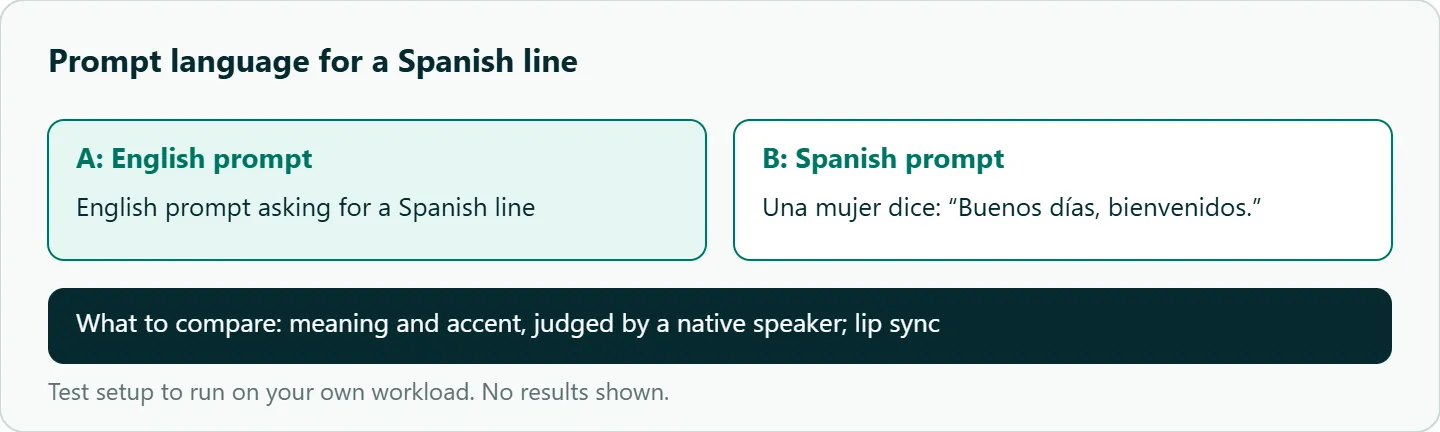
MiniMax doesn't list supported languages for H3 speech. Our suggestion, untested: when you want a line in Spanish, write the whole prompt in Spanish rather than asking for Spanish in an English prompt, so the model isn't translating and voicing at once. Then have a native speaker check the result for meaning and accent before it goes out. Run the comparison in the test list below on your own lines before you build a multilingual workflow on it.
Consistent voices across shots
Separate generations don't guarantee the same voice, which shows up the moment you cut between two clips of one character. You have two options. The first is reference audio: record or select a short clip of the voice, attach it as reference_audio to every shot of that character, and name it in each prompt. The second is to keep the generated audio as a guide track only and replace dialogue with your own recorded voice-over in the edit.
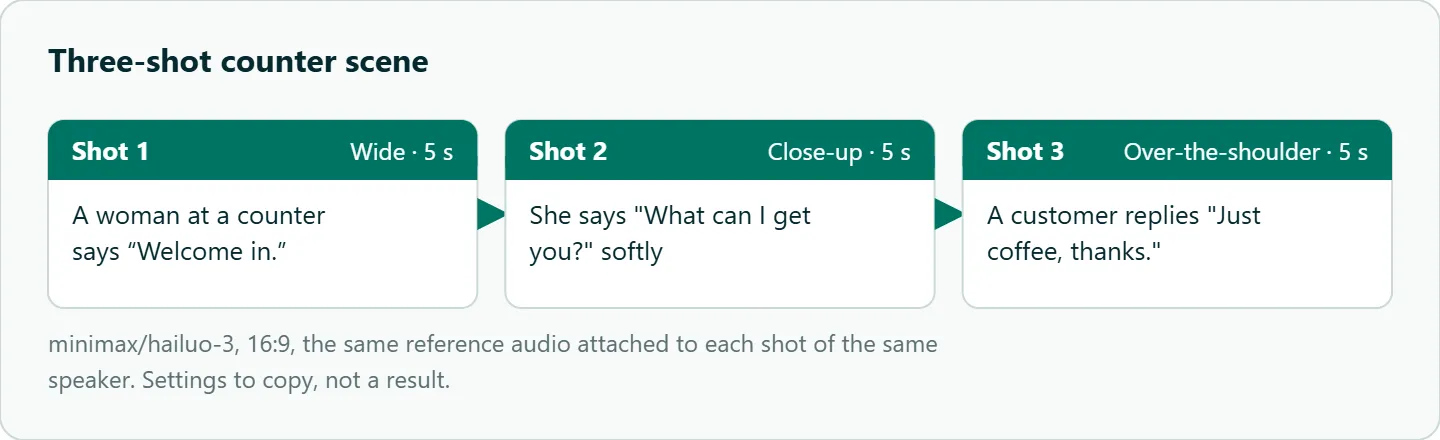
The first keeps everything in one tool; the second is more reliable for anything with a brand voice or legal review. For a multi-shot dialogue scene, see the storyboard in this section and attach the same audio reference to each shot.
What can go wrong
These are the issues to listen for, from the review side, not measured failure rates.
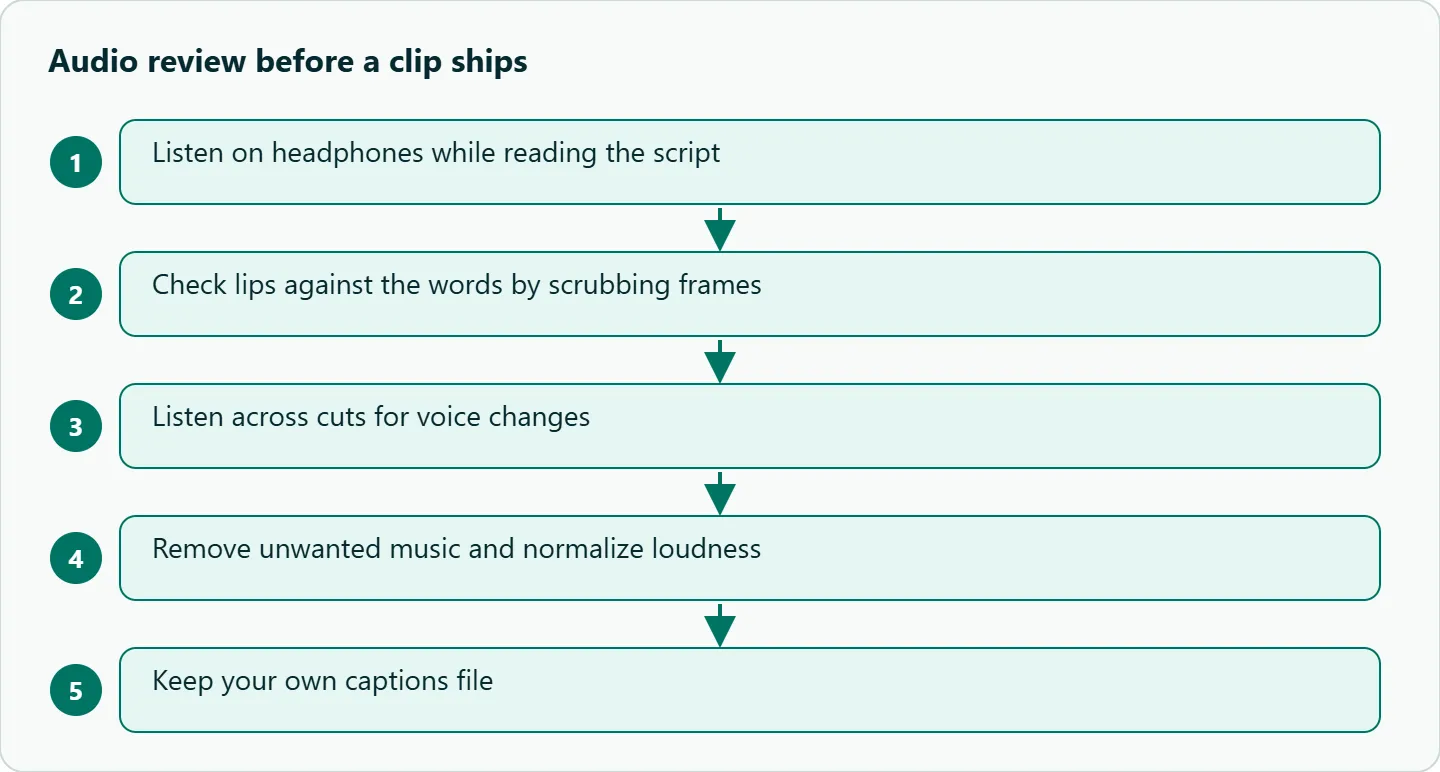
| Issue | How to catch it | Fix |
|---|---|---|
| Wrong or garbled words | Read along with your script | Re-run with shorter lines |
| Voice changes between shots | Listen across cuts | Same reference audio in every shot, or replace VO |
| Lips out of sync | Scrub the frames | Tighter framing, or cut away during the line |
| Unwanted music | Listen | Describe the soundtrack you want; strip and replace in edit |
| Loudness jumps between clips | Meter in your editor | Normalize to one target |
How to test this on your workload
We haven't published results for this article. Run each of these a few times on minimax/hailuo-3:
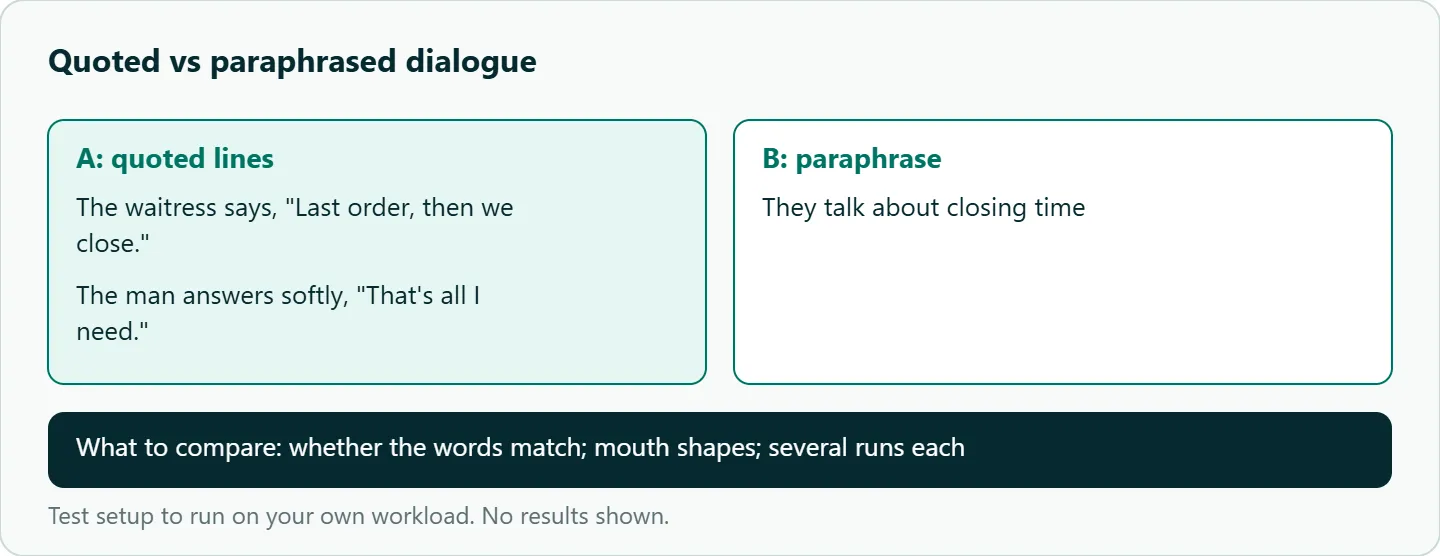
- Quoted versus paraphrased dialogue: the diner prompt above, against the same scene written as "they talk about closing time." Compare mouth shapes and whether the words match.
- English prompt asking for Spanish versus the same prompt written in Spanish (for example, Una mujer dice: "Buenos días, bienvenidos."). Have a native speaker judge both.
- The three-shot counter scene with and without one reference audio clip attached to every shot, listening for voice changes at each cut.
- A close-up of one short line, scrubbed frame by frame for lip sync on open, closed and rounded mouth shapes.
Our take: Treat H3's audio as a strong draft track. Use quoted lines and a reference clip for anything with dialogue, listen to every clip on headphones, and keep your own captions file rather than trusting the generated words.
Running Hailuo H3 audio on OceanToken
On OceanToken the base URL is https://api.oceantoken.ai/v1, and /hailuo-api lists minimax/hailuo-3, minimax/hailuo-3-max and minimax/hailuo-2.3. The Hailuo 3 model page lists text, image, video and audio input. The video guide takes reference audio as an audio_url entry in input_references, and documents generate_audio, true for sound and false for a silent clip "on models that make it." Since MiniMax's own API documents no off switch, check before you count on silence: GET https://api.oceantoken.ai/oceantoken/video/model-spec?model=minimax/hailuo-3 returns generateAudio and referenceAudioNeedsVisual, which tells you whether an audio reference must come with an image or video.
The API is OpenAI-compatible, so the SDK's video helpers handle create, poll and download. A failed video job is not charged; its hold goes back to your balance. One key and one prepaid balance also cover Kling, Seedance and Veo, so you can compare dialogue on another model by changing the model id. For the polling side, see our Hailuo API Python guide. See the current rate on /hailuo-api.
FAQ
Does Hailuo H3 generate audio? Yes. MiniMax says H3 produces native stereo sound with the video, with voice, effects and music modeled together.
Can I turn H3 audio off? MiniMax's create API documents no switch. OceanToken documents generate_audio: false for models that support it; check model-spec for minimax/hailuo-3 first.
How do I keep the same voice across clips? Attach the same reference audio clip (2 to 15 seconds) to each shot and name it in the prompt, or replace dialogue with your own voice-over.
Which languages does H3 speak? MiniMax doesn't list them. Test your language with a prompt written in it and have a native speaker review.
Does Hailuo 2.3 have audio? MiniMax's 2.3 reference doesn't describe audio output. Use H3 for shots with sound.
Sources
- MiniMax: H3 announcement (checked 2026-11-09)
- MiniMax API: create video generation task (v2) (checked 2026-11-09)
- MiniMax: video generation guide (checked 2026-11-09)
- MiniMax API: text to video (checked 2026-11-09)
- OceanToken docs: video guide (checked 2026-11-09)
- OceanToken Hailuo API page (checked 2026-11-09)
- OceanToken Hailuo 3 model page (checked 2026-11-09)
Get your OceanToken API key
- Create an OceanToken account and an API key.
- Copy the snippet below, paste your key, and run it.
- Check the current rate on /hailuo-api.
curl https://api.oceantoken.ai/v1/videos \
  -H "Authorization: Bearer $OCEANTOKEN_API_KEY" \
  -H "Content-Type: application/json" \
  -d '{"model": "minimax/hailuo-3", "prompt": "Medium two-shot in a rainy diner. The waitress says, \"Last order, then we close.\" The man answers softly, \"That is all I need.\" Rain on the window.", "duration": 6}'
More from the blog
A Unified API for Chat, Image and Video
Building on a unified API for chat, image and video: sync vs async calls, billing units, retries, timeouts and storage, with three calls and a launch checklist.
Kimi K3 API International Access Guide
Use the Kimi K3 API internationally: sign up with email, pay by card, create one key and call moonshotai/kimi-k3 with an OpenAI SDK. Steps, code and checks.
Call Tencent Hy3 With the OpenAI SDK
Call Tencent Hy3 with the OpenAI SDK outside China: base URL, model id, streaming, tool calls, reasoning_effort values, Hy3 vs Hy3 preview, and token billing.