

n8n OpenAI Custom Base URL for GPT Agents
Set an n8n OpenAI custom base URL on the credential, type prefixed GPT ids by ID, and avoid the agent traps: hidden reasoning effort, timeouts, loops.
By OceanToken Team
Editor's note: Most n8n agent workflows are over-modeled. People drop the flagship GPT into every node because it sits at the top of the dropdown, then find that a five-step workflow can turn into dozens of model calls, because every agent turn re-sends the conversation. Route the cheap steps to a small model, keep the expensive one for the single step that needs judgment, and treat the base URL as a setting you can change.
Short answer: In current n8n, the n8n OpenAI custom base URL goes on the OpenAI credential: set Base URL to https://api.oceantoken.ai/v1 and paste your key. In the OpenAI Chat Model node, switch Model to ID and type the exact id, such as openai/gpt-6-luna. Then check reasoning effort, timeout and the Responses toggle, which behave differently with prefixed ids.
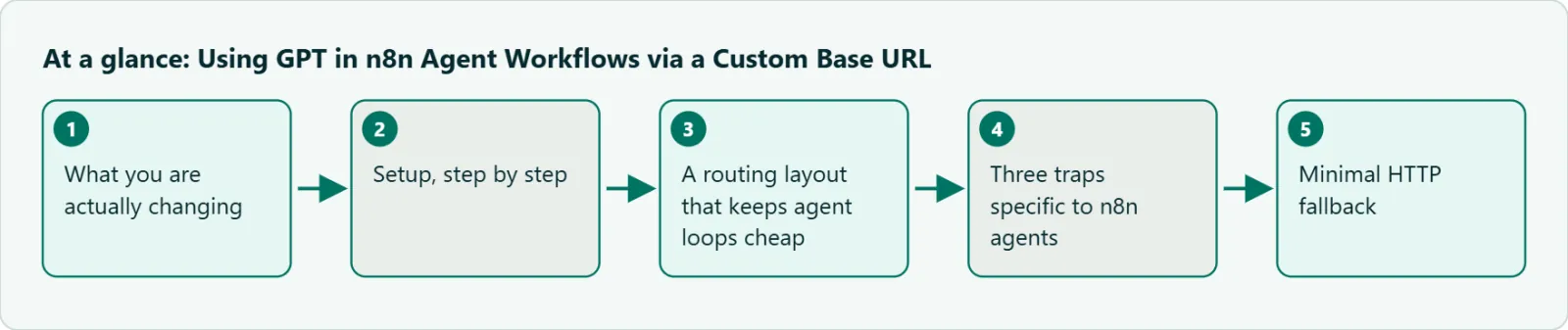
What you are actually changing
n8n has two places where an OpenAI model shows up. The plain OpenAI node calls one endpoint per execution: message a model, generate an image, transcribe audio. The AI Agent node is different. It takes a Chat Model sub-node and loops: think, call a tool, read the result, think again. Every turn of that loop re-sends the conversation so far, so the model you pick there is multiplied by the number of turns.
Both nodes read their endpoint from the same OpenAI credential. Change the base URL there, and every node using that credential sends its requests to the new endpoint. That is convenient, and it is also why you should create a second credential named for the endpoint rather than editing the one other workflows depend on.
Where n8n keeps the OpenAI custom base URL
The n8n credential docs list only an API key and an optional organization ID. The source code has more. In OpenAiApi.credentials.ts on n8n's master branch (latest release n8n@2.46.6 on 2026-11-09), the credential also has a Base URL field, default https://api.openai.com/v1, and an optional custom header. The credential test calls /models on that URL, so a green test means the endpoint answered with a model list.
The OpenAI Chat Model node once had its own Base URL option. In the node source that option is hidden from node version 1.1 on, so on a current install the credential is the place to set it. If you are on a very old n8n, look in the node options instead.
Setup, step by step
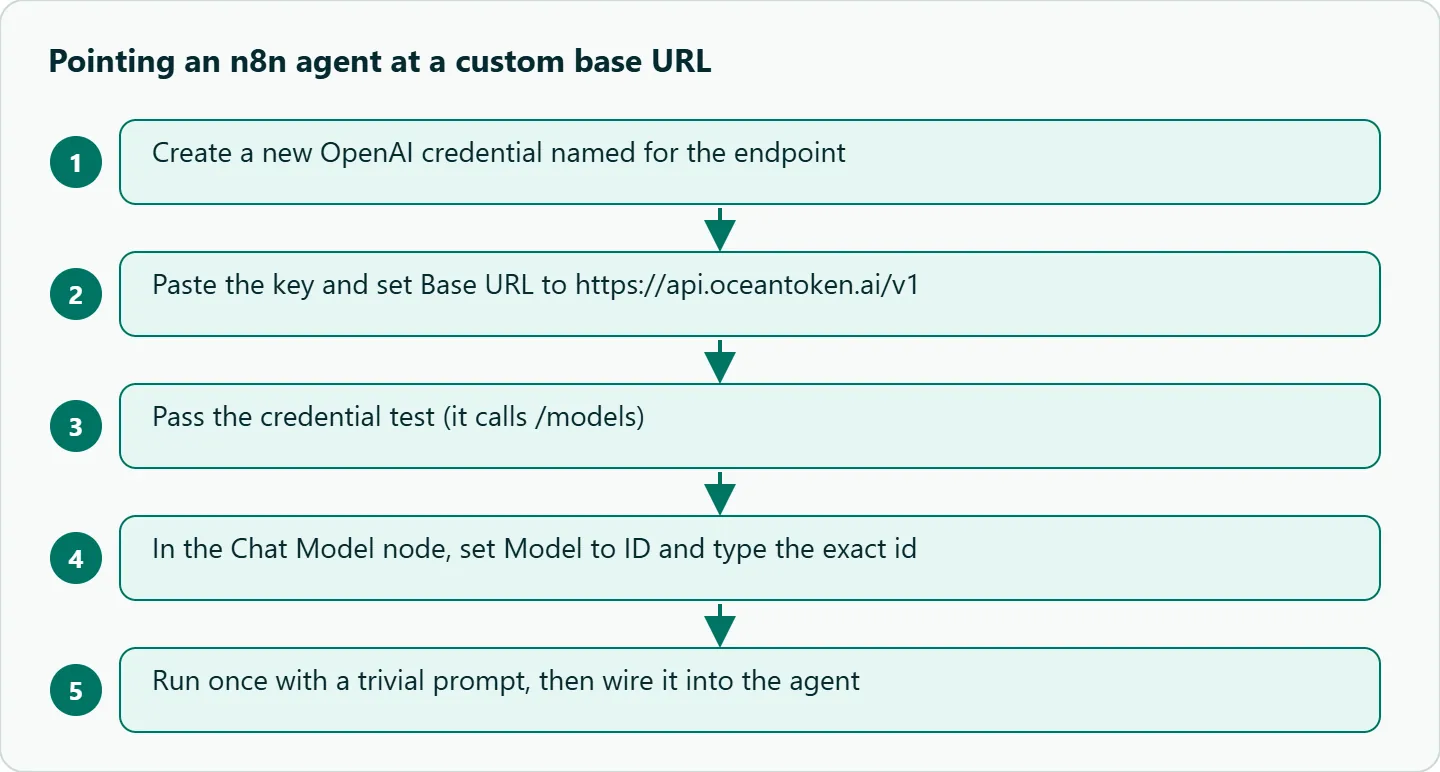
- Open Credentials > New > OpenAI. Name it so the endpoint is obvious, for example "OpenAI (custom endpoint)".
- Paste your OceanToken key into API Key. Leave Organization ID empty.
- Set Base URL to
https://api.oceantoken.ai/v1and save. The credential test should pass. - In the OpenAI Chat Model node, pick that credential. Set Model to ID and type the id exactly as listed on /gpt-api.
- Run the node once with a trivial prompt before wiring it into the agent.
On step 4, From List also works: with a non-OpenAI base URL, the node's code shows every model the endpoint returns, without the filter it applies to api.openai.com. The list is long on a multi-model endpoint, though, and typing the id is faster and easier to review. Once the base URL points elsewhere, n8n shows a notice that non-OpenAI models may not all support tool calling or JSON output, which is fair warning for non-GPT ids.
A routing layout that keeps agent loops cheap
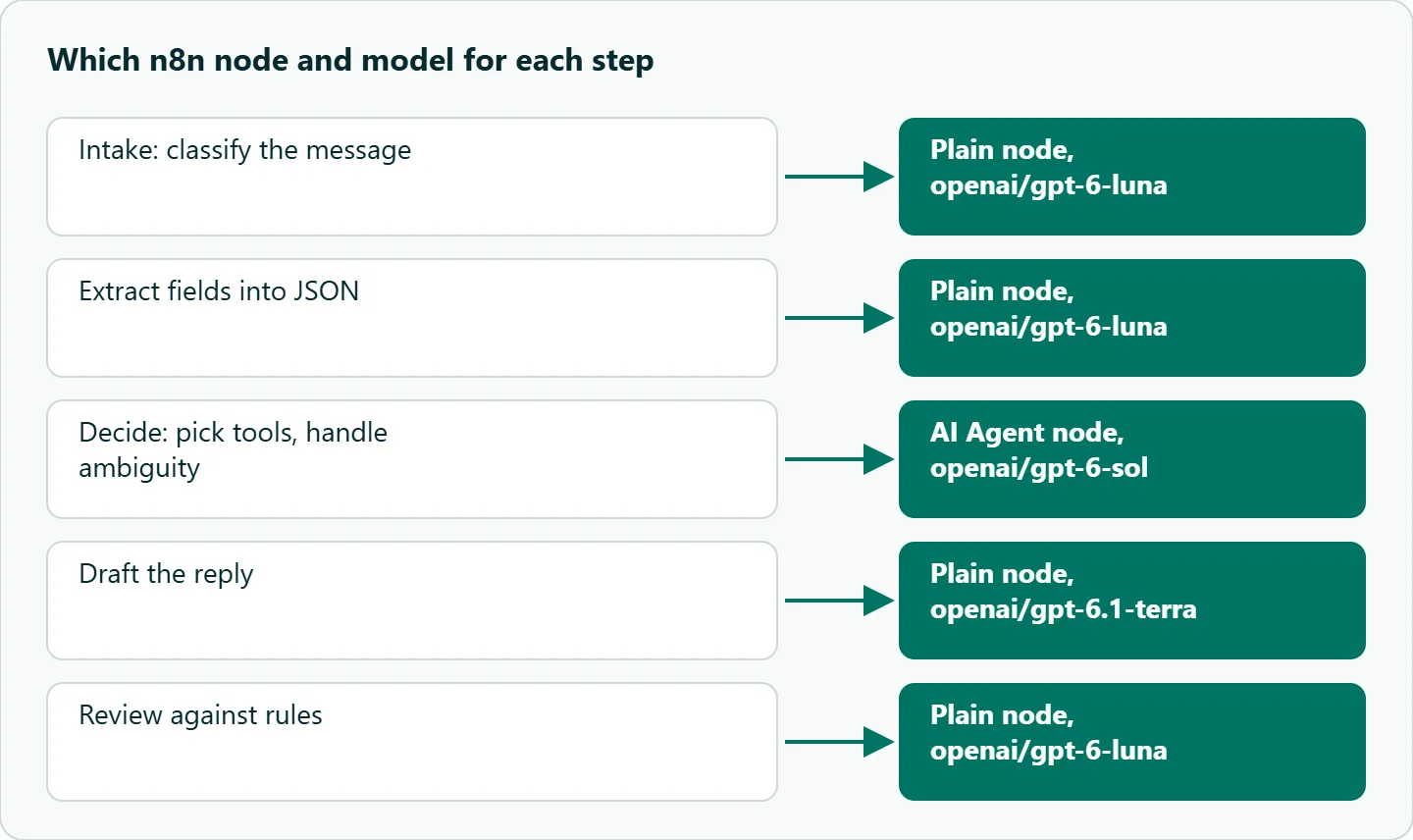
Here is a layout to try first. The ids were on the /gpt-api page on 2026-11-09.
| Step | Job | Model id to start with | Why |
|---|---|---|---|
| Intake | Classify the incoming email or webhook | openai/gpt-6-luna |
Short, high volume, low risk |
| Extract | Pull fields into JSON | openai/gpt-6-luna |
Schema-bound, not creative |
| Decide | Agent picks tools and handles ambiguity | openai/gpt-6-sol |
The one step where judgment matters |
| Draft | Write the reply or summary | openai/gpt-6.1-terra |
Longer prose; test it against Luna on your own drafts |
| Review | Check the draft against rules | openai/gpt-6-luna |
Narrow yes/no checks |
Only the Decide step needs the AI Agent node. The others are plain nodes in a fixed chain, which is cheaper and much easier to debug. If your own evals show the Decide step missing cases, try openai/gpt-6-astra there before you upgrade any other step. Pin exact ids in every node so a run next month uses the model you tested.
Three traps specific to n8n agents
The reasoning effort option disappears. In the node source, the Reasoning Effort option only shows for model ids that match o1, o3 and later, or gpt-5. A prefixed id such as openai/gpt-6-luna matches none of them, so the option is hidden and the request carries no effort setting. OceanToken's GPT-6 Luna docs give medium as the default. That is more thinking than an intake classifier needs, and reasoning tokens count against Maximum Number of Tokens. If a node returns an empty string, raise that limit first; our guide to empty replies and max_output_tokens explains why. For steps where effort matters, use the HTTP Request node below and set reasoning_effort yourself.
Timeout plus retries. The node defaults to a 60,000 ms timeout and 2 retries. A reasoning model on a long agent turn can take longer than a minute, and a timed-out request that is retried may mean paying for the same work more than once. Raise the timeout on agent steps rather than leaning on retries.
Unbounded loops and the Responses toggle. The AI Agent node's Max Iterations defaults to 10. Lower it for agents with one or two tools, because a tool that returns an error string can send the agent into a retry loop of full-context calls. Separately, the docs describe Chat Completions as the default, but in node version 1.3 the source sets Use Responses API to on. OceanToken lists /v1/responses for GPT-6 ids, while its parameter tables cover Chat Completions. Run one agent execution with a tool, confirm the tool call arrives, and switch the toggle off if it doesn't.
Minimal HTTP fallback
When you need a setting the node hides, the HTTP Request node always works. Paste this into its Import cURL box, then replace the key with a credential:
curl https://api.oceantoken.ai/v1/chat/completions \
  -H "Authorization: Bearer $OCEANTOKEN_API_KEY" \
  -H "Content-Type: application/json" \
  -d '{
    "model": "openai/gpt-6-luna",
    "reasoning_effort": "none",
    "max_tokens": 2000,
    "messages": [
      {"role": "system", "content": "Return one word: billing, bug, or other."},
      {"role": "user", "content": "I was charged twice this month."}
    ]
  }'
You lose the agent loop with this approach, but for classification and extraction it is fine, and the request is exactly what you see. Luna's docs list none as an effort value; on openai/gpt-6-astra the lowest listed value is low.
How to test this on your workload
- Run the credential test and one Chat Model execution with "ping."
- Run one agent execution with a single tool and confirm the call in the execution log.
- Send ten real intake messages through the classifier and check the labels.
- Note execution time on the slowest agent turn and set the timeout above it.
- Count model calls per workflow run before and after moving steps to Luna.
Our take: Don't put an agent in n8n if a fixed chain will do. A deterministic five-node workflow with one small-model classification call is cheaper, faster and easier to explain to a teammate than an agent with five tools. Use the AI Agent node only when the path depends on what the model finds, and keep its tool list short.
Running it on OceanToken
Set the credential's Base URL to https://api.oceantoken.ai/v1 and use the ids as written on /gpt-api. See the current rate on /gpt-api.
The page says the API is OpenAI-compatible, so you change the base URL and the key and n8n's OpenAI nodes keep working. One key and one prepaid balance cover GPT and every other leading model, so moving a node from GPT to another model is a model id change on the same credential, not a new account. And each API key can have its own spending limit: give your n8n credential its own key with a cap, and a runaway agent loop can't drain the balance your other apps use.
FAQ
Does n8n support a custom OpenAI base URL? Yes. In current versions the field is on the OpenAI credential, even though the credential docs page doesn't list it.
Why can't I find my model in the list? Switch Model to ID and type the exact id, such as openai/gpt-6-luna.
Why is there no Reasoning Effort option? The node shows it only for ids that look like OpenAI's own o1, o3 or gpt-5 names. Use the HTTP Request node to set it.
Why does my node return an empty message? Usually reasoning used up the token limit. Raise Maximum Number of Tokens.
Should the agent use the Responses API? Test one execution with a tool. If tool calls don't arrive, turn the toggle off and use Chat Completions.
Sources
- n8n source: OpenAI credential (checked 2026-11-09)
- n8n source: OpenAI Chat Model node (checked 2026-11-09)
- n8n docs: OpenAI Chat Model node (checked 2026-11-09)
- n8n docs: OpenAI credentials (checked 2026-11-09)
- OceanToken docs: openai/gpt-6-luna (checked 2026-11-09)
- OceanToken GPT API page (checked 2026-11-09)
Get your OceanToken API key
- Create an OceanToken account and an API key.
- Copy the snippet below, paste your key, and run it.
- Check the current rate on /gpt-api.
curl https://api.oceantoken.ai/v1/chat/completions \
  -H "Authorization: Bearer $OCEANTOKEN_API_KEY" \
  -H "Content-Type: application/json" \
  -d '{"model": "openai/gpt-6-luna", "max_tokens": 2000, "messages": [{"role": "user", "content": "ping"}]}'
More from the blog
A Unified API for Chat, Image and Video
Building on a unified API for chat, image and video: sync vs async calls, billing units, retries, timeouts and storage, with three calls and a launch checklist.
Kimi K3 API International Access Guide
Use the Kimi K3 API internationally: sign up with email, pay by card, create one key and call moonshotai/kimi-k3 with an OpenAI SDK. Steps, code and checks.
Call Tencent Hy3 With the OpenAI SDK
Call Tencent Hy3 with the OpenAI SDK outside China: base URL, model id, streaming, tool calls, reasoning_effort values, Hy3 vs Hy3 preview, and token billing.