

GLM-5.3-Flash Image Input: Python Guide
GLM-5.3-Flash image input in Python: send image URLs or base64 with the OpenAI SDK, stay inside size and image limits, and know where its vision is weak.
By OceanToken Team
Editor's note: GLM-5.3 can't see a screenshot. GLM-5.3-Flash can, and for builders that makes Flash the more practical GLM model: one id for code, images and a 1M-token window. We wouldn't oversell its eyes, though. On an independent general vision eval it sits close to Z.ai's dedicated vision model overall and well behind it on object detection.
Short answer: For GLM-5.3-Flash image input, call z-ai/glm-5.3-flash with the standard OpenAI chat format: a content list holding a text part and an image_url part, where the URL is a public https:// link or a base64 data URL. Use PNG, JPEG or WebP, keep the request under 10 MB, and don't send images to z-ai/glm-5.3, which is text-only.
Which GLM models accept images
On November 8, 2026 the GLM-5.3-Flash model page lists text, image and video input, text output, a 1.05M-token context and up to 131K output tokens per reply. The flagship GLM-5.3 page lists text input only and says the catalog doesn't list image input for it. That difference is the first thing to get right, because an image sent to a model without image input isn't read at all.
Z.ai's own GLM-5.3-Flash guide describes the model as natively multimodal across images, video and files, with text parameters consistent with GLM-5.3. It names three model codes on Z.ai's API, glm-5.3-flash, glm-5.3-flashx and glm-5.3-flashx-legal; on OceanToken the id is z-ai/glm-5.3-flash.
Send an image URL
import os
from openai import OpenAI

client = OpenAI(base_url="https://api.oceantoken.ai/v1",
                api_key=os.environ["OCEANTOKEN_API_KEY"])

r = client.chat.completions.create(
    model="z-ai/glm-5.3-flash",
    max_tokens=4000,
    messages=[{
        "role": "user",
        "content": [
            {"type": "text", "text": "List the UI problems on this page and give a CSS fix for each."},
            {"type": "image_url", "image_url": {"url": "https://example.com/screenshot.png"}},
        ],
    }],
)
print(r.choices[0].message.content)
print(r.choices[0].finish_reason, r.usage)
Our vision guide says the parts are read in the order you list them, so put the instruction where you want the model to meet it. A public URL is fetched by the model, which keeps the request small. Z.ai calls the URL form the recommended one too. The catch is that the link has to be reachable from outside your network: a signed URL that has expired, or a file behind a login, will fail.
Send a local file as base64
import base64

with open("mockup.png", "rb") as f:
    b64 = base64.b64encode(f.read()).decode()

content = [
    {"type": "text", "text": "Convert this mockup to a single HTML file using flexbox."},
    {"type": "image_url", "image_url": {"url": f"data:image/png;base64,{b64}"}},
]
Base64 is the right choice for local files and anything private. It has a cost: the vision guide notes that encoding makes a file about a third larger, and it advises keeping the whole request under 10 MB where you can. So resize before you encode. A full-resolution phone photo is rarely needed to read a receipt, and images are billed as input tokens, with the count depending on the model and the image size.
GLM-5.3-Flash image input limits
Each model has a per-request image limit, and the vision guide adds a detail that catches chat apps: images from earlier turns count toward it. A conversation that has collected a few screenshots can start failing with 400 invalid_request on a turn where you sent no new image. The guide doesn't give Flash's exact number, so trim old image parts from history once the model has described them.
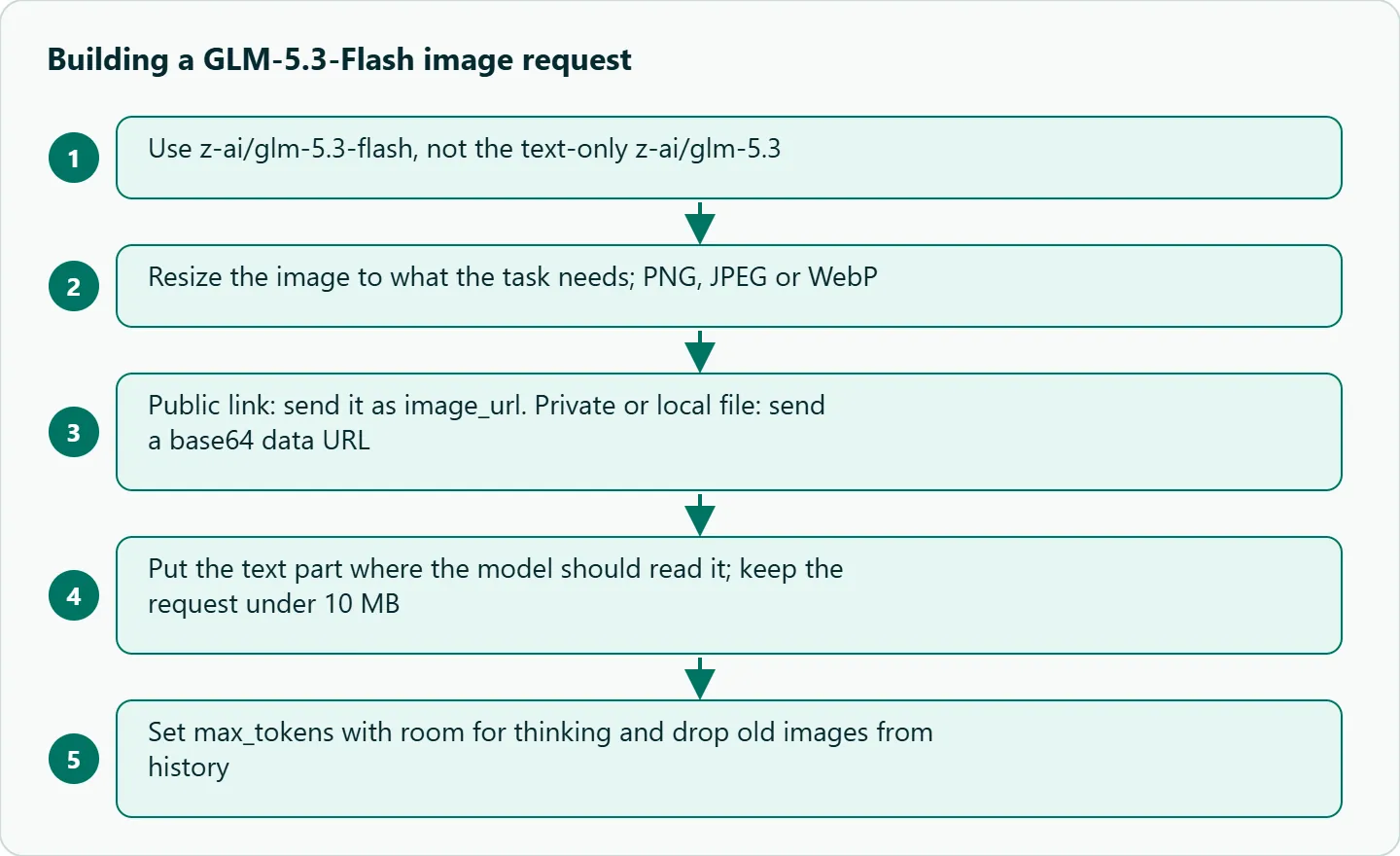
Two other limits come from Z.ai. Thinking on Flash only supports enabled and can't be turned off, so the reasoning shares your max_tokens budget with the answer; that is why the examples use 4000. And while video is listed as an input type, Z.ai's page gives no video request format, codec or size limit. Until you have tested a clip on your route, treat video input as unverified. Multiple images are fine: add more image_url parts to the same message.
How good is the vision?
The best independent number we found is Roboflow's GLM 5.3 Flash vs GLM 5V Turbo comparison (source in Sources below). On November 8, 2026 it showed GLM 5.3 Flash at 55.8% overall against 54.6% for GLM 5V Turbo (pooled, low effort), and 33.1% against 56.5% on object detection. That is one general benchmark run by a third party, not a screenshot-to-code test, but the shape is clear: Flash is a reasonable generalist and a weak detector.
| Task | What we'd expect |
|---|---|
| Screenshot to HTML/CSS | A good first draft; check the layout |
| Reading charts and tables | Usable; verify every number |
| Bounding boxes, counting objects | Use a detection-focused model |
| Video understanding | Unverified on the request format |
Worked example: receipts to JSON
Turning a photographed receipt into fields is a typical first job. Ask for JSON only, name the fields, allow null, and validate in code:
import base64, json

with open("receipt.jpg", "rb") as f:
    img = base64.b64encode(f.read()).decode()

r = client.chat.completions.create(
    model="z-ai/glm-5.3-flash", max_tokens=3000,
    messages=[{"role": "user", "content": [
        {"type": "text", "text": "Return JSON only: {merchant, date, total, currency}. Use null if unreadable."},
        {"type": "image_url", "image_url": {"url": f"data:image/jpeg;base64,{img}"}}]}])

try:
    data = json.loads(r.choices[0].message.content)
except (json.JSONDecodeError, TypeError):
    data = None   # log the raw reply and route to review
The model page also lists JSON structured outputs through response_format, which is worth trying once the plain prompt works. Either way, check totals against the line items in code, since a misread digit looks perfectly valid as JSON.
Failure cases and fixes
| What you see | Cause | Fix |
|---|---|---|
| Image ignored or unsupported-content error | Sent to z-ai/glm-5.3, which is text-only |
Use z-ai/glm-5.3-flash for any request with an image |
| URL fetch error | Link is private, expired or blocked | Send a base64 data URL instead |
400 invalid_request with no new image |
Earlier images count toward the per-model limit | Drop old image parts from history |
| Request too large | Full-size photo encoded as base64 | Resize first; stay under 10 MB |
Empty answer, finish_reason: "length" |
Thinking used max_tokens |
Raise the cap |
| Small print misread | Text too small after downscaling | Crop to the region and send that |
How to test this on your workload
We haven't run these for this guide, so treat them as a checklist for your own images:
- Send ten of your real screenshots and five chart images, and grade by hand for layout match and number accuracy.
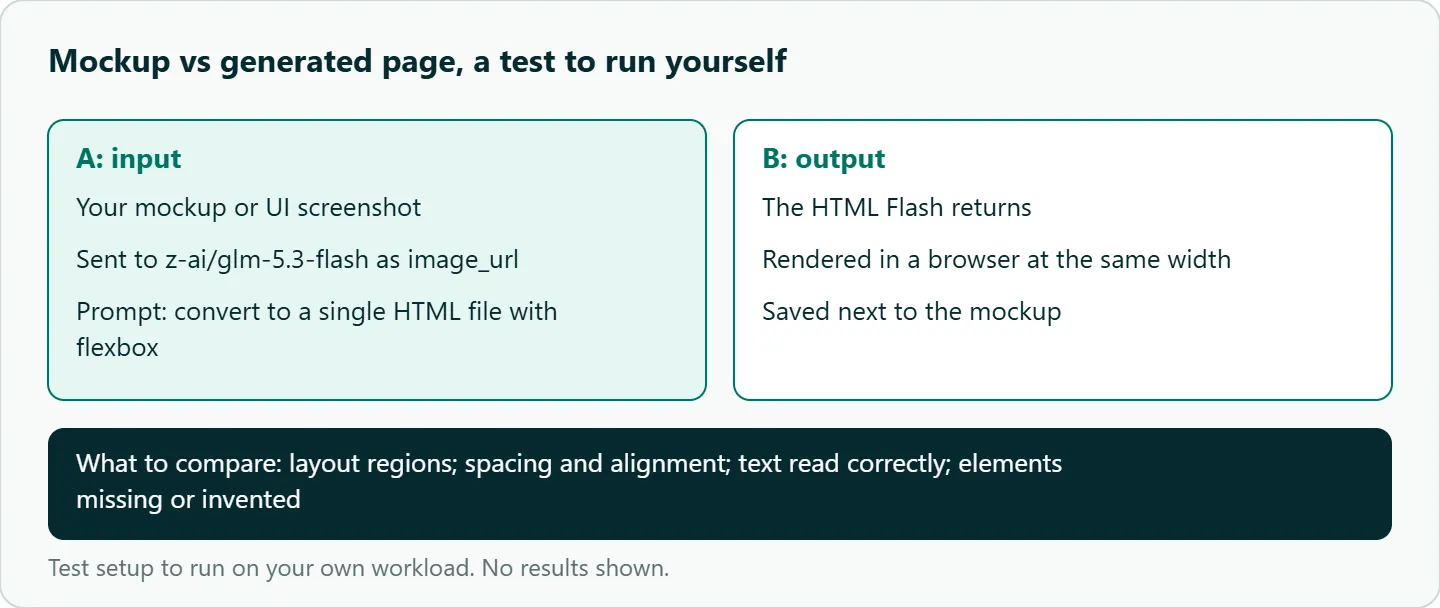
- Put each mockup next to the HTML Flash generates, rendered in a browser, and compare the same points every time.
- Send the same image as a URL and as base64 and compare
usage.prompt_tokens. - Keep adding images to one conversation until you hit the limit, so you know the number for your route.
- Try one short video clip before you promise video features to anyone.
Our take: Use GLM-5.3-Flash where the image is context and a person reviews the result: a bug screenshot, a design mock, a receipt, a dashboard. Resize before sending, prune old images from history, and give it room to think. For object counts or coordinates, pick a detection model instead.
Running it on OceanToken
Use base URL https://api.oceantoken.ai/v1 with z-ai/glm-5.3-flash. The /glm-api page says you keep your OpenAI SDK and change the base URL and the model, so the code above is the same code you would write for any vision model, and the same key reaches DeepSeek, Qwen, Kimi, Claude, GPT and Gemini from one prepaid balance.
That makes it a one-line change to run your screenshot set against a second vision model, and the Logs page of your OceanToken console lists every request with its model, input and output tokens, cost and status, which is a quick way to see what an image costs. The page also says failed requests are free. See the current rate on /glm-api. For using GLM in a chat UI instead of code, see GLM in Open WebUI and other chat front ends.
FAQ
Can GLM-5.3 read images? No. The catalog lists it as text input only; send image requests to z-ai/glm-5.3-flash.
Which image formats work? Our vision guide names PNG, JPEG and WebP as the safe formats.
Can I send several images in one request? Yes. Add one image_url part per image, and remember earlier images in the conversation count toward the limit.
Does GLM-5.3-Flash accept video? It is listed as an input type, but no video request format is documented, so test a clip before relying on it.
Can I turn off thinking to save tokens? No. Z.ai says thinking on Flash can't be disabled, so set max_tokens with room for it.
Sources
- Z.ai: GLM-5.3-Flash (checked 2026-11-08)
- OceanToken docs: image input (checked 2026-11-08)
- OceanToken GLM-5.3-Flash model page (checked 2026-11-08)
- OceanToken GLM-5.3 model page (checked 2026-11-08)
- OceanToken GLM API page (checked 2026-11-08)
- Roboflow: GLM 5.3 Flash vs GLM 5V Turbo (checked 2026-11-08)
- OceanToken docs: console logs (checked 2026-11-09)
Get your OceanToken API key
- Create an OceanToken account and an API key.
- Copy the snippet below, paste your key, and run it.
- Check the current rate on /glm-api.
curl https://api.oceantoken.ai/v1/chat/completions \
  -H "Authorization: Bearer $OCEANTOKEN_API_KEY" \
  -H "Content-Type: application/json" \
  -d '{"model": "z-ai/glm-5.3-flash", "max_tokens": 4000, "messages": [{"role": "user", "content": [{"type": "text", "text": "Describe this image."}, {"type": "image_url", "image_url": {"url": "https://example.com/screenshot.png"}}]}]}'
More from the blog
A Unified API for Chat, Image and Video
Building on a unified API for chat, image and video: sync vs async calls, billing units, retries, timeouts and storage, with three calls and a launch checklist.
Kimi K3 API International Access Guide
Use the Kimi K3 API internationally: sign up with email, pay by card, create one key and call moonshotai/kimi-k3 with an OpenAI SDK. Steps, code and checks.
Call Tencent Hy3 With the OpenAI SDK
Call Tencent Hy3 with the OpenAI SDK outside China: base URL, model id, streaming, tool calls, reasoning_effort values, Hy3 vs Hy3 preview, and token billing.