

Gemini Thinking Level: Cost and Latency
Gemini thinking level explained: defaults per model, how thinking tokens bill as output, thinking budget on 2.5, and how to set the level per route.
By OceanToken Team
Editor's note: Most teams leave Gemini on its default thinking level and then wonder why the bill and the latency both drift up. Thinking is an output-token charge you never see in the reply. Treating it as a dial you set per route is the cheapest optimization available, and it is cheaper than switching models. The catch is that the default changes when the model does.
Short answer: The Gemini thinking level (low, medium, high, and minimal on some models) sets how much hidden reasoning happens before the answer. Thinking tokens bill as output and count toward max_output_tokens, so higher levels cost more and answer later. Start low for classification and extraction, and raise the level only on routes that fail.
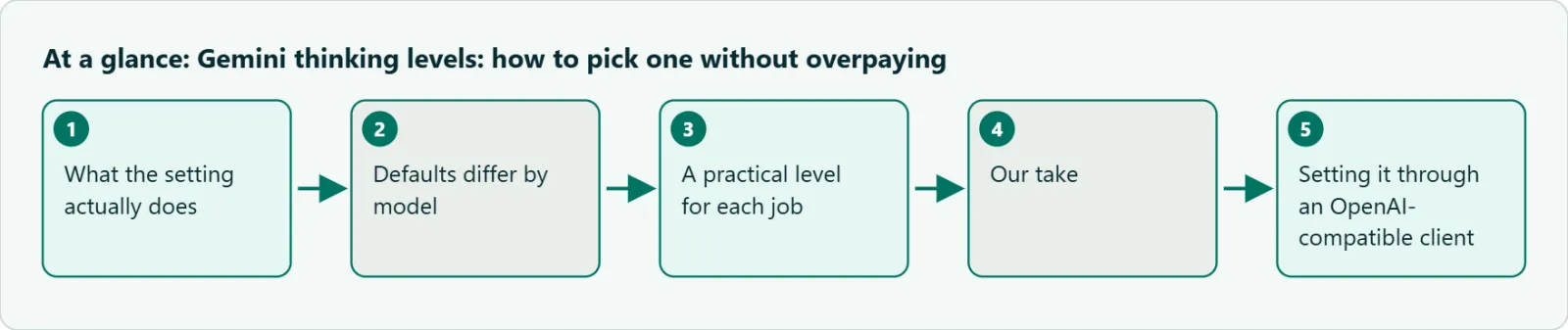
What the setting actually does
Google's thinking docs describe thinking as internal reasoning the model produces before its visible answer. On current models you steer the amount with thinking_level. The older Gemini 2.5 models use a token count instead, thinking_budget, and Google's OpenAI compatibility page maps the two (more on that below).
Two billing facts matter more than anything else on that page.
Thinking is billed as output. Google says response pricing "is the sum of output tokens and thinking tokens," and the charge is for the full thoughts generated, even though you get back at most a summary. The count is reported as total_thought_tokens.
max_output_tokens includes thinking. It is a hard cutoff. If the model spends the cap reasoning, the response comes back incomplete, possibly empty. Google's advice for cutting cost or latency is to lower thinking_level, not to shrink the cap. A small cap doesn't make the model think less; it just cuts it off.
Defaults differ by model
The defaults are not the same across the family, which is the part people miss when they swap a model id in config. From Google's thinking page, checked 2026-11-09:
| Model | Default level | Levels supported |
|---|---|---|
| gemini-4-argon | medium | low, medium, high |
| gemini-3.8-flash | medium | low, medium, high |
| gemini-3.6-flash | medium | minimal, low, medium, high |
| gemini-3.5-flash-lite | minimal | minimal, low, medium, high |
| gemini-3.1-pro-preview | high | low, medium, high |
| gemini-3-flash-preview | high | minimal, low, medium, high |
| gemini-2.5-flash-lite | off | low, medium, high (a 2.5 model, budget-based; see below) |
Moving from gemini-3-flash-preview to gemini-3.8-flash quietly drops the default from high to medium. Moving a route from a Flash model to gemini-3.1-pro-preview pushes it to high. If you never set the level, the same prompt can cost very different amounts after a swap, and nobody changed a line of prompt code.
A practical Gemini thinking level for each job
Google's own guidance is short: minimal thinking for simple tasks such as fact retrieval or classification, the default for moderate tasks, and the most thinking for advanced coding, math and multi-step planning. Our starting points follow from that.
Classification, tagging, routing, extraction from clean text: minimal or low. The answer is mostly pattern recognition, and the output is a few tokens, so thinking can easily be most of what you pay for.
Customer-facing chat and summaries: low to medium. Users notice a slow first token more than a slightly less considered reply.
Multi-step coding, debugging, data analysis: medium, then high only for the requests that fail.
Math, planning, anything with a checkable answer: high, and log the pass rate so you know what the extra tokens buy.
The exception is a route where you can't tell whether an answer is right. There, an escalation rule has nothing to escalate on, so pick a fixed level from a labeled test set instead.
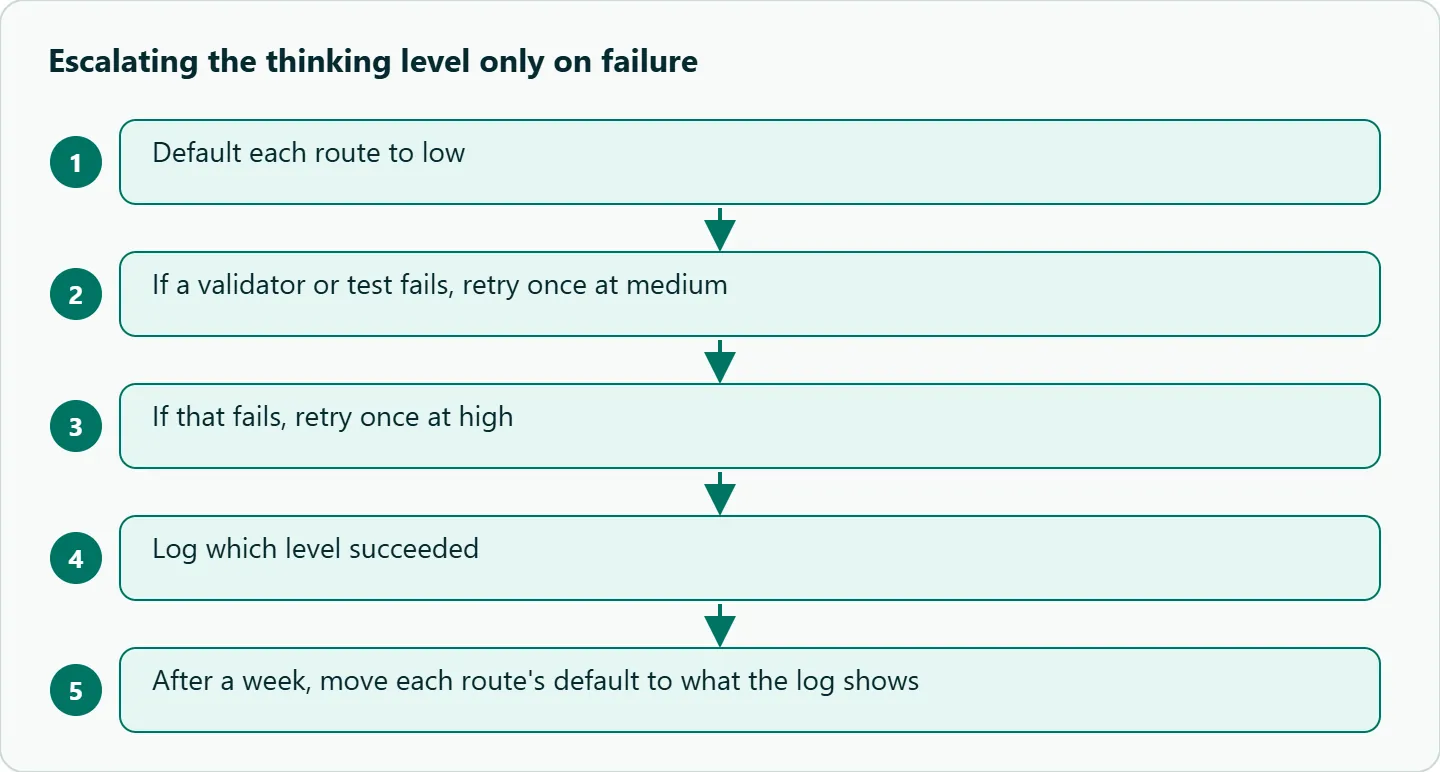
Our take: Put the level in your route config next to the model id, the same way you set max_tokens. Default each route to low; when a validator or test fails, retry once at medium, then once at high, and log which level succeeded. After a week the log shows what share of traffic needs each level. The mistake is one global level, which overpays on easy routes and underserves the hard ones.
Gemini thinking budget on 2.5 models
On Gemini 2.5, the knob is a token budget. Google's OpenAI compatibility page shows how reasoning_effort translates:
reasoning_effort |
Gemini 3 and 4 models | Gemini 2.5 models |
|---|---|---|
low |
thinking_level: low |
thinking_budget: 1,024 |
medium |
thinking_level: medium |
thinking_budget: 8,192 |
high |
thinking_level: high |
thinking_budget: 24,576 |
Two rules from the same page. reasoning_effort: "none" disables thinking only on 2.5 models, and "reasoning cannot be turned off for Gemini 2.5 Pro or 3 models." And reasoning_effort overlaps with thinking_level and thinking_budget, so you can't send both in one request. Old code that sets a thinking_budget number and a new reasoning_effort side by side is not allowed by Google's page, so remove one of them.
Setting it through an OpenAI-compatible client
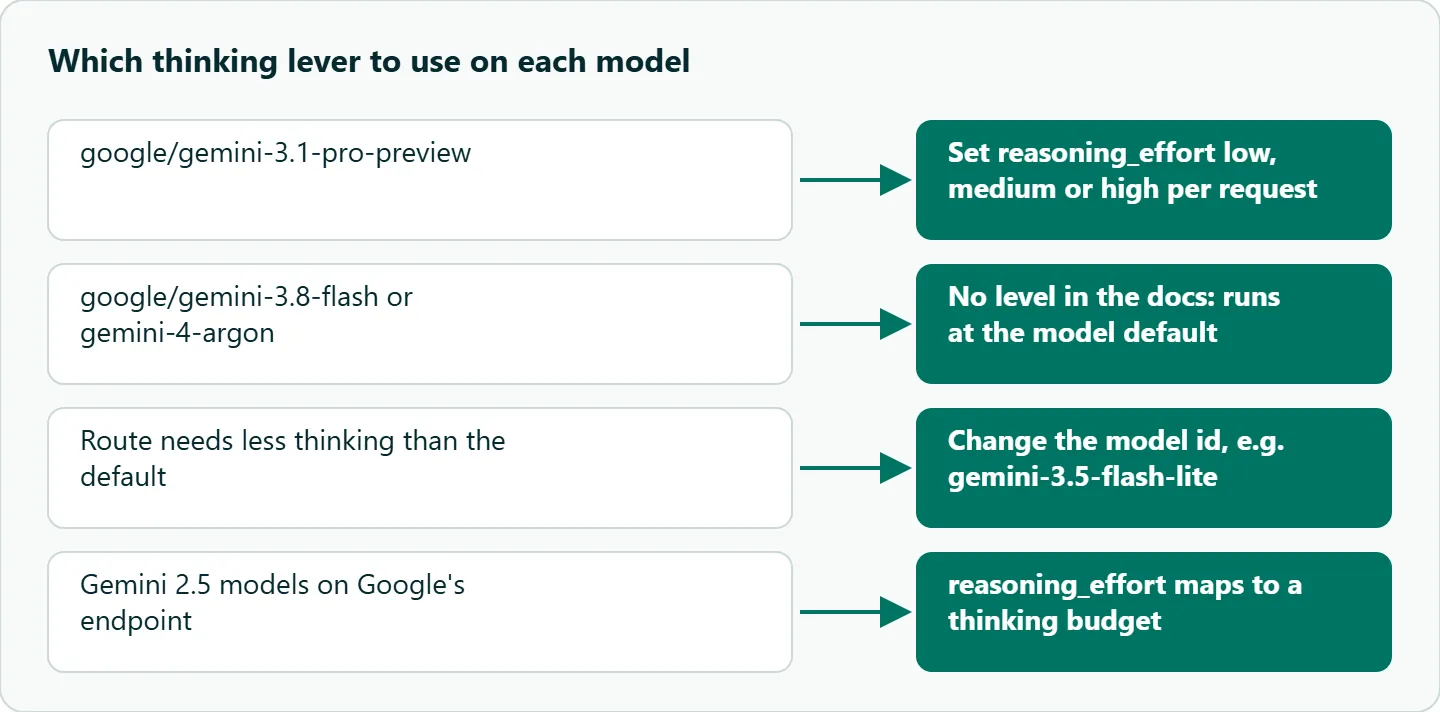
On OceanToken, the per-model docs decide what you can set. google/gemini-3.1-pro-preview lists reasoning_effort with low, medium and high and says "this model always reasons; the level sets how much." The docs for google/gemini-3.8-flash and for google/gemini-4-argon don't list reasoning_effort at all, and every model page says anything not in its table "is left out before it reaches the model." The extra_body route to thinking_config that Google documents isn't in those tables either.
So on Pro Preview, set the level per request:
from openai import OpenAI

client = OpenAI(base_url="https://api.oceantoken.ai/v1", api_key="YOUR_OCEANTOKEN_KEY")

resp = client.chat.completions.create(
    model="google/gemini-3.1-pro-preview",
    reasoning_effort="low",
    max_tokens=4000,
    messages=[{"role": "user", "content": "Classify this ticket: 'Refund not received after 10 days'."}],
)
print(resp.choices[0].finish_reason, resp.choices[0].message.content)
print(resp.usage)  # look for the reasoning token count
Set it explicitly even when you want medium. OceanToken's page lists medium as the default for this model, while Google's table lists high, and an explicit value makes the difference irrelevant. On 3.8 Flash and Argon, the request runs at the model's own default, which Google lists as medium. If a route needs less thinking than that, the lever is the model: gemini-3.5-flash-lite defaults to minimal. Either way, print usage on a few calls and compare reasoning tokens across settings to confirm what reached the model.
Failure cases
Empty reply after raising the level. A route with a 500-token cap worked at low and returns nothing at high, because thinking used the cap. Raise the cap together with the level, and check finish_reason for length before blaming the prompt. The same check catches truncated JSON, which our Gemini structured output pitfalls guide covers.
Latency regression after a model swap. The new model's default is higher than the old one's. Set the level explicitly in config for every route where the model accepts it.
Cost jump on agents. Each loop turn thinks again. Use a low level for tool-selection turns and keep medium or high for the final answer.
Paying for nothing. On easy prompts, high and low often give the same answer. Run both on real prompts and keep the cheaper level when the pass rate is equal.
How to test this on your workload
- Take 50 real prompts from one route, with a way to score each answer.
- Run them at each level the model accepts on your endpoint.
- Record pass rate, median and p95 latency, and reasoning tokens per level.
- Pick the lowest level within your quality bar.
- Repeat after any model swap, because the defaults move.
Running it on OceanToken
Set the base URL to https://api.oceantoken.ai/v1. The /gemini-api page listed google/gemini-3.1-pro-preview, google/gemini-4-argon, google/gemini-3.8-flash, google/gemini-3.5-flash-lite, the 2.5 models and others on 2026-11-09. See the current rate on /gemini-api.
The API is OpenAI-compatible, so you change the base URL and the key and keep your OpenAI SDK code. One key and one prepaid balance cover Gemini and the other model families, which matters for this topic: when a level can't be set on one model, moving the route to a model with a lower default is a model id change. Each API key can also have its own spending limit, a useful backstop while you tune levels on a high-volume route.
FAQ
Does Gemini charge for thinking tokens I can't see? Yes. Google bills thinking as output, even though at most a summary is returned.
Why did my response come back empty? max_output_tokens includes thinking, so reasoning can use the whole cap. Raise the cap or lower the level.
Can I turn thinking off? Only on some 2.5 models, with reasoning_effort: "none". Gemini 3 models and 2.5 Pro always think; gemini-2.5-flash-lite is off by default.
What is the difference between thinking level and thinking budget? Level is a named setting on Gemini 3 and later; budget is a token count on 2.5. You can't send both in one request.
Do I get the full chain of thought? No. Summaries are off by default and are turned on with thinking_summaries: "auto"; they can be empty.
Is a higher level always more accurate? No. On easy tasks the answers match and you only pay more. Measure per route.
Sources
- Google: Gemini thinking (checked 2026-11-09)
- Google: OpenAI compatibility (checked 2026-11-09)
- OceanToken docs: google/gemini-3.1-pro-preview (checked 2026-11-09)
- OceanToken docs: google/gemini-3.8-flash (checked 2026-11-09)
- OceanToken Gemini API page (checked 2026-11-09)
Get your OceanToken API key
- Create an OceanToken account and an API key.
- Copy the snippet below, paste your key, and run it.
- Check the current rate on /gemini-api.
curl https://api.oceantoken.ai/v1/chat/completions \
  -H "Authorization: Bearer $OCEANTOKEN_API_KEY" \
  -H "Content-Type: application/json" \
  -d '{"model": "google/gemini-3.1-pro-preview", "reasoning_effort": "low", "max_tokens": 4000, "messages": [{"role": "user", "content": "Hello"}]}'
More from the blog
A Unified API for Chat, Image and Video
Building on a unified API for chat, image and video: sync vs async calls, billing units, retries, timeouts and storage, with three calls and a launch checklist.
Kimi K3 API International Access Guide
Use the Kimi K3 API internationally: sign up with email, pay by card, create one key and call moonshotai/kimi-k3 with an OpenAI SDK. Steps, code and checks.
Call Tencent Hy3 With the OpenAI SDK
Call Tencent Hy3 with the OpenAI SDK outside China: base URL, model id, streaming, tool calls, reasoning_effort values, Hy3 vs Hy3 preview, and token billing.