

Google AI Studio to Gemini 3.8 Flash API
Move a Google AI Studio prompt to the Gemini 3.8 Flash API: which settings map to which parameters, thinking and output limits, 429 retries, launch checklist.
By OceanToken Team
Editor's note: We think Google AI Studio is the right place to start and a bad place to stay. Prompts that look perfect in the playground often break in code for boring reasons: a thinking budget that eats the answer, a temperature slider the model now ignores, a rate limit nobody planned for. The move itself is easy. The surprises are the work, and most of them are settings that didn't carry over.
Short answer: To move a prompt from Google AI Studio to the Gemini 3.8 Flash API, use Get code, then put the model id, system instruction, thinking level and output cap in config. Three things differ from the playground: thinking tokens count against the output limit, temperature and top-p are ignored on 3.8 Flash, and rate limits need retries.
What changes between Google AI Studio and the Gemini 3.8 Flash API
In AI Studio, the Run settings panel holds the model parameters, safety settings, tools such as structured output, function calling, code execution and grounding, and the System Instructions field, per Google's AI Studio quickstart . The Get code button turns the current prompt into code in the language you pick. That export is a good start, but it captures the playground's settings, including ones that do nothing on the current model.
Google's models page lists gemini-3.8-flash as stable and says new projects should use 3.5 Flash-Lite or 3.8 Flash. It also lists gemini-2.0-flash, gemini-3-pro-preview and gemini-3.1-flash-lite-preview as shut down, so an old saved prompt may still point at an id that no longer answers.
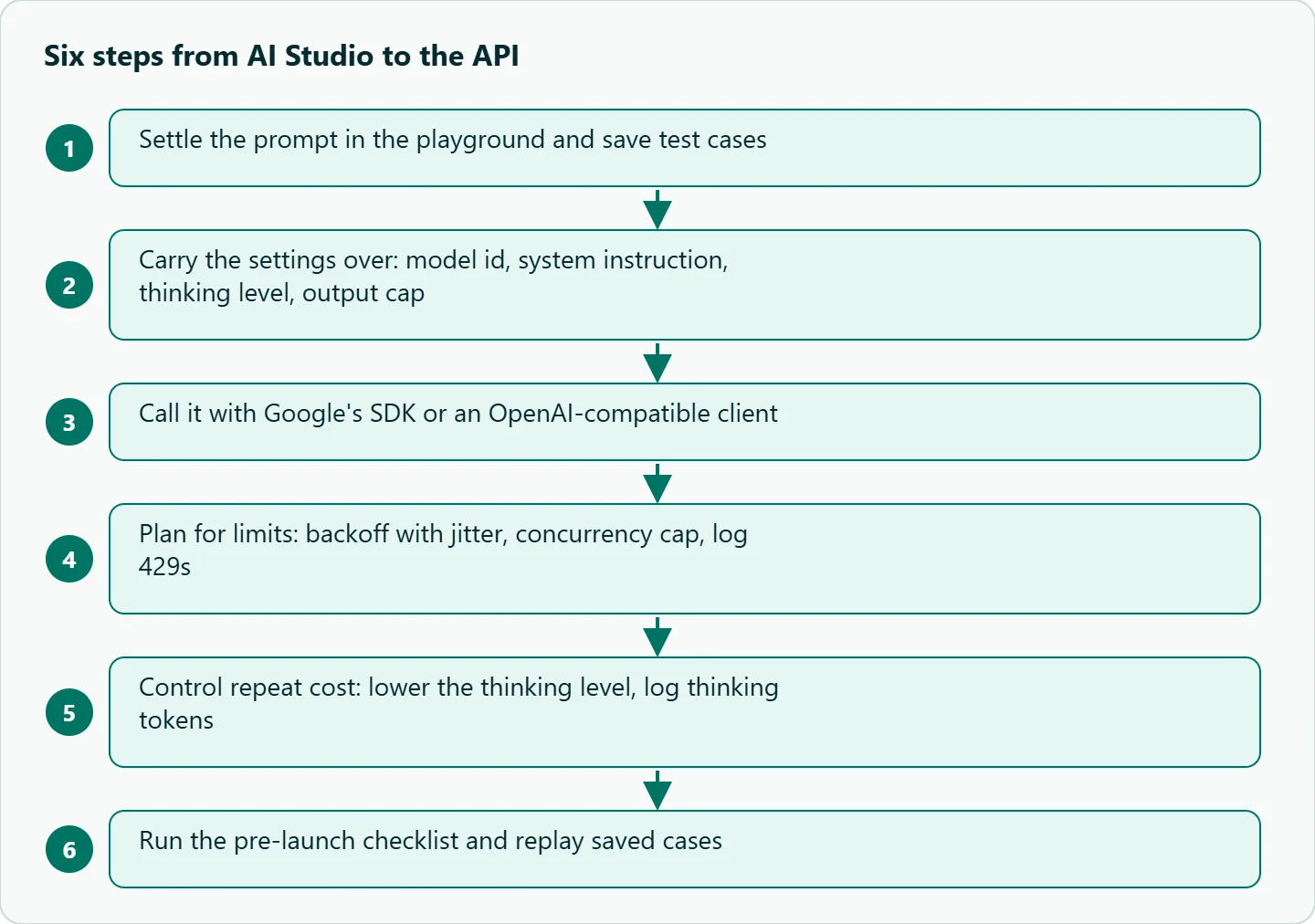
Step 1: settle the prompt in the playground
Use the playground to fix the system instruction, a few examples and the output format. Save a handful of real inputs and the answers you accepted as test cases; they become your regression suite in Step 6. Save the prompt in AI Studio too, so a colleague can open the same version you tuned.
Step 2: carry the settings over
| AI Studio setting | Google SDK (GenerateContentConfig) |
OpenAI-compatible request |
|---|---|---|
| Model | gemini-3.8-flash |
Same id (prefixed on some endpoints) |
| System Instructions | system_instruction |
A system message |
| Thinking level | thinking_config=ThinkingConfig(thinking_level=...) |
reasoning_effort (not both) |
| Output length | max_output_tokens (includes thinking) |
max_tokens |
| Temperature, top P | Ignored on 3.8 Flash; remove | Same |
| Stop sequences | stopSequences in REST generationConfig |
stop |
| Tools | Tools in the config | tools, where the endpoint supports them |
Two rows need care. The thinking docs list low, medium and high for gemini-3.8-flash, with medium as the default, and say max_output_tokens covers thought tokens too. And Google's text generation docs say Gemini 4 and Gemini 3.6+ models ignore custom temperature, top_p and top_k values and return deprecation warning headers. If you tuned temperature in AI Studio and the output looked different, that effect won't follow you to 3.8 Flash. Remove those fields so warnings in your logs mean something.
Step 3: call it
Create a key at aistudio.google.com/apikey , as Google's API overview describes, and keep it in an environment variable. With Google's Python SDK:
import os
from google import genai
from google.genai import types

client = genai.Client(api_key=os.environ["GEMINI_API_KEY"])
r = client.models.generate_content(
    model="gemini-3.8-flash",
    contents="Why do thinking tokens matter for max_output_tokens?",
    config=types.GenerateContentConfig(
        system_instruction="Answer in two sentences.",
        max_output_tokens=2000,
        thinking_config=types.ThinkingConfig(thinking_level="low"),
    ),
)
print(r.text)
Google's overview now recommends the Interactions API for new agentic builds, and the same settings live in its generation_config. If your code already uses the OpenAI SDK, Google's OpenAI compatibility page gives a base URL for it; send the system instruction as a system message, and don't combine reasoning_effort with thinking_level, because the page says the two can't be used together. Our Gemini OpenAI-compatible migration guide covers that route in detail.
Step 4: plan for limits
The playground hides rate limits because you send one request at a time. Code doesn't. Google's rate limits page says limits are measured in requests per minute, input tokens per minute and requests per day, apply per project rather than per API key, and depend on the model and your usage tier; your active limits are shown in AI Studio. A loop that retries a 429 instantly makes the problem worse. Use exponential backoff with jitter, a queue with a concurrency cap, and a per-user limit if your app is public. Log every 429 with a timestamp, so you can tell a traffic spike from a quota that is simply too small.
Step 5: control repeat cost
The biggest lever on a Flash model is thinking. Google's thinking docs say you pay for output tokens plus thinking tokens, and if a request hits max_output_tokens while reasoning, the response can be incomplete or empty and the thinking is still billed. Their advice is to lower thinking_level rather than set a small output cap. In practice that means a short-answer route runs at low with a generous cap, and only routes that fail your checks move to medium or high. Our thinking levels guide covers the trade-off per model. Log input, output and thinking tokens per call from day one; without that split you can't see where the bill comes from. For current rates, see /gemini-api.
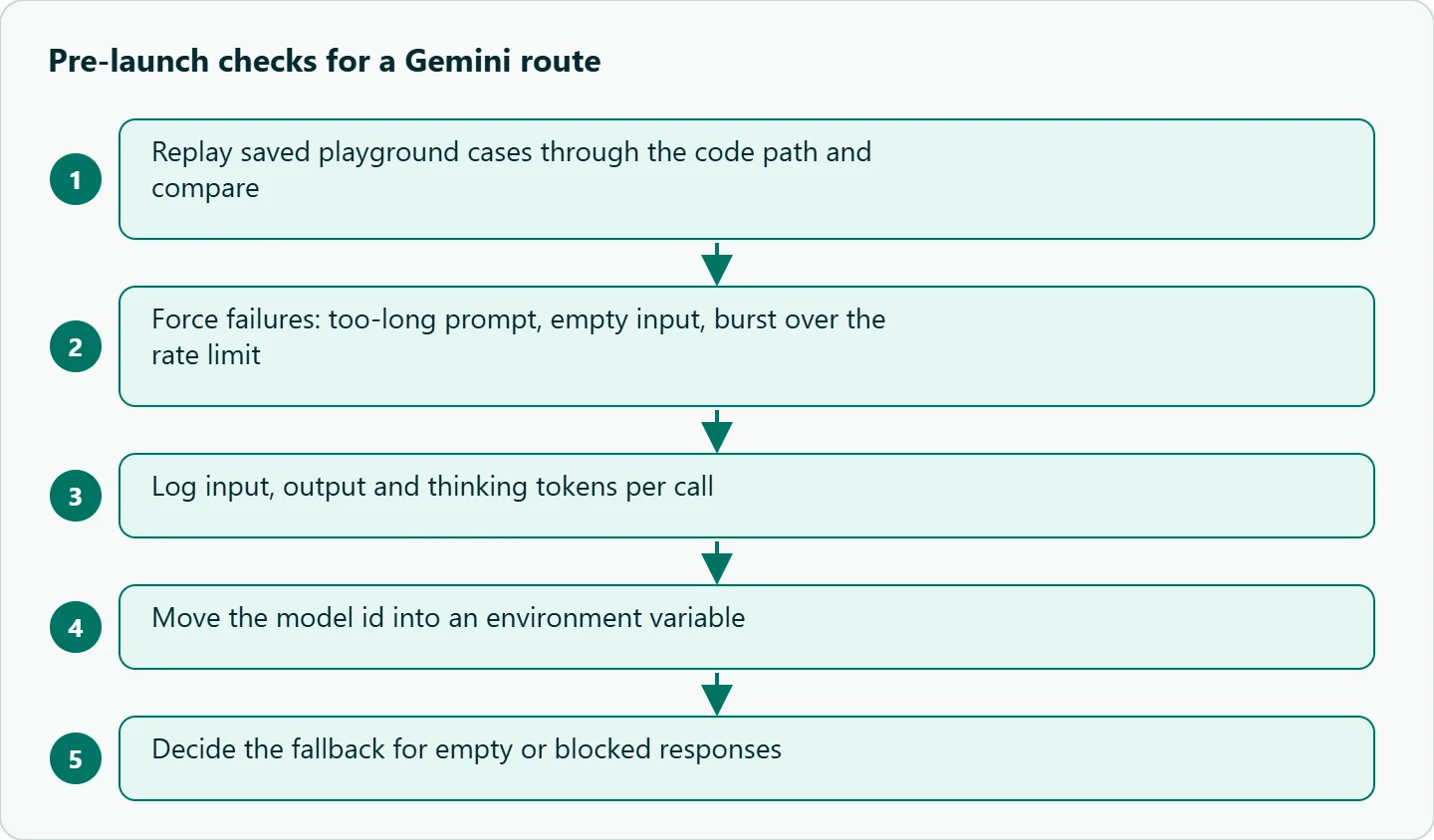
Step 6: a short pre-launch checklist
Before the first real user, run five checks. Replay your saved playground cases through the code path and compare the outputs; small differences are normal, systematic ones mean a setting didn't carry over. Force the failure modes: a prompt that is too long, an empty input, a burst over the rate limit. Log token usage per call, split into input, output and thinking. Put the model id in an environment variable, so a shutdown notice becomes a config change instead of a deploy. And decide what the user sees when the model returns nothing or a blocked response, because a polite fallback beats a blank screen.
How to test this on your workload
- Send the same 20 saved prompts with an output cap of 300 and of 2,000 tokens, at
lowandmediumthinking. - Count empty or truncated answers in each combination.
- Record latency and token usage, split into output and thinking.
- Keep the cheapest combination with no empty answers, and set it per route in config.
Our take: Keep prompts and test cases in a repo, the model id and thinking level in config, and treat the playground as a sketchbook. Most "it worked in AI Studio" bugs are a setting that didn't carry over, so the replay test in Step 6 catches more problems than any amount of prompt tweaking.
Running it on OceanToken
If you want to keep the OpenAI SDK, OceanToken serves google/gemini-3.8-flash at https://api.oceantoken.ai/v1. Its model docs list a 1,048,576-token context, max_tokens up to 65,536 with reasoning included, response_format with JSON schema, tools and media_resolution. They don't list a thinking or reasoning_effort parameter, and unlisted fields are left out before the request reaches the model, so the default medium level applies. Size max_tokens with that thinking in mind. The page also lists temperature and top_p as accepted fields, but per Google, 3.8 Flash ignores them.
The /gemini-api page says the API is OpenAI-compatible, so you change the base URL and key and keep your code. One key and one prepaid balance cover every leading model with no subscription, and each key can have its own spending limit. See the current rate on /gemini-api.
FAQ
Why is my API answer empty when AI Studio gave one? Thinking tokens probably used the whole output budget. Raise the cap or lower the thinking level.
Does the AI Studio temperature setting carry over? Not on Gemini 3.8 Flash. Google says Gemini 3.6+ and 4 models ignore custom temperature, top_p and top_k.
Where do I get a Gemini 3.8 Flash API key? Google's API overview says to create one in AI Studio at aistudio.google.com/apikey.
Which model should a new project use? Google's models page recommends Gemini 3.5 Flash-Lite or 3.8 Flash for new projects.
Can I paste the Get code output straight into production? Use it as a starting point. Remove sampling fields 3.8 Flash ignores, move the model id to config, and add retries.
Sources
- Google AI Studio quickstart (checked 2026-11-10)
- Google: Gemini API overview (checked 2026-11-10)
- Google: Text generation (checked 2026-11-10)
- Google: Gemini thinking (checked 2026-11-10)
- Google: Gemini models (checked 2026-11-10)
- Google: OpenAI compatibility (checked 2026-11-10)
- Google: Gemini API rate limits (checked 2026-11-09)
- OceanToken docs: google/gemini-3.8-flash (checked 2026-11-10)
- OceanToken Gemini API page (checked 2026-11-10)
Get your OceanToken API key
- Create an OceanToken account and an API key.
- Copy the snippet below, paste your key, and run it.
- Check the current rate on /gemini-api.
curl https://api.oceantoken.ai/v1/chat/completions \
  -H "Authorization: Bearer $OCEANTOKEN_API_KEY" \
  -H "Content-Type: application/json" \
  -d '{"model": "google/gemini-3.8-flash", "max_tokens": 2000, "messages": [{"role": "system", "content": "Answer in two sentences."}, {"role": "user", "content": "Why do thinking tokens matter for max_output_tokens?"}]}'
More from the blog
A Unified API for Chat, Image and Video
Building on a unified API for chat, image and video: sync vs async calls, billing units, retries, timeouts and storage, with three calls and a launch checklist.
Kimi K3 API International Access Guide
Use the Kimi K3 API internationally: sign up with email, pay by card, create one key and call moonshotai/kimi-k3 with an OpenAI SDK. Steps, code and checks.
Call Tencent Hy3 With the OpenAI SDK
Call Tencent Hy3 with the OpenAI SDK outside China: base URL, model id, streaming, tool calls, reasoning_effort values, Hy3 vs Hy3 preview, and token billing.