

Kling Hands and Faces Artifacts: Fixes
Kling hands and faces artifacts in one shot: extra fingers, merged grips, face morphing, teeth. A five-minute frame check and prompt fixes from Kling's guides.
By OceanToken Team
Editor's note: Everybody checks hands on the first frame. Few check them on frame 90. Our view is that most "AI hands" complaints are time problems: the hand is fine for two seconds and wrong by the fourth. Checking five frames per clip exposes that in a few minutes, and it tells you whether to rewrite the prompt or simply cut the shot earlier. Often the cut is the cheaper fix.
Short answer: Kling hands and faces artifacts usually show up mid-clip: extra or merged fingers during a grip, a face that morphs on a fast turn, teeth that smear in a smile. Check five frames per clip, give hands one deliberate action, put exclusions in the prompt, bind the character as a subject, and shorten the clip to where it still holds.
Kling hands and faces artifacts by failure type
The table below is a working catalogue for a single shot. The causes are our reading of how these failures arise, not measured rates; the fixes that come from Kling's own guides are marked in the next sections.
| Area | What you see | Usual trigger | First fix |
|---|---|---|---|
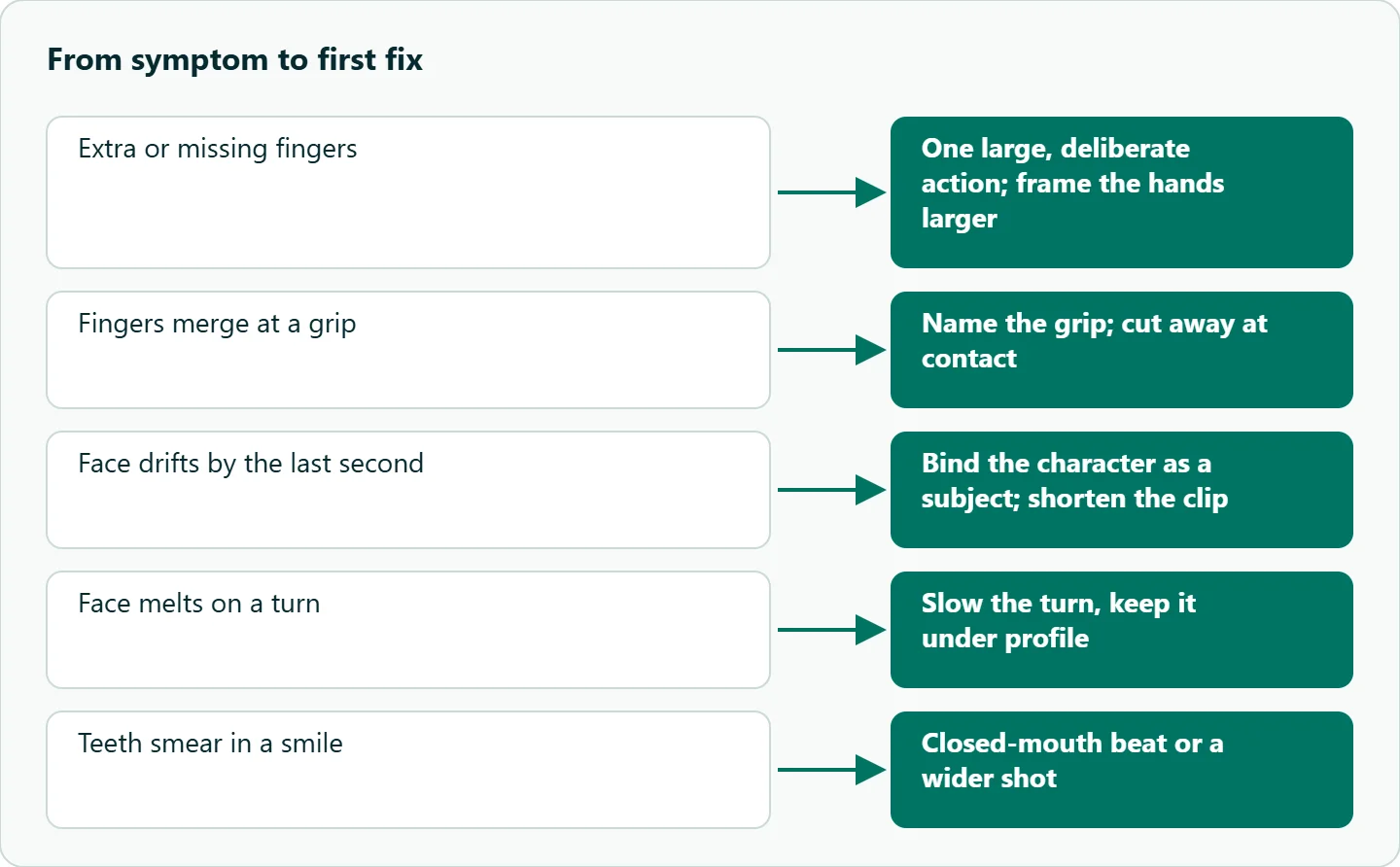
| Hands | Six fingers, or four | Fast finger motion, hands small in frame | One large, deliberate action; frame the hands larger |
| Hands | Fingers merge at a grip | Contact with an object, occlusion | Name the grip; cut away at contact |
| Hands | Object changes or vanishes | Two objects, or a vague action | One simple object, named in the prompt |
| Faces | Identity drifts by the last second | Long clip, no reference | Bind the character as a subject; shorten |
| Faces | Face melts on a turn | Head turning past profile quickly | Slow the turn, keep it under profile |
| Faces | Teeth smear in a smile | Open-mouth close-up | Closed-mouth beat, or a wider shot |
| Eyes | Gaze wanders | No direction given | Say where the character looks |
| Accessories | Earrings or glasses change shape | Small, shiny detail in close-up | Avoid jewelry close-ups; describe it once |
This piece is about distortion inside one shot. Keeping the same person across several shots is a different problem with different tools, covered in our Kling character consistency guide.
A five-minute frame check
One clip tells you about luck. Run each prompt at least three times, then check every take the same way:
- Export frames at 0, 1, 2.5 and 4 seconds, plus the last frame:
ffmpeg -ss 2.5 -i take1.mp4 -frames:v 1 take1_2.5s.pngfor each time point. - Crop the hands, the face and the eyes from each frame.
- Lay the crops in a grid, one row per region, one column per time point.
- Mark each cell pass or fail: five fingers per visible hand, same face shape, same eye color, same accessory.
- Write down the first time point where any row fails.
That timestamp is the usable length of the take. A 5-second clip that passes at 2.5 seconds and fails at 4 should be treated as a 2.5-second clip, or you can export frames every half second between 2.5 and 4 to find the exact point. For an edit that may be all you need. Recording the first failure time also gives you something you can compare across prompt versions instead of an impression.
Fixing Kling hands: give them one deliberate job
The most useful hand advice in Kling's own material is about intent. Kling's 4.0 prompt guide was written for its newest model, but this advice is plain description of action and contact, not a 4.0-only parameter, so it carries over to 3.0 prompts. It asks for hands that "work deliberately: brace before lifting, maintain firm tool contact," and that "each person performs a clearly defined action." In practice that means replacing "she gestures while talking" with "she holds a ceramic mug in both hands and lifts it to drink." The second version tells the model where the fingers are and what they touch.
Some scenes are riskier than others. These are expectations from how hand failures typically arise, not measured rates:
| Scene | Risk | Why |
|---|---|---|
| Typing, piano, knitting | High | Many small fingers moving fast |
| Handshake, hug | High | Two hands overlapping |
| Holding a cup | Medium | Contact and partial occlusion |
| Waving, pointing | Low | One large, simple motion |
When the shot needs a high-risk action, frame it so the hands are large and the motion is slow, or plan a cut at the moment of contact. Our Kling action scene prompt guide covers pacing fast movement in more depth.
Fixing Kling face morphing
Faces fail most on long clips, fast turns and wide-open mouths. Three fixes do most of the work.
First, bind the character. Kling's 3.0 user guide says a bound subject, built from two to four reference images, keeps it "clear and stable without shifting or disappearing" during camera moves. On OceanToken, the Kling v3.0 Pro schema supports this: create a subject with POST /v1/videos/subjects, pass up to three in subjects, and call them in the prompt as <<<element_1>>> and so on.
Second, write identity into the prompt. The 4.0 guide's own wording is a good template: "The actor's face, hairstyle, and physique must remain consistent throughout."
Third, slow the performance. A head that turns past profile in half a second asks the model to invent the far side of a face; a slow three-quarter turn doesn't. Closed-mouth beats avoid teeth artifacts entirely, and they cut together more easily anyway.
Starting from a clean still helps too. A flawed hand in the first frame tends to stay flawed, so fix the image before you animate it; our Kling image-to-video best practices cover choosing start frames.
Exclusions belong in the prompt text
In its style-editing section, Kling's 4.0 guide notes that pairing positive description with exclusions "tends to produce more stable results"; its keyframe example applies the same idea to anatomy: "Avoid duplicate limbs, flickering geometry, and intersecting solid surfaces." The catch on the API: the Kling v3.0 Pro schema on OceanToken has no negative_prompt field, so a separate exclusion parameter from an older example will be refused or ignored. Put the exclusion at the end of the main prompt instead:
A baker kneads dough on a floured wooden table, close-up on her hands, slow and deliberate
movement, soft window light, camera locked. Her hands keep five fingers each and stay in
firm contact with the dough. Avoid duplicate limbs and merged fingers.
Keep exclusions short and specific. A long list of everything that might go wrong crowds out the description of what should happen.
How to test this on your workload
We haven't published results for these fixes. A small test that tells you which ones matter for your shots:
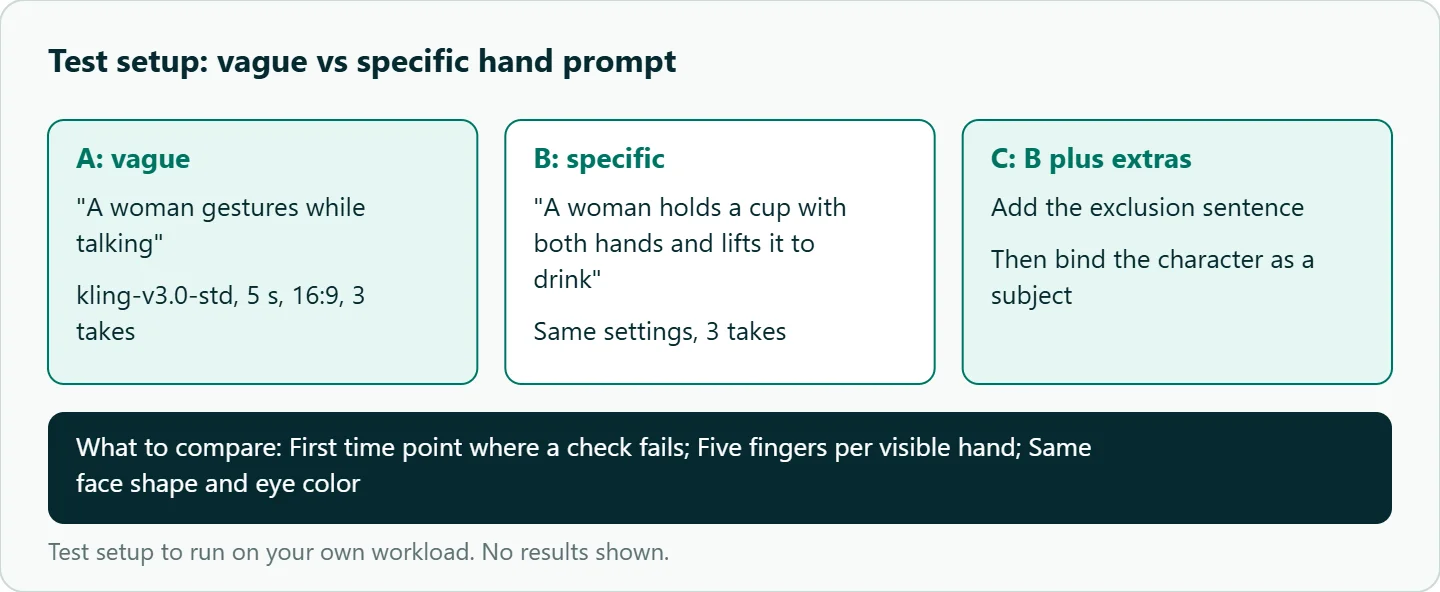
- Write one vague prompt ("A woman gestures while talking") and one specific prompt ("A woman holds a cup with both hands and lifts it to drink").
- Run each three times on
kwaivgi/kling-v3.0-stdat 5 seconds, 16:9. - Score every take with the five-frame check and record the first failure time.
- Repeat the better prompt with the exclusion sentence added, and again with the character bound as a subject.
- Compare first-failure times, not just whether the first frame looks right.
Our take: Measure anatomy along the time axis, not on frame zero. Most hand and face problems are fixed by asking for less: one deliberate action, a slower turn, a closed mouth, a shorter clip. When a take passes at 2.5 seconds and fails at four, cut at 2.5, or check the half-seconds in between, and move on.
Running it on OceanToken
Use base URL https://api.oceantoken.ai/v1 with kwaivgi/kling-v3.0-std (720p) for test takes and kwaivgi/kling-v3.0-pro (1080p) for finals, both listed on /kling-api. Durations run from 3 to 15 seconds, so you can request the shorter clip your frame check says will hold instead of trimming a long one. The API is OpenAI-compatible, so you change the base URL and key and keep your code, and a failed video job is not charged, its hold returned to your balance. Each key can carry its own spending limit, which helps when a three-takes-per-prompt test runs unattended. See the current rate on /kling-api.
FAQ
Why does Kling get hands wrong? Usually because the hands are small, moving fast or touching something. Give them one deliberate action and frame them larger.
How do I stop a face morphing mid-clip? Bind the character as a subject, state that the face stays consistent, slow head turns and shorten the clip.
Does Kling support negative prompts on the API? The Kling v3.0 Pro schema on OceanToken has no negative_prompt field. Put short exclusions in the main prompt.
How many frames should I check? Five per clip (0, 1, 2.5, 4 seconds and the last frame), on at least three takes per prompt.
Can I fix a bad hand in post? For a few frames, a cutaway or inpainting works. If it drifts across the clip, regenerate shorter.
Sources
- Kling API: Kling 4.0 video prompt guide (checked 2026-11-10)
- Kling VIDEO 3.0 model user guide (checked 2026-11-10)
- OceanToken docs: Kling v3.0 Pro request schema (checked 2026-11-10)
- Kling API: Kling 3.0 text to video (checked 2026-11-10)
- OceanToken docs: video (checked 2026-11-10)
- OceanToken Kling API page (checked 2026-11-10)
Get your OceanToken API key
- Create an OceanToken account and an API key.
- Copy the snippet below, paste your key, and run it.
- Check the current rate on /kling-api.
curl https://api.oceantoken.ai/v1/videos \
  -H "Authorization: Bearer $OCEANTOKEN_API_KEY" \
  -H "Content-Type: application/json" \
  -d '{"model": "kwaivgi/kling-v3.0-std", "prompt": "A woman holds a ceramic mug in both hands and lifts it slowly to drink, soft window light, camera locked. Her hands keep five fingers each. Avoid duplicate limbs and merged fingers.", "duration": 5, "aspect_ratio": "16:9"}'
More from the blog
Hailuo Video Problems: 10 Fixes by Symptom
Hailuo video problems sorted by symptom: morphing faces, static or frantic motion, ignored camera moves, refused requests. Causes, fixes and a triage table.
Seedance Face Rejected? Why and What to Do
Seedance face rejected? Real-person photos, public figures and some prompts trip the content filter. How to read content_filtered and fix the input honestly.
Seedance Generation Failed? Causes and Fixes
Seedance generation failed? Work through policy, settings, input and capacity causes in order, and use a retry pattern that never pays for the same clip twice.