

Hailuo Video Problems: 10 Fixes by Symptom
Hailuo video problems sorted by symptom: morphing faces, static or frantic motion, ignored camera moves, refused requests. Causes, fixes and a triage table.
By OceanToken Team
Editor's note: Most bad Hailuo clips we see described are prompt problems, not model problems: too many instructions, too little action, a camera move buried at the end. A catalogue of failures is more useful than another list of best prompts, because it lets you diagnose in a minute instead of re-rolling blind. Change one thing per rerun, or you'll never know which fix worked.
Short answer: Most Hailuo video problems trace to a handful of causes: conflicting instructions, prompts heavy on description and light on verbs, asking the image or clip for more than it supports, and settings the model doesn't accept. Shorter prompts, one action and one camera move, plain lighting words and options checked against the model fix most of them.
How to use this list
Find your symptom, apply the first fix, rerun once with everything else unchanged. Each entry says what we think causes it and what to try; where MiniMax or OceanToken documentation backs a point, it's linked. The causes without a link are our reasoning from how these failures typically arise, not measured results.
Two models are in play. minimax/hailuo-3 (MiniMax H3) and minimax/hailuo-2.3 accept different options, and several "problems" are really a setting the model doesn't take. The Hailuo 3 model page and /hailuo-api list both.
1. Faces morph mid-clip
Likely cause: several things change at once: the subject turns, the camera moves, the light shifts and a second character enters. Big pose changes ask the model to invent a face from a new angle.
Fix: one subject, one motion, one camera move, and a line such as "her face and hair stay the same throughout." For a recurring character, use a reference image; our Hailuo subject reference guide covers how to build one that holds.
2. Nothing moves
Likely cause: a prompt full of adjectives and scenery with almost no verbs. In image-to-video, a still with nothing in it that obviously moves.
Fix: add motion verbs and a speed word: "steam rises slowly from the cup, the curtain sways gently." In image-to-video, describe the motion outright rather than re-describing the picture the model can already see.
3. Everything moves too fast
Likely cause: intensity words ("explosive", "rapid", "dynamic") and a list of actions crammed into a short clip.
Fix: "slowly", "gently", "in slow motion"; cut the action list to one thing. Longer durations also give an action room: H3 takes 5 to 15 seconds and Hailuo 2.3 takes 6 or 10.
4. Colors look oversaturated or "deep-fried"
Likely cause: quality boosters carried over from image prompting, such as "8k, masterpiece, ultra detailed, vivid."
Fix: delete them and describe the light instead: "overcast daylight", "soft window light from the left", "warm late-afternoon sun." Light words give the model something concrete to render.
5. Image-to-video invents bodies or rooms
Likely cause: a camera move or pose that needs pixels the first frame doesn't have. Pulling out from a head-and-shoulders portrait means inventing a body, a room and hands.
Fix: keep moves inside the picture: push in rather than pull out, pan only across what's visible. If you need the wide shot, start from a wide image. On H3 you can also pin the end with a last frame; Hailuo 2.3 accepts a first frame only.
6. On-screen text is garbled
Likely cause: long or small text. MiniMax's H3 announcement claims "accurate text and brand rendering" for H3; we found no equivalent claim for Hailuo 2.3.
Fix: keep generated text to a few large words, try H3 for signage and labels, and add anything that must be exact, like prices or legal lines, in your editor.
7. The camera move is ignored
Likely cause: the move is buried at the end of a long prompt, or a second move contradicts it.
Fix: put the move first and ask for one. For Hailuo 2.3, MiniMax's text-to-video reference documents 15 bracketed commands, such as [Push in], [Pan left], [Tracking shot] and [Static shot]. Commands inside one bracket run together (MiniMax recommends at most three), separate brackets run in order, and explicit commands are "more accurate" than plain wording. That reference covers Hailuo 2.3, 02 and T2V-01-Director, not H3, so on H3 write the move in plain words at the start of the prompt.
[Push in] A potter shapes wet clay on a wheel, hands steady, soft window light, dust in the air.
8. The background morphs when you use a reference character
Likely cause: a known trade-off of subject reference. MiniMax's S2V-01 release says the model "may occasionally follow prompts less precisely than T2V or I2V, with some environmental morphing."
Fix: simpler backgrounds, shorter clips, fewer background elements named in the prompt. When the set must stay exact, generate the character against a plain background and composite it over a background plate in your editor.
9. The request is refused, or a setting is ignored
Likely cause: an option the model doesn't accept. On OceanToken, the Hailuo 2.3 schema allows 6 or 10 seconds, 1080p, 16:9 only and a first frame only; the Hailuo 3 schema allows 5 to 15 seconds, 2K, seven aspect ratios including adaptive, and first and last frames. A 9:16 request to Hailuo 2.3 is the most common mismatch.
Fix: read the error. The video guide says unsupported values return 400 invalid_request before anything runs or is charged, and the message lists the allowed values. If the job ran but a setting seems ignored, check the x-oceantoken-dropped-params response header, which names optional fields the request ran without. A content_filtered failure means moderation refused the prompt or media, and rerunning the same prompt won't change that.
10. The end of the prompt is ignored
Likely cause: a long prompt where the important part comes last. MiniMax's API reference caps Hailuo prompts at 2,000 characters. We cover length limits and keyword order in Hailuo prompt length and keywords, so here's just the fix: put the subject, the action and the camera move in the first sentence, and trim the scenery list.
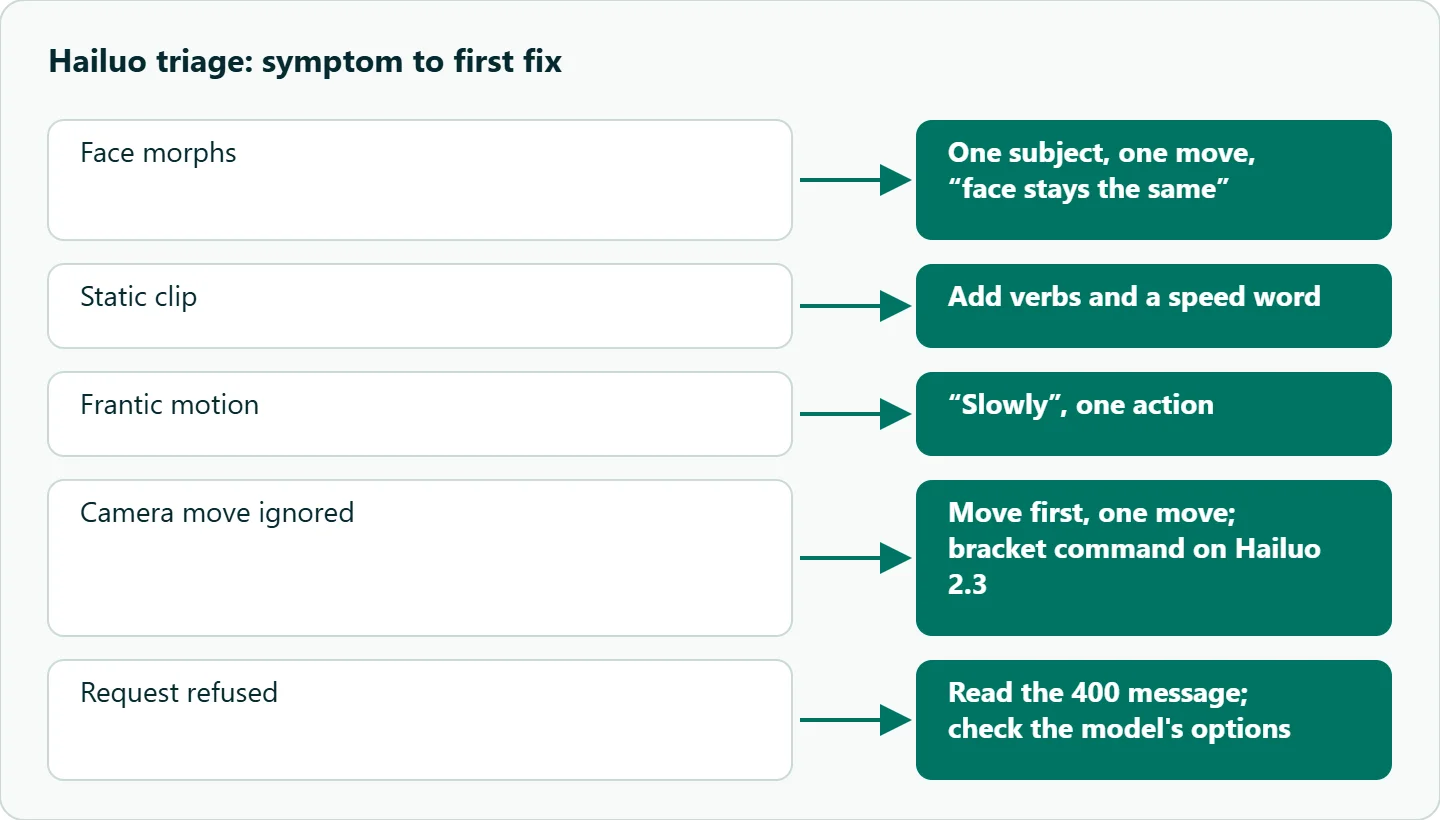
Hailuo video problems: triage table
| Symptom | First fix | If that fails |
|---|---|---|
| Face morphs | One subject, one move, "face stays the same" | Reference image, shorter clip |
| Static clip | Add verbs and a speed word | Pick a start image with clear motion |
| Frantic motion | "Slowly", one action | Longer duration |
| Deep-fried color | Delete quality boosters | Describe the light |
| Invented body or room | Push in, don't pull out | Start from a wider image |
| Garbled text | Fewer, larger words | Add text in the edit |
| Camera ignored | Move first, one move | Bracket command on Hailuo 2.3 |
| Background morphs | Simpler background | Composite over a plate |
| Refused or ignored setting | Read the 400 message | Check x-oceantoken-dropped-params |
| End of prompt ignored | Front-load the action | Cut the scenery list; keep under MiniMax's 2,000-character cap |
How to test this on your workload
We haven't published before-and-after clips for these fixes. A small test that tells you which matter for your shots:
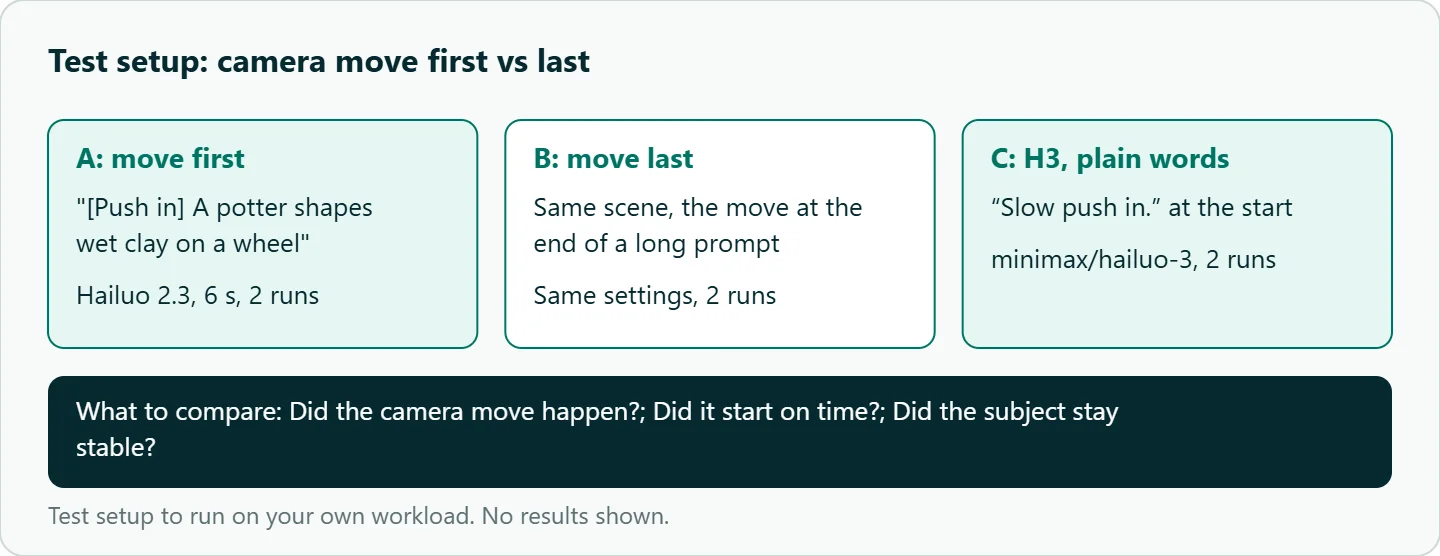
- Pick three failures you've actually hit, such as 1, 2 and 7.
- Write the failing prompt and the fixed prompt for each, changing only the part the fix targets.
- Run each version twice on
minimax/hailuo-2.3at 6 seconds, and the camera test onminimax/hailuo-3too. - Compare first, middle and last frames side by side and note which fix changed the outcome.
- Keep the failing clips. A small gallery of your own failures is the best prompt guide you'll have.
Our take: Diagnose by symptom, change one thing per rerun, and suspect settings before blaming the model. Most of these fixes come down to asking for less: one action, one camera move, a shorter prompt, a clip length the action fits.
Running it on OceanToken
Use base URL https://api.oceantoken.ai/v1 with minimax/hailuo-3, minimax/hailuo-3-max or minimax/hailuo-2.3, listed on /hailuo-api. The API is OpenAI-compatible, so you change the base URL and key and keep your code, and GET /oceantoken/video/model-spec?model=minimax/hailuo-2.3 returns the durations and aspect ratios each id accepts before you send anything. A failed video job is not charged and its balance hold is released, so a refused or failed rerun costs you time, not credit. Each key can carry its own spending limit, useful when a fix-and-rerun loop runs unattended. See the current rate on /hailuo-api.
FAQ
Why does my Hailuo face change halfway through? Too many simultaneous changes. Ask for one subject, one motion and one camera move, and use a reference image for recurring characters.
Why was my vertical video request refused? minimax/hailuo-2.3 accepts 16:9 only. Use minimax/hailuo-3 for 9:16.
Do bracket camera commands work on Hailuo 3? MiniMax documents them for Hailuo 2.3, 02 and T2V-01-Director. On H3, write the move in plain words at the start.
Does a longer prompt give better results? Usually not. Front-load the action and stay under MiniMax's 2,000-character cap.
Am I charged when a clip fails? On OceanToken, failed video jobs are not charged and the hold is released.
Sources
- MiniMax API: text to video (checked 2026-11-10)
- MiniMax: S2V-01 release (checked 2026-11-10)
- MiniMax: H3 announcement (checked 2026-11-10)
- OceanToken docs: minimax/hailuo-2.3 request schema (checked 2026-11-10)
- OceanToken docs: minimax/hailuo-3 request schema (checked 2026-11-10)
- OceanToken docs: video (checked 2026-11-10)
- OceanToken Hailuo API page (checked 2026-11-10)
Get your OceanToken API key
- Create an OceanToken account and an API key.
- Copy the snippet below, paste your key, and run it.
- Check the current rate on /hailuo-api.
curl https://api.oceantoken.ai/v1/videos \
  -H "Authorization: Bearer $OCEANTOKEN_API_KEY" \
  -H "Content-Type: application/json" \
  -d '{"model": "minimax/hailuo-2.3", "prompt": "[Push in] A potter shapes wet clay on a wheel, hands steady, soft window light, dust in the air.", "duration": 6, "aspect_ratio": "16:9"}'
More from the blog
Kling Hands and Faces Artifacts: Fixes
Kling hands and faces artifacts in one shot: extra fingers, merged grips, face morphing, teeth. A five-minute frame check and prompt fixes from Kling's guides.
Seedance Face Rejected? Why and What to Do
Seedance face rejected? Real-person photos, public figures and some prompts trip the content filter. How to read content_filtered and fix the input honestly.
Seedance Generation Failed? Causes and Fixes
Seedance generation failed? Work through policy, settings, input and capacity causes in order, and use a retry pattern that never pays for the same clip twice.