

Veo 3.1 Fast vs Standard for 1080p Work
Veo 3.1 Fast vs Standard, stage by stage: which tier to draft on, which to deliver 1080p on, what the two ids accept on the API, and how to test them yourself.
By OceanToken Team
Editor's note: On the OceanToken API, Veo 3.1 Fast and Standard take exactly the same request, so the tier can change shot by shot with one field. That makes a per-project tier choice unnecessary. We think Fast should carry drafts and most 1080p B-roll, and Standard should be kept for the shots a viewer will study: hero frames and dialogue.
Short answer: In the Veo 3.1 Fast vs Standard choice, draft and review on google/veo-3.1-fast, and render final hero shots and dialogue at 1080p on google/veo-3.1. Both ids accept the same fields on the API, including first and last frames and up to 3 reference images, so moving a shot between tiers is a one-field change.
01 · Veo 3.1 Fast vs Standard on the API: what each id accepts
The API reference for each Veo id was read on November 18, 2026. google/veo-3.1 and google/veo-3.1-fast list identical fields and values. google/veo-3.1-lite is narrower.
| Field | google/veo-3.1 |
google/veo-3.1-fast |
google/veo-3.1-lite |
|---|---|---|---|
duration |
4, 6 or 8 s (default 6) | 4, 6 or 8 s (default 6) | 4, 6 or 8 s (default 6) |
resolution |
720p, 1080p, 4K | 720p, 1080p, 4K | 720p, 1080p |
aspect_ratio |
16:9, 9:16 | 16:9, 9:16 | 16:9, 9:16 |
generate_audio |
Yes | Yes | Yes |
seed |
Yes | Yes | Yes |
frame_images |
First and last frame | First and last frame | First and last frame |
input_references |
Up to 3 images | Up to 3 images | Not listed |
| Model page describes it as | Built for visual fidelity in final production cuts | Mid-tier, balancing speed and quality | Most cost-effective, for high volume and rapid iteration |
So Fast and Standard differ in the model behind the id and what each model page says it is built for, not in the request. That has a practical consequence: you can write one request builder and pass the tier as a variable.
One row deserves a flag. You may read elsewhere that Fast cannot do reference-to-video. On this API, the reference lists input_references for Fast with the same three-image limit as Standard. If your plan depends on it, confirm with the model-spec endpoint in section 04 rather than with any article, this one included.
02 · Which Veo 3.1 tier for each stage
Here is the stage plan we would start from. The model ids are exact; the stage-to-tier choices are our judgement, not measured results.
| Stage | Goal | Tier and model id | Resolution |
|---|---|---|---|
| Prompt exploration | Does the idea read at all? | Lite, google/veo-3.1-lite |
720p |
| Blocking and motion review | Camera, pacing, composition | Fast, google/veo-3.1-fast |
720p |
| Reference-driven drafts | Same character or product across shots | Fast, google/veo-3.1-fast |
720p |
| B-roll and cutaways for delivery | Clean 1080p filler | Fast, google/veo-3.1-fast |
1080p |
| Hero shots | The frames people freeze on | Standard, google/veo-3.1 |
1080p |
| Dialogue finals | Lip sync and voice in one take | Standard, google/veo-3.1 |
1080p |
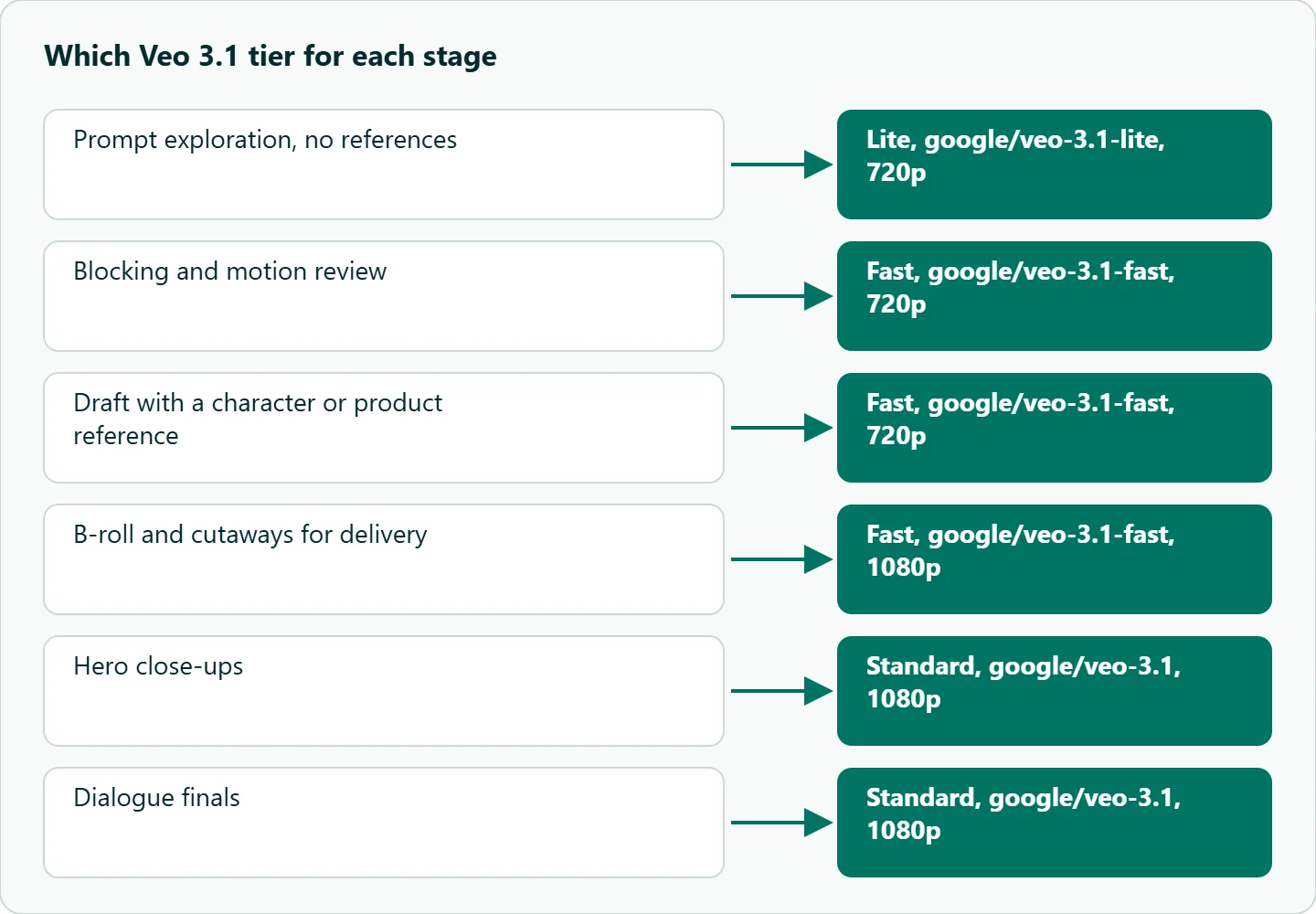
Why Fast for drafts rather than Lite all the way? Because Lite has no reference input. Once a shot needs a character or product held across takes, a Lite draft cannot test the real request, and you would be judging a different setup from the one you deliver. Lite earns its place earlier, while you are still checking whether a prompt describes the shot you want.
03 · 1080p delivery: Fast or Standard?
Veo 3.1 Fast for drafts is the easy call. Delivery is where the Veo 3.1 1080p API choice gets real, and price structure pushes it in a useful direction.
On the Standard model page, checked November 18, 2026, the 720p and 1080p rows of the price table show the same per-second rate. On Fast and Lite, 1080p is priced above 720p. So once a shot is going to Standard, there is no reason to render it at 720p: ask for 1080p. On Fast, 720p stays the cheaper review setting and 1080p is a deliberate step up. Current rates for all three are on /veo-api.
Our rule for finals is about where a viewer looks. Wide shots, motion-heavy cutaways and anything under a voice-over are judged in motion, at normal size, for a second or two. Fast at 1080p is our default there. Close-ups of faces, hands and product surfaces are judged frame by frame, and that is what the Standard model page says it is built for. Dialogue goes to Standard too: a lip-sync miss shows at any viewing size, so a Fast take that misses usually gets re-rendered on Standard anyway, and you pay for both. For how to write those lines, see our Veo 3.1 native audio and dialogue prompts and the camera movement prompt glossary.
Need 4K? Fast and Standard both list it; Lite does not. If you are weighing Veo against other models for 1080p rather than choosing inside the family, our Seedance Upscaled vs 2.5 vs Veo 3.1 for 1080p comparison covers that question.
04 · Switching tiers: only the model id changes
Because the fields match, promoting a shot is one edit. This is a Fast draft:
curl https://api.oceantoken.ai/v1/videos \
  -H "Authorization: Bearer $OCEANTOKEN_API_KEY" \
  -H "Content-Type: application/json" \
  -H "Idempotency-Key: courier-shot3-fast-01" \
  -d '{"model": "google/veo-3.1-fast", "prompt": "Close-up of a courier wiping rain from her face, neon reflections, slow push in", "duration": 8, "resolution": "720p", "aspect_ratio": "16:9", "generate_audio": true}'
For the final, change model to google/veo-3.1 and resolution to 1080p, and use a new Idempotency-Key. The call returns a job; poll GET /v1/videos/{video_id} until completed and download within 24 hours.
Three details catch people moving between tiers:
| Detail | What the docs say | What to do |
|---|---|---|
duration |
Only 4, 6 or 8 on all three ids | A 5 is refused with 400 invalid_request before anything runs |
seed |
Same seed, prompt and settings give a similar clip | The model is one of the settings, so do not expect a Fast take to reappear on Standard |
| Model options | GET /oceantoken/video/model-spec?model=<id> returns durations, resolutions, modes and reference limits |
Check it once per id before a batch |
The seed row matters most. A shot you liked on Fast is a description that worked, not a frame you own. Promote it, then review it again as a new take.
How to test this on your workload
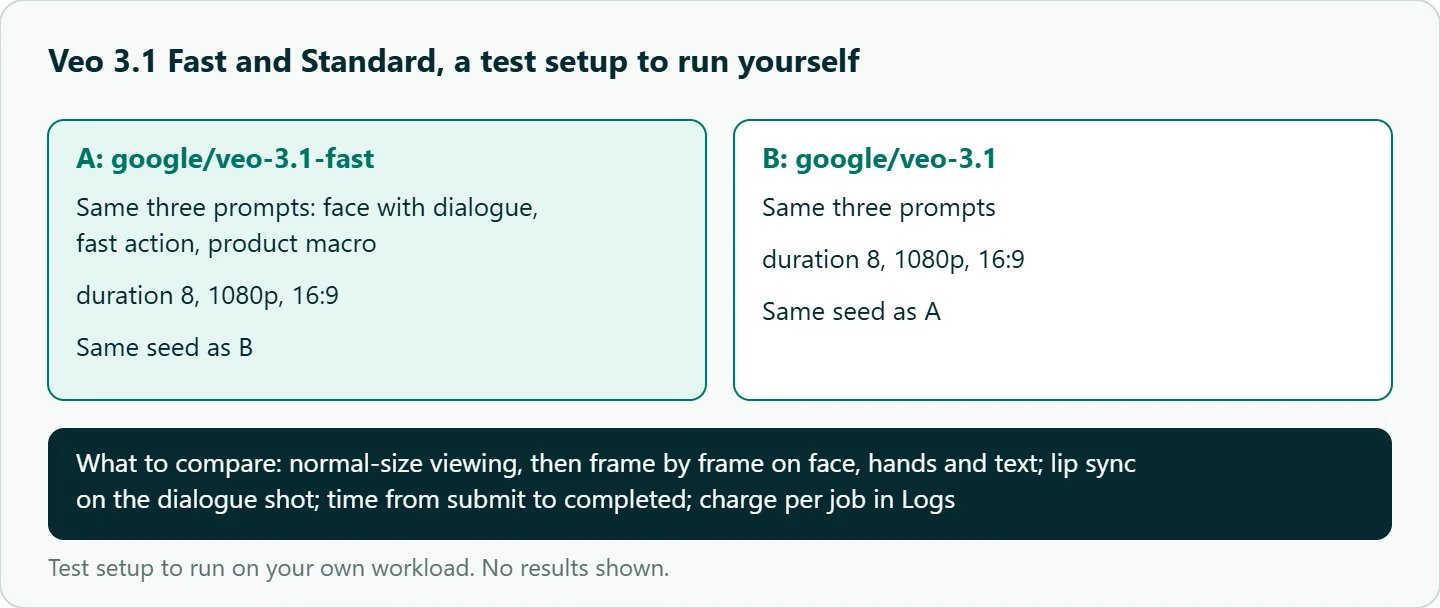
We have not rendered the two tiers side by side for this article. This grid answers the question for your own shots with a small number of jobs:
- Pick three prompts that stress different things: a face close-up with dialogue, a fast action shot, and a product macro.
- Render each on
google/veo-3.1-fastandgoogle/veo-3.1with the same prompt,duration: 8,resolution: "1080p",aspect_ratio: "16:9"and the sameseed. - Compare at normal viewing size first, then frame by frame on the face, hands and any text.
- On the dialogue shot, check lip sync and whether the voice matches the line.
- Record time from submit to completed for each job, and the charge per job in the console's Logs.
- Send one Fast request with an image in
input_referencesand confirm it is accepted.
For render time, the OceanToken video render time page is worth a look. On November 18, 2026 it listed Veo 3.1 Lite only; Fast and Standard did not yet have enough timed clips to appear. Until they do, your own step 5 is the number to trust.
| Your shot | Use |
|---|---|
| Testing whether a prompt works | Lite, 720p |
| Draft with a character reference | Fast, 720p |
| Wide shot or cutaway for delivery | Fast, 1080p |
| Close-up hero frame | Standard, 1080p |
| Dialogue take | Standard, 1080p |
Our take: Treat Veo 3.1 Fast and Standard as one request with two model ids. Draft and review on Fast at 720p, ship B-roll on Fast at 1080p, and render hero and dialogue shots on Standard at 1080p, since Standard's 720p row shows no saving. Write the rule down for whoever runs the batch, and log seconds kept against seconds rendered per tier.
Running it on OceanToken
All three Veo 3.1 tiers run on OceanToken at the OpenAI-compatible base URL https://api.oceantoken.ai/v1, through POST /v1/videos, with the model ids google/veo-3.1, google/veo-3.1-fast and google/veo-3.1-lite. One key and one prepaid balance cover all three and every other video model, so moving a shot between tiers is a change of model id. A failed or refused job is not charged, and an Idempotency-Key keeps a retried create call from starting a second job. Each tier is priced per second of video by resolution for a 16:9 clip at 24 fps and billed per video token; see the current rate on /veo-api or on the Veo 3.1 and Veo 3.1 Fast model pages.
FAQ
Is Veo 3.1 Fast good enough for 1080p delivery? For wide shots, cutaways and motion-heavy B-roll, it is our default. For close-ups and dialogue, we use Standard.
Does Veo 3.1 Fast support reference images? On this API, yes: the reference lists input_references with up to 3 images for Fast, the same as Standard. Lite has no reference input.
What durations does Veo 3.1 accept? 4, 6 or 8 seconds on all three tiers, with 6 as the default. Any other value is refused before the job runs.
Should I render Standard at 720p to save money? On November 18, 2026, the Standard model page showed the same per-second rate for 720p and 1080p, so render Standard at 1080p.
Can I reuse a seed from a Fast draft on Standard? You can send it, but the docs only promise a similar clip for the same settings, and the model is one of them. Review the Standard take as a new one.
Sources
- OceanToken docs: Veo 3.1 model reference (checked 2026-11-18)
- OceanToken docs: Veo 3.1 Fast spec (JSON) (checked 2026-11-18)
- OceanToken docs: Veo 3.1 Lite spec (JSON) (checked 2026-11-18)
- OceanToken docs: Video guide (checked 2026-11-18)
- OceanToken: Veo 3.1 model page (checked 2026-11-18)
- OceanToken: Veo 3.1 Fast model page (checked 2026-11-18)
- OceanToken: Veo 3.1 Lite model page (checked 2026-11-18)
- OceanToken: Video render time (checked 2026-11-18)
Get your OceanToken API key
- Create an OceanToken account and an API key.
- Copy the snippet below, paste your key, and run it.
- Check the current rate on /veo-api.
curl https://api.oceantoken.ai/v1/videos \
  -H "Authorization: Bearer $OCEANTOKEN_API_KEY" \
  -H "Content-Type: application/json" \
  -d '{"model": "google/veo-3.1-fast", "prompt": "Close-up of a courier wiping rain from her face, neon reflections, slow push in", "duration": 8, "resolution": "720p", "aspect_ratio": "16:9"}'
More from the blog
Qwen3.8 Max vs GLM 5.3 vs DeepSeek V4 Pro
Qwen3.8 Max vs GLM 5.3 vs DeepSeek V4 Pro by job: coding agents, tool calling and JSON, long context, and how each handles thinking and reasoning_content.
Wan 3.0 Prime vs Veo 3.1: Image to Video
Wan 3.0 Prime vs Veo 3.1 image to video on one API: first and last frame fields, reference image limits, lengths, shapes and which model fits each shot type.
GTE-Large vs BGE-M3 for Multilingual RAG
GTE-Large vs BGE-M3 for RAG: English-only and 512 tokens vs 100+ languages and 8K input, what /v1/embeddings returns, and how chunking changes.